Issue: 1.2-17-2 Ovation Systems Ltd Page 25
www.ovation.co.uk
9 Enabling the VLC Plug-in with Firefox
Firefox has to be configured to run the VLC plug-in when streaming live video and when
using the SD card player. The procedure is as follows:
1) Firstly ensure VLC is installed and you have a recent version of Firefox, version 33 or
higher, via “Help” > “About Firefox”. The latest Firefox can be downloaded from
www.mozilla.org
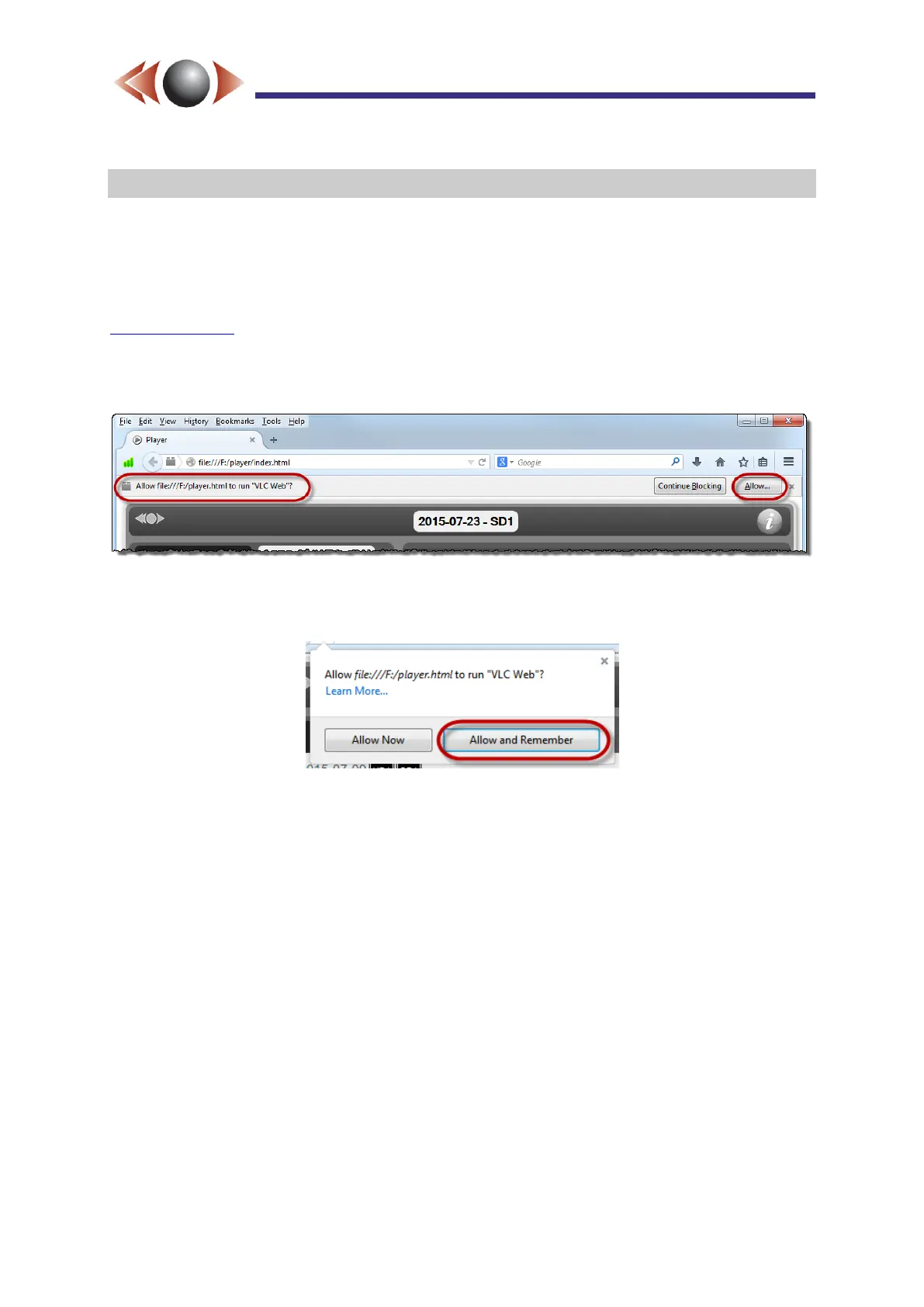
2) If not already enabled, you will be asked to allow the use of the VLC plug-in. Click [Allow]
as shown below.
Figure 25: Enabling the VLC Plug-in with Firefox
You will be subsequently asked if you wish to keep this setting, click [Allow and Remember]
Figure 26: Retain VLC plug-in Authorisation



 To Previous Page