Issue: 1.2-17-2 Ovation Systems Ltd Page 7
www.ovation.co.uk
2.4 Basic HD Installation
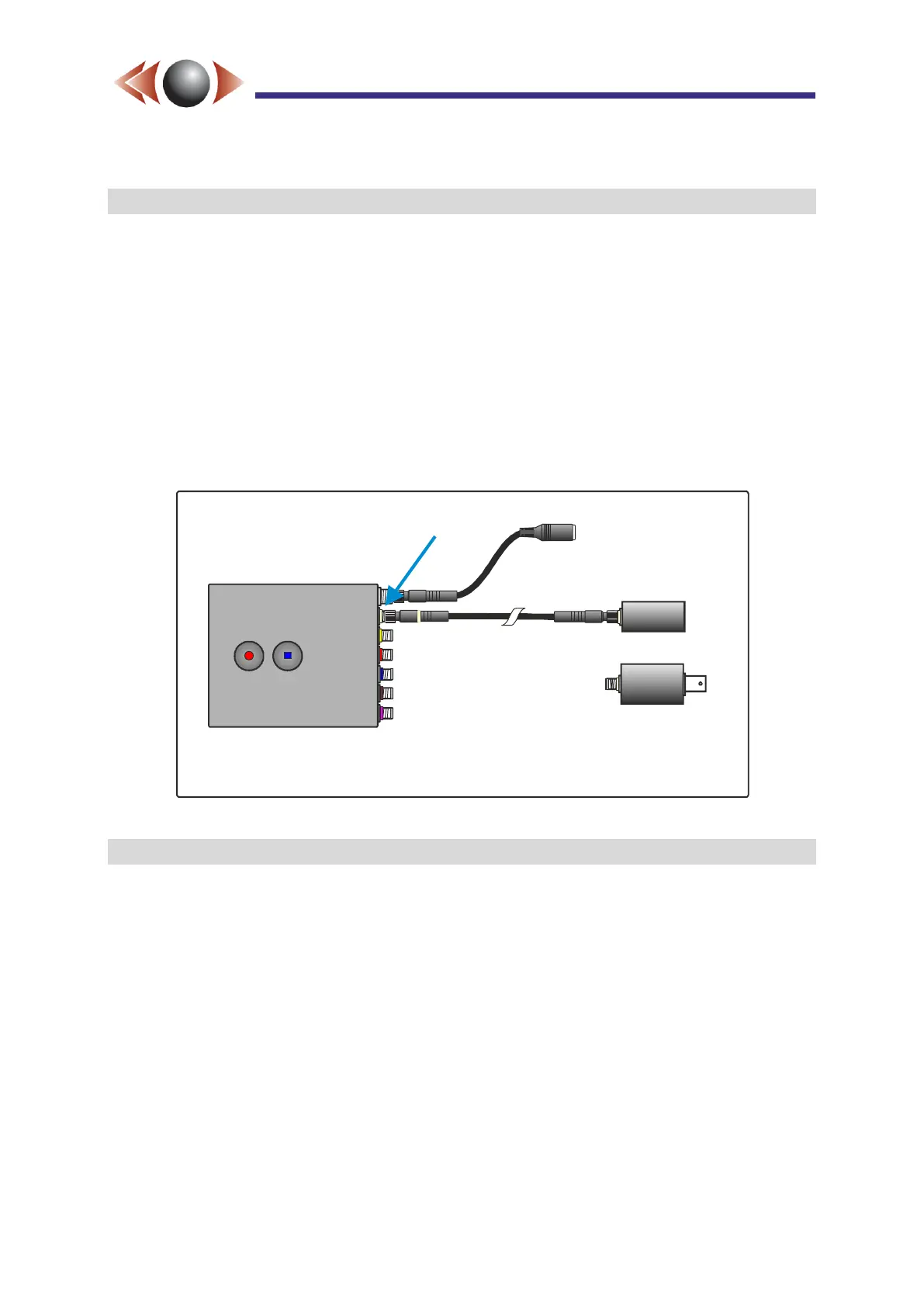
The i-Conex HD input (marked with cream) is a proprietary high speed digital input to the
DVR which interfaces directly with Ovation’s 720/p HD micro-Cam. Additionally, this input
can also be used with standard HDSDI cameras via an external adaptor. Progressive
resolutions of 720p/25,30,50,60 or 1080p/25 or 30 are supported. See Figure 6 below
showing a basic HD installation.
NB► The i-Conex cable from the HD micro-Cam, or HDSDI adaptor, cannot be longer than
2 metres (ie 2 x 1 metre extensions).
NB► The HD micro-Cam, and the HDSDI adaptor, are powered by the FlashBack-4. They
both require the “Camera / adaptor power” to be set to 5V on the last page of the
Wizard (see Section 4, page 15) or via the A/V Setup webpage.
Figure 6: Example Basic HD Installation
2.5 Basic SD Installation
FlashBack-4 has four PAL and NTSC analogue inputs via the yellow and cream i-Conex
connectors. Up to four simultaneous SD inputs can be recorded individually, or all 4
combined into one HD quad. FlashBack-4 can provide power for cameras, which can be set
to 5V, 9V or 12V at up to 300 mA per i-Conex by the Wizard.
Four i-Conex to BNC and DC jack cables are supplied to interface to standard analogue
cameras (see Figure 7, below). Ovation-supplied i-Conex SD cameras include power and
video through one cable.
i-Conex to HDSDI
adaptor
(720p/60 or 1080p/30)
OSL
micro-Cam
720p/25 or 30
DC Power Skt
6 to 30V DC
(centre +)
Up to 2 metres
or
Cream
i-Conex
input
NB: Set the “Camera / adaptor power”
to 5V via the Wizard to power the HSDI
adaptor or the HD micro-Cam.



 To Next Page