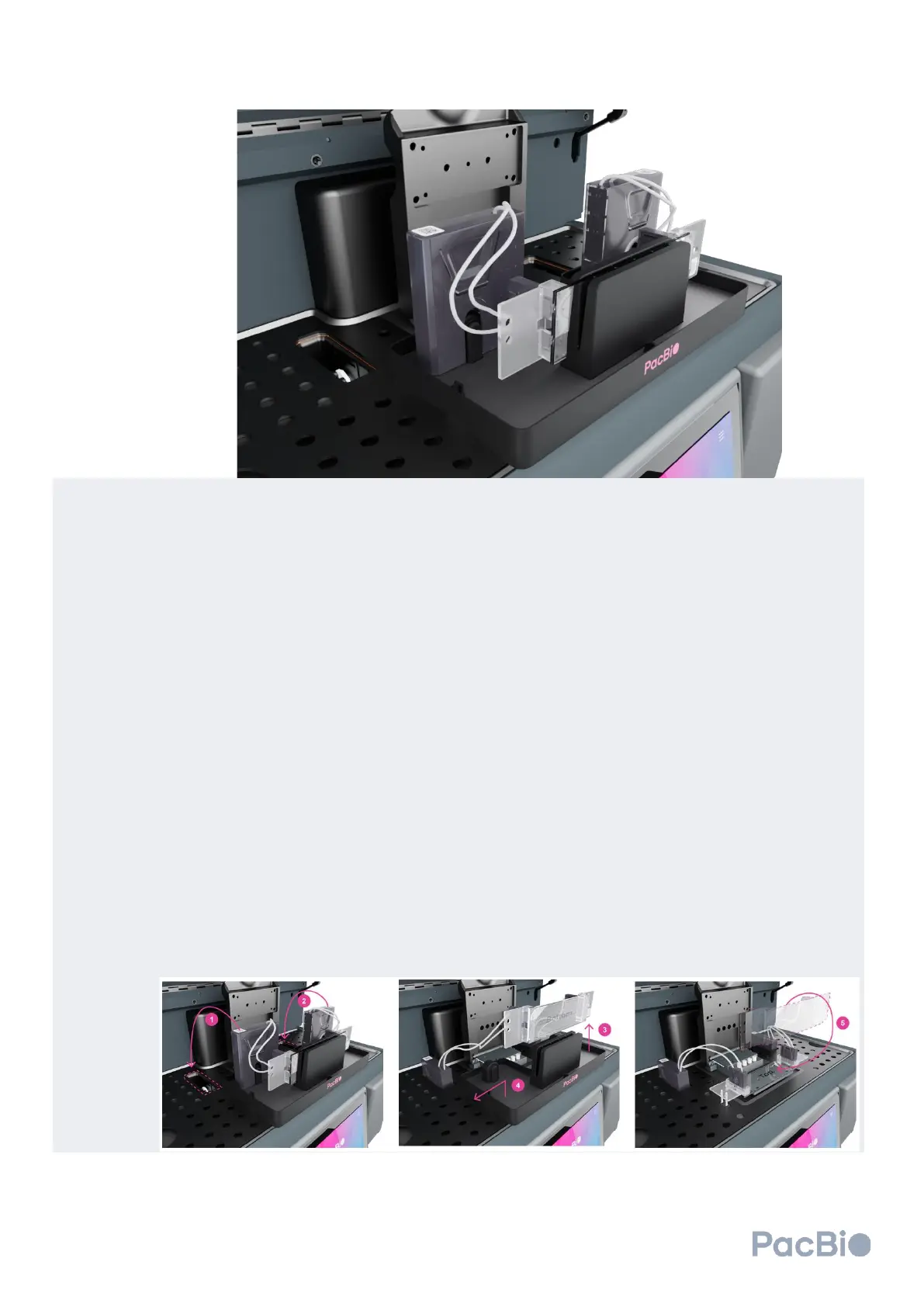
Load the flow cell in the cluster generator instrument workspace:
1. Remove the left MICA from the flow cell kit base and align the MICA instrument connector side with the
instrument connection slots such that the fluidic tubing is closest to the user. Connect the left MICA by
gently pushing down into the slot until an audible click is heard. The audible click indicates that the
MICA has been engaged.
2. Repeat step 1 above with the right MICA instrument connector side, aligning and connecting it to the
instrument connection slot with the fluidic tubing closest to the user.
It is encouraged to verify MICA engagement by gently pulling the MICA instrument connectors
upward – if properly installed, the MICA instrument connectors should not easily disconnect
from the cluster generator.
3. Holding either the left or right wing of the flow cell, lift the flow cell directly upward out of the kit base. In
this orientation, the bottom of the flow cell is facing the user.
4. With the flow cell still lifted, remove the flow cell kit base from the workspace area by lifting upward
slightly and moving out to the side until the kit base is no longer seated on the instrument.
5. Seat the lifted flow cell onto the workspace area with the bottom of the flow cell facing down. Ensure
that the flow cell is seated properly by aligning the pinholes on the flow cell with the metal guide pins on
the cluster generator loading stage of the workspace area. The flow cell wing with two pinholes (circle
and diamond) will be positioned on the left wing and the wing containing one pinhole (oval) will be
positioned on the right.
Users can also verify correct orientation of the flow cell in the instrument workspace if the QR
code on the flow cell is legible on the top right corner of the flow cell, away from the user.



 To Next Page