© 2024 PacBio. All rights reserved. For research use only. Not for use in diagnostic procedures.
PN 103-140-400 REV05 JUN2024
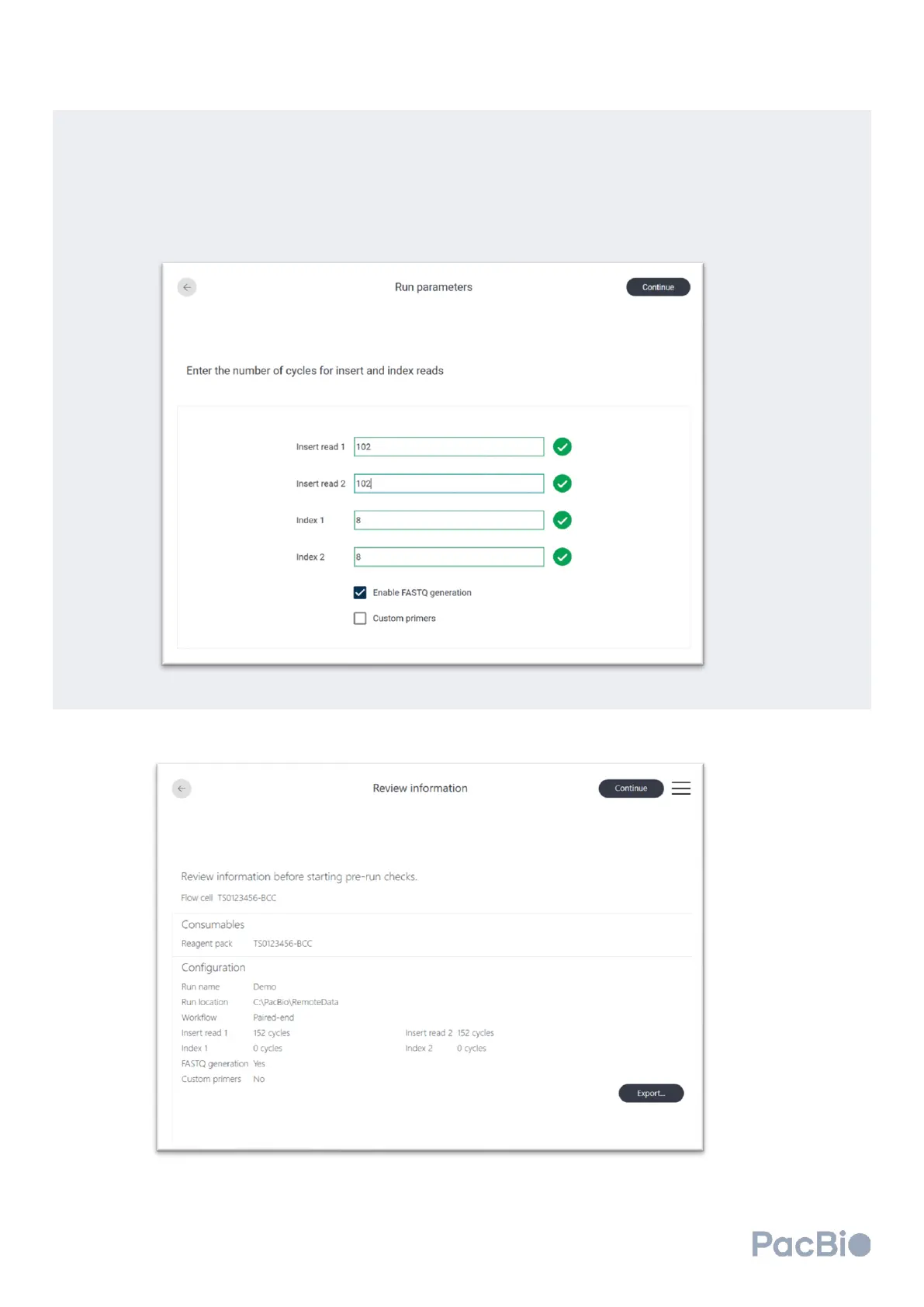
• “Enable FASTQ generation” – select if outputs preferred in FASTQ format.
• “Custom primers” – select if custom primers are to be used. Refer to section 2 of “Onso sequencing” of
this guide.
The example shown below is for a 2x100 sequencing run for native Onso libraries. Native Onso libraries
contain 8 base pair index sequences, and do not require the use of custom primers.
Confirm field entries are correct. Select “Continue” to advance.
Verify that the fields in the
Review information
screen are correct. If changes need to be made, click the back
arrow at the top left to make the necessary changes. Select “Continue” to advance.



 To Next Page