S-DBS Installation Instructions
v1.0
a6 .
Section 300
Issue 1 August 1990
r-x
SMDR INTERFACE CARD (continued)
1. Installing the SMDR Card
(See Figur~-ur~-og-pge 21)
--.-.
__ .__ _.-
a) Place the SMDR card in the area on the main unit
marked “SMDR I/F’. Push the card forward to lock
it in place.
b) Use the ribbon cable attached to the SMDR card to
connect the card to the SMDR pin connector.
*
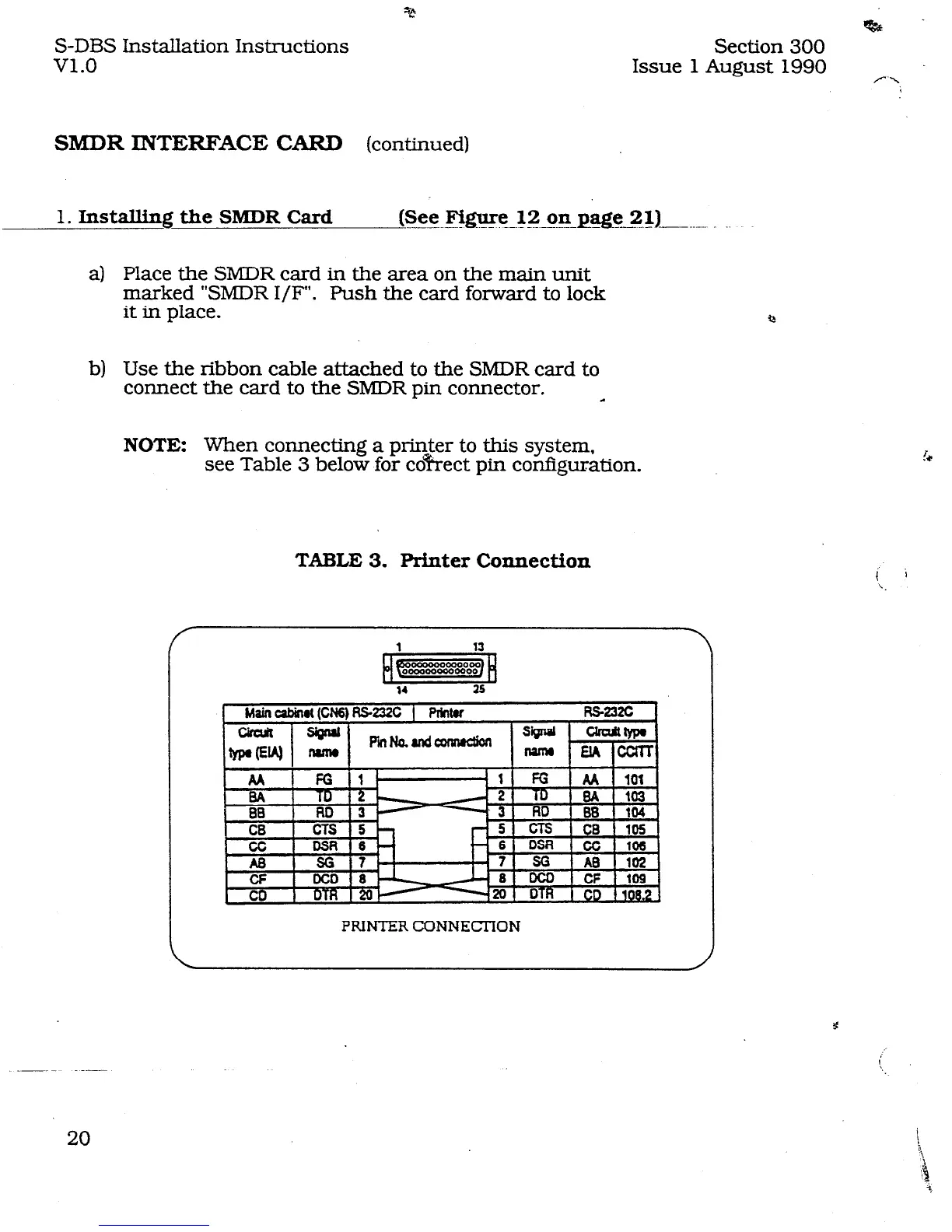
NOTE: When connecting a pri.r$er to this system,
see Table 3 below for co?‘rect pin configuration.
TABLE 3. Printer Connection
Q
PRINTER CONNECTION












 To Next Page