54
Black gamma and Black gamma range controls
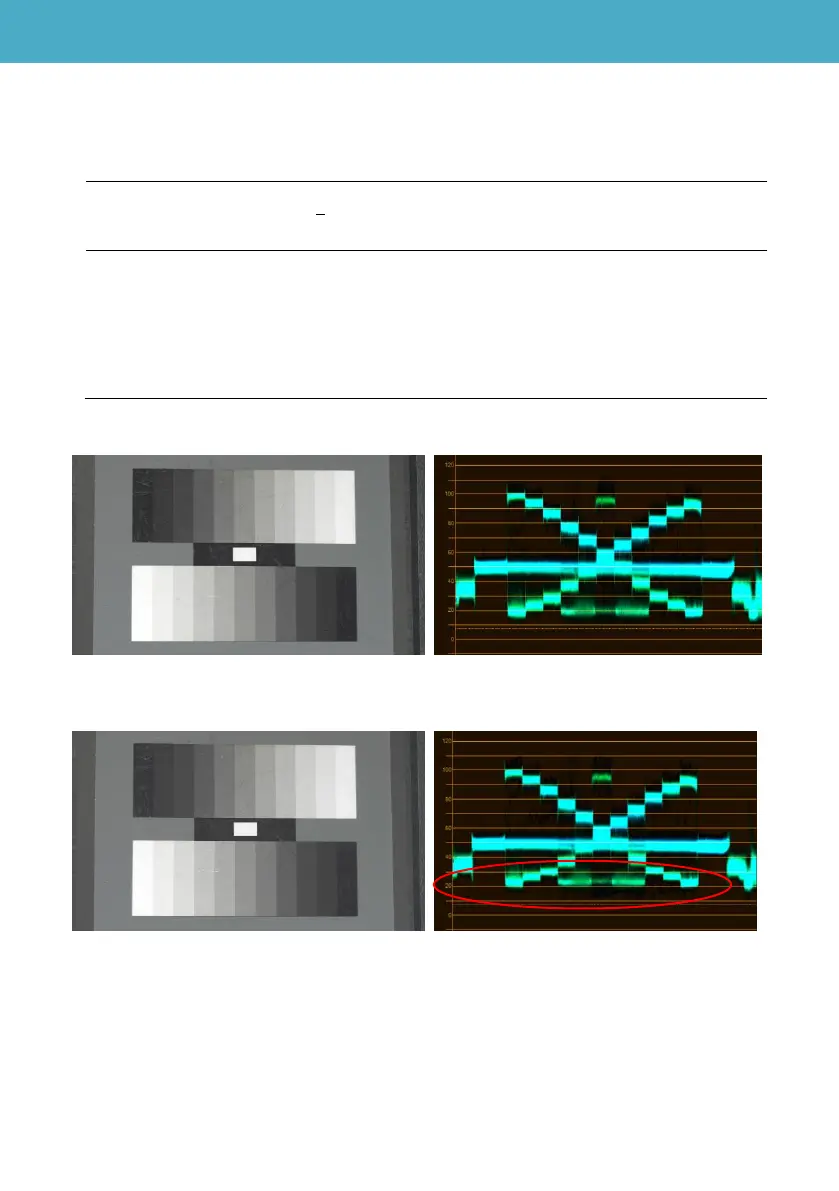
Dark parts of the image (approx. 20% to 40% in video level) can be lifted or suppressed with these
controls.
MENU > SCENE FILE > (Factory default settings underlined)
[BLACK GAMMA] -8 - - - 0 - - - +8
Sets gamma characteristic for dark part of the image.
[BLACK GAMMA RANGE] 1 , 2 , 3
Sets level to be lifted or suppressed.
1 : Adjust approx. 20% in video level.
2 : Adjust approx. 30% in video level.
3 : Adjust approx. 40% in video level.
BLACK GAMMA = +8, BLACK GAMMA RANGE= 1
BLACK GAMMA = +8, BLACK GAMMA RANGE= 2
5. Understanding scene file operations













 To Next Page