20
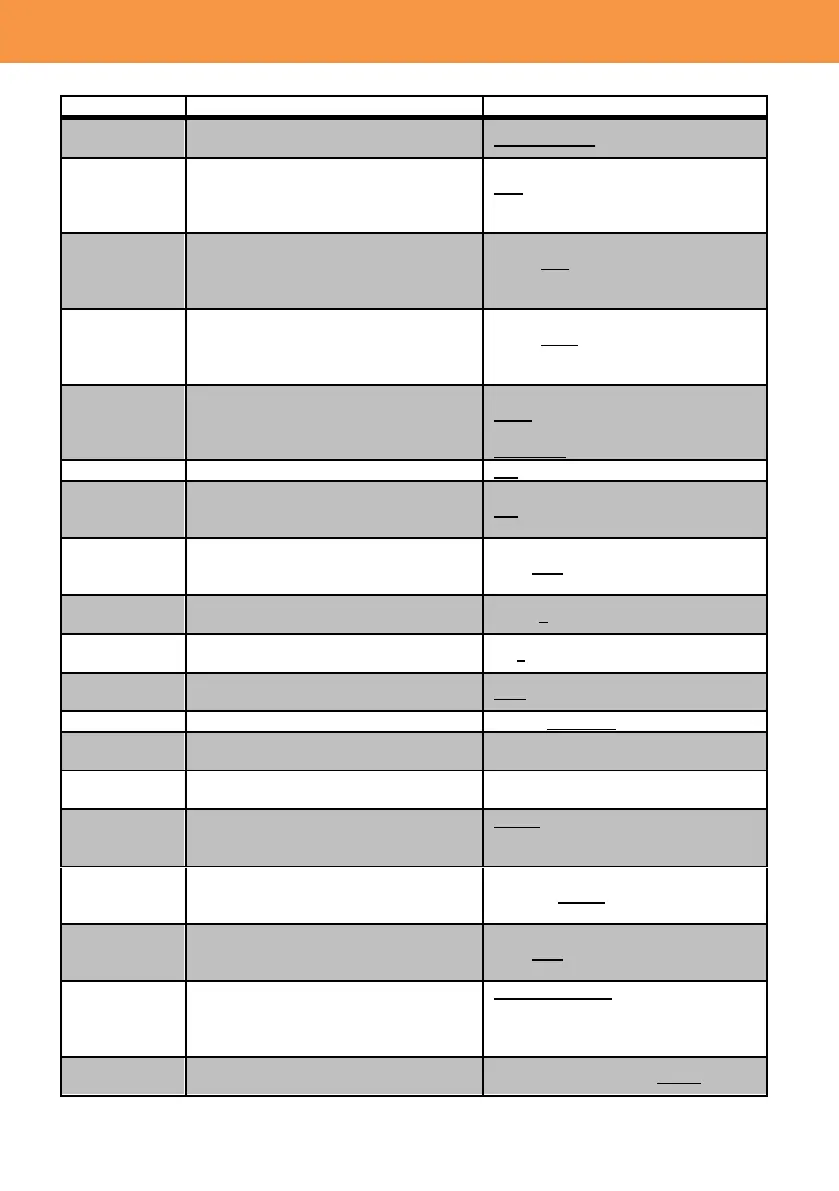
SWITCH SETTING
Value(Factory default setting underlined)
Set the IRIS control direction of the
IRIS ring.
Set GAIN value when the gain selector
is set to “L”.
GAIN/ISO DISPLAY = GAIN
0dB – 24dB
GAIN/ISO DISPLAY = ISO
ISO500 – ISO8000
Set GAIN value when the gain selector
is set to “M”.
GAIN/ISO DISPLAY = GAIN
0dB – 6dB - 24dB
GAIN/ISO DISPLAY = ISO
ISO500 – ISO8000
Set GAIN value when the gain selector
is set to “H”.
GAIN/ISO DISPLAY = GAIN
0dB – 12dB - 24dB
GAIN/ISO DISPLAY = ISO
ISO500 – ISO8000
Set GAIN value in the SUPER GAIN
mode, which is available as one of the
user assignable functions.
GAIN/ISO DISPLAY = GAIN
30dB / 36dB
GAIN/ISO DISPLAY = ISO
ISO16000 / ISO32000
Turn ON/OFF optical image stabilizer.
Turn ON/OFF electrical image
stabilizer which works in addition to the
optical one.
OIS characteristic customization (Blur
Amplitude and Frequency) can be
used when this item is set to ON.
Customize characteristic of amplitude
swing for OIS.
Customize characteristic of frequency
swing for OIS.
Assign Auto Tracking White (ATW) to
any position of WHITE BAL selector.
Set color transition speed of ATW
Fine-tune the ATW adjustment result
(to make it more/less Reddish).
Fine-tune the ATW adjustment result
(to make it more/less Blueish).
Set white balance mode when WHITE
BAL selector is set to PRST.
3200K / 5600K / VAR*
*VAR : Variable
Adjust color temperature of the image
when WB PRESET is set to VAR
(variable) mode.
Focus mode is momentarily set to
“AUTO” immediately after manual
focusing.
Choose the window for focus
adjustment by MF ASSIST.
CENTER AREA: Detect the center
part of the screen.
MULTI AREA: Detect the subject
currently focused on.













 To Next Page