29
OTHER FUNCTIONS
Note: Items marked will not function when OUTPUT BIT item is set to “4:2:2 10bit”.
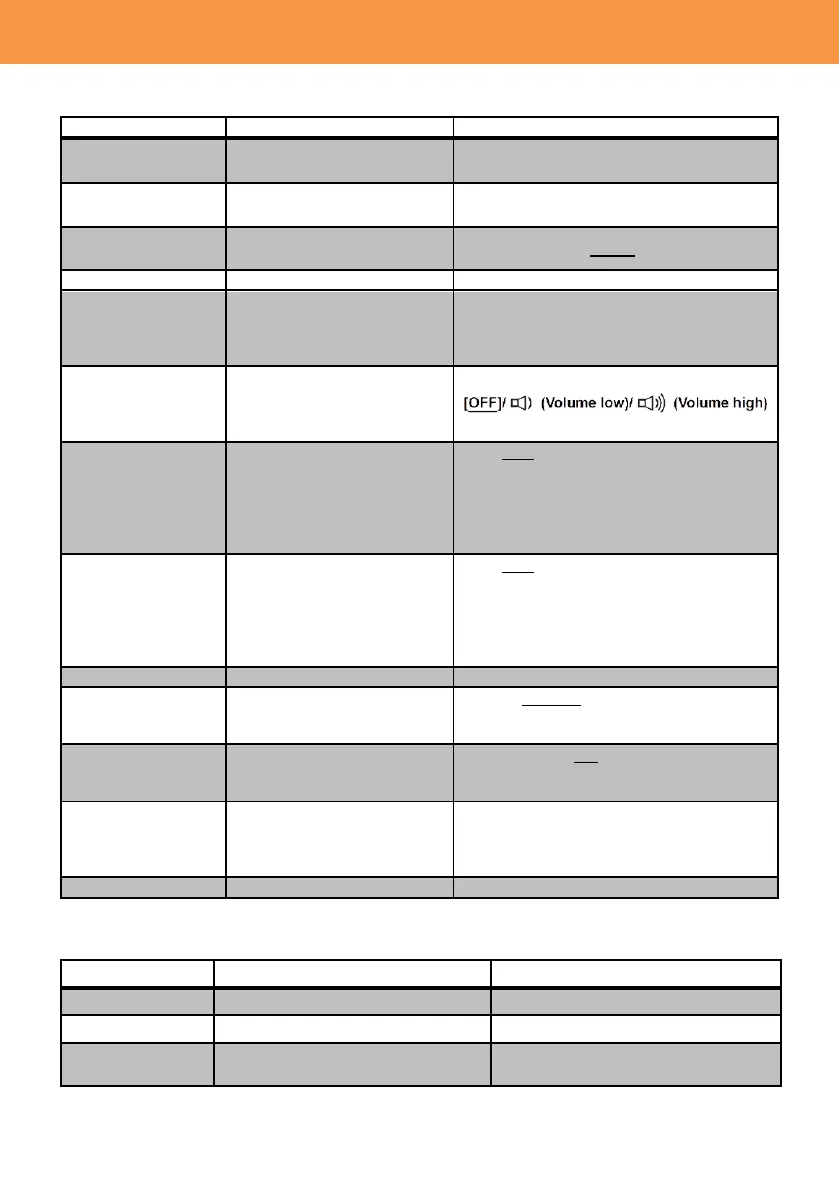
Value (Factory default setting underlined)
SD cards and external drives
can be formatted.
Show remaining record time
of SD cards.
Set the tally lamp to be used
during the recording.
FRONT / REAR / BOTH / OFF
Set the time difference
between the current location
and Greenwich Mean Time
(GMT).
Set the beep alert volume,
which occurs when touching
the screen or
starting/stopping recording.
Turn ON/OFF the economy
mode, which automatically
turns power OFF when no
operation is detected for five
minutes while the camera is
battery-powered.
ON / OFF
*It does not function under the following
conditions.
-PRE-REC is activated
-While in USB connection mode
Turn ON/OFF the economy
mode, which automatically
turns power OFF when no
operation is detected for 15
minutes while AC-powered.
ON / OFF
*It does not function under the following
conditions.
-PRE-REC is activated
-While in USB connection mode
HOST / DEVICE
HOST: When connect to external storages.
DEVICE: When connect to PC/Mac.
Restore the product to
factory settings.
ALL / SCENE / NO
SCENE: Initializes customized scene files
only.
Return the clip number to
“0001” when MOV/MP4 files
or still pictures are recorded
next time.
MAINTENANCE
Value (Factory default setting underlined)
Show the current firmware version.
Executes the firmware update.
Show the following operation hours
and times (cumulative)













 To Next Page