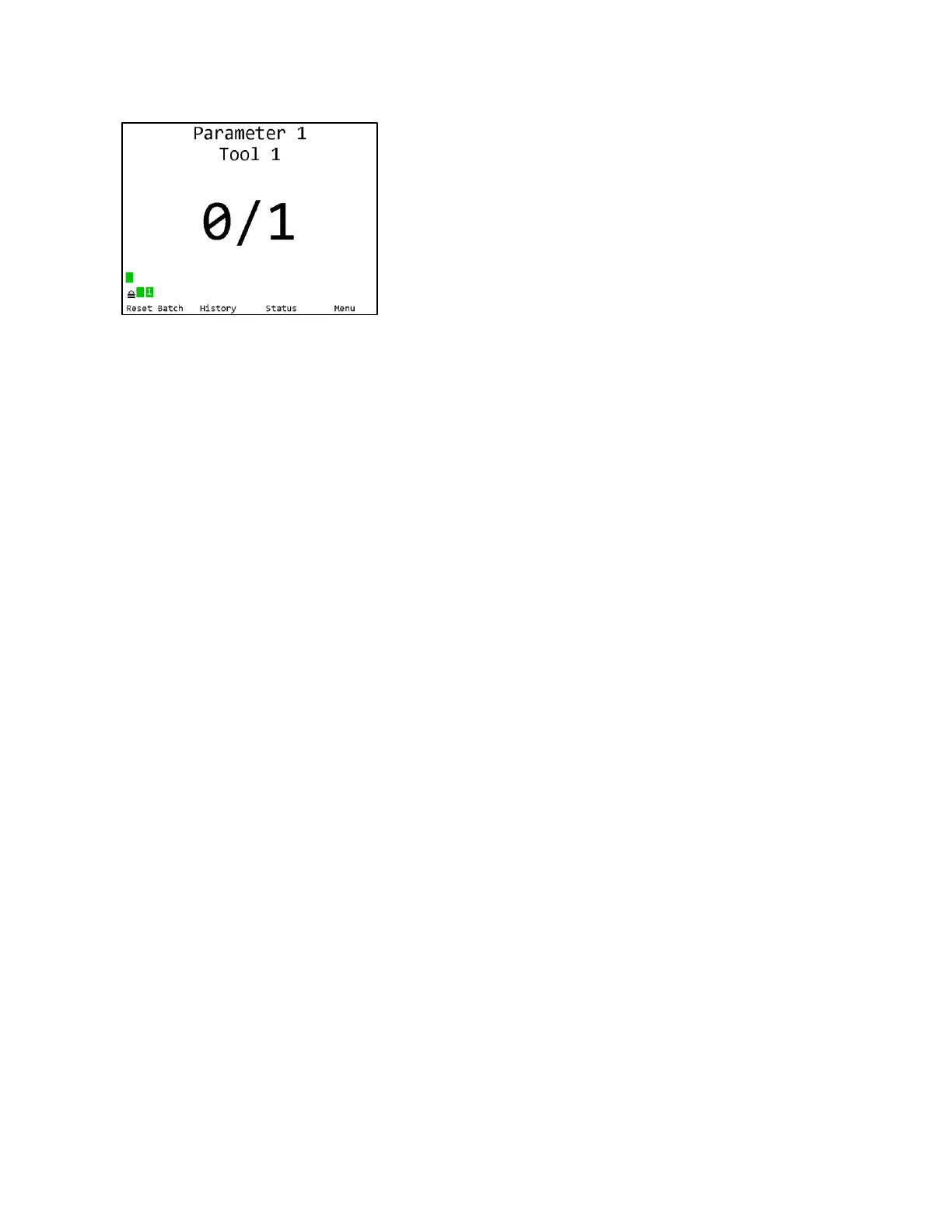
You will be returned to the Run screen, now with
Parameter 1 selected. You can now perform tightenings
with Tool 1 that will be monitored, stored, and reported
by the qualifier.
AccuPulse
AccuPulse tools work both in one-way communication (Default) or two-way communication.
You will have to use the remote control to switch the tool from one-way to two-way mode.
To set the tool from default “90” (one-way) to ‘91” (two-way)
1. Put the tool into program mode.
2. Press “C” button on the remote 4 times
3. “90” is default (one-way), Press the + up to “91” (two-way)
4. Press the Ok button to accept the changes.
AccuPulse Tools in two-way mode “91” will flash Orange on the rear LED when the parameter
is selected. If the tool is in “sleep mode” (timed out from no operation and no display) the tool
will not communicate or flash orange. Pulling the tool trigger will “wake” the tool and initiate
communication then flash orange. Tool sleep time can be changed in the qualifier settings under
Qualifier setting then “Tool on time”. Default is 90 min. Sleep time range is 20 -720 min.
In the event the qualifier is powered down or loses power while the tool is in sleep mode,
you must power up the qualifier first before waking the tool from sleep to initiate two-way
communication. Otherwise you will need to pull and reinstall the battery on the tool







 To Next Page