Playback Mode
-36-
When you select MPEG4 Playback Mode at
Step 1
≥File is numbered in hexadecimal.
≥When the object is moving fast or zoom
operation is performed, picture may appear to
be still or causes mosaic-pattern noise, but this
is not a malfunction.
≥When you select MPEG4 Playback Mode at
step 1, during playback, push the [W/T] lever to
display the volume indication until the volume
Indication appears and adjust the volume. (
-32-)
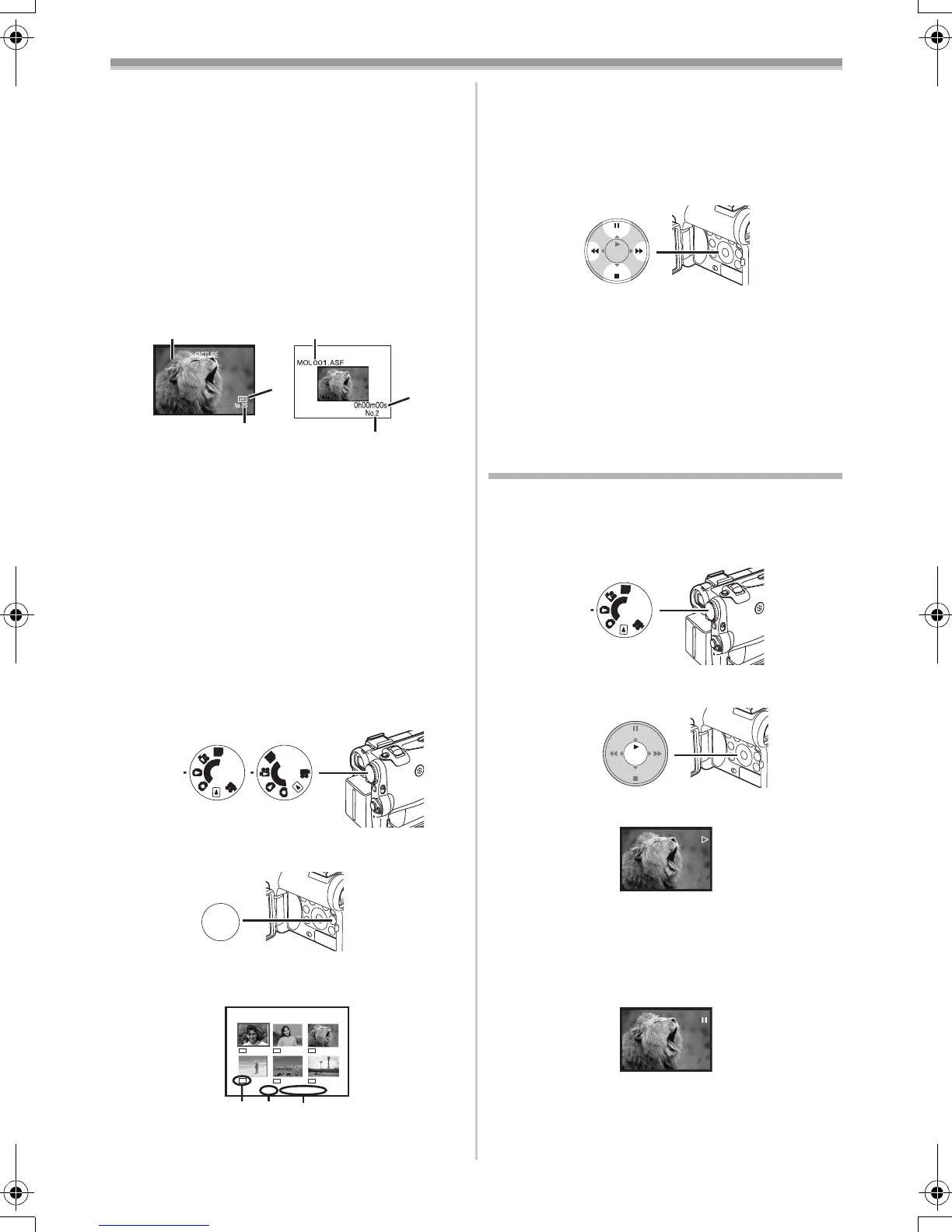
1 Folder File Number (When the picture is
played back)
File Name (When the MPEG4 data is played
back)
2 Picture Size (When the picture is played back)
(
-47-)
Playback time (When MPEG4 data is played
back)
3 File Number
To Select a Desired File and Playing Back
1 Set the Mode Dial (43) to Picture Playback
Mode or MPEG4 Playback Mode.
2 Press the [MULTI] Button (9).
≥The files recorded on the Card are displayed
in Multi-Picture Mode.
1 Picture Size (When Picture Playback Mode is
selected at Step 1)
2 File Number
100-0001
MPEG4
3
2
1
2
3
1
PC
S
D
P
C
S
D
(43)
MULTI/
P-IN-P
(9)
PICTURE
1 23
No.25 100-0014
640
640
640
640
640
640
3 Folder File Number (When Picture Playback
Mode is selected at Step 1)
File Name (When MPEG4 Playback Mode is
selected at Step 1)
3 Press the [;/∫/6/5] Button to select a
desired file.
≥The selected file is marked with a frame.
4 Press either the [ENTER] Button (14) or the
[MULTI] Button
(9).
≥The selected file is shown on the entire
screen.
≥For other notes concerning this item, see
-52-.
Slide Show
The recorded still pictures in the Card can be
played back like a Slide Show.
1 Set the Mode Dial (43) to Picture Playback
Mode.
2 Press the [1] Button (14).
≥The [SLIDE!] Indication is displayed.
≥Each of the pictures are played back for
several seconds.
To Pause the Slide Show
Press the [;] Button.
≥The [SLIDE;] Indication is displayed.
To Stop the Slide Show
Press the [∫] Button.
ENTER
FADE
STILL
is
P
C
S
D
(43)
STILL
ENTER
FADE
is
(14)
SLIDE
SLIDE
55B-ENG.book 36 ページ 2004年2月4日 水曜日 午前11時54分







 To Next Page