Others
-46-
Others
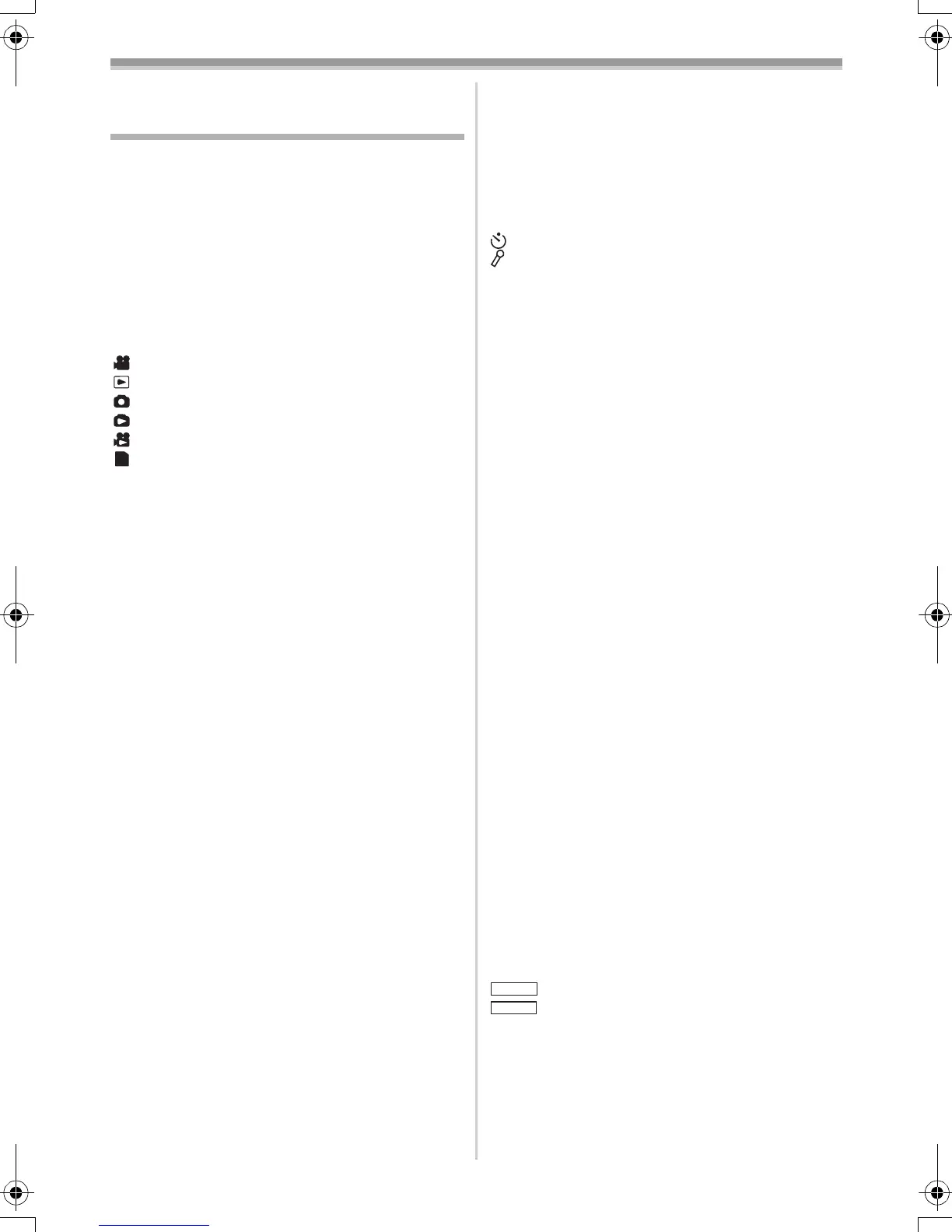
Indications
Various functions and the Movie Camera status
are shown on the screen.
r: Remaining Battery Power
≥When the battery power becomes low, the
Indication changes. When the battery is
discharged completely, the u (v)
Indication flashes.
R0:45: Remaining Tape Time
≥Remaining tape time is indicated in minutes.
(When it reaches less than 3 minutes, the
indication starts flashing.)
: Tape Recording Mode
-20-
: Tape Playback Mode -32-
: Card Recording Mode -21-
: Picture Playback Mode -35-
: MPEG4 Playback Mode -35-
: PC Mode -44-
CINEMA: Cinema Mode -26-
D.ZOOM: Digital Zoom -24-
MULTI: Multi Mode -30-
P-IN-P: P-IN-P Mode -30-
WIPE: Wipe Mode -30-
MIX: Mix Mode -30-
STROBE: Strobe Mode -30-
TRAIL: Trailing Effect Mode -30-
MOSAIC: Mosaic Mode -30-
MIRROR: Mirror Mode -30-
STRETCH: Stretch Mode -30-
SLIM: Slim Mode -30-
NEGA: Negative Mode - 30-
SEPIA: Sepia Mode -30-
B/W: Black & White Mode -30-
SOLARI: Solarisation Mode -30-
(PB) ZOOM: Playback Zoom -34-
SP: Standard Play Mode (Recording
Speed Mode)
-19-
LP: Long Play Mode (Recording
Speed Mode)
-19-
INDEX: Index signal recording -34-
S 1: Search Number -34-
5k: Zoom Magnification Indication
-23-
AUTO: Automatic Mode -20-
MNL: Manual Mode -27-
[: Image Stabilizer -24-
MIC, AV IN: Audio Dubbing Input Display -41-
12 bit, 16 bit: Audio Recording Mode -19-
MF: Manual Focus -29-
ª: Back Light Mode -25-
5: Sports Mode (Programme AE)
-27-
7: Portrait Mode (Programme AE)
-27-
PC
4: Low Light Mode (Programme AE)
-27-
Ω: Spotlight Mode (Programme AE)
-27-
º: Surf & Snow Mode (Programme
AE)
-27-
REC: Recording -20-
PAUSE: Recording Pause -20-
: Self-Timer Recording -23-
: When connecting the Free Style
Remote Controller with Mic to
[REMOTE] Socket and the
[TALK] Button is pressed, this
indication appears.
-21-
!: Playback -32-
;: Still Playback -33-
%: Fast-forward/Cue Playback -32-
&: Rewind/Review Playback -32-
~, }: Slow Motion Playback -33-
";, ;!: Still Advance Playback -33-
*, ): Index Search -33-
CHK: Recording Check -20-
A.DUB !: Audio Dubbing -41-
A.DUB ;: Audio Dubbing Pause -41-
BLANK: Blank Search -20-
R !: Repeat Playback -52-
2k%: Variable Speed Search -33-
1/500: When you adjust shutter speed
manually, this indication appears.
-29-
SLIDE!: Slide Show Playback -36-
SLIDE;: Slide Show Playback Pause -36-
F2.4: When you adjust the F Number
manually, this indication appears.
-29-
1: White Balance Adjustment Mode
-27-
z: Outdoor Mode -27-
{: Indoor Mode (recording under
incandescent lamp)
-27-
C.NIGHT VIEW:
Colour Night View Function
-25-
0LUX NIGHT VIEW:
0 Lux Night View Function
-26-
Z.MIC: Zoom Microphone -24-
WIND CUT: Wind Noise Reduction -26-
æ: Progressive Photoshot Mode -21-
: Tele Macro -24-
: Soft Skin Mode -26-
PICTURE: Picture -35-
TITLE: Title picture -37-
MPEG4: Moving Picture (MPEG4) -36-
0h00m00s: Recording time of MPEG4
VOLUME: Volume adjustment
-32-
15:30:45: Date/Time Indication -47-
N (F, E): Photoshot Picture Quality (during
Photoshot recording)
T.MACRO
SOFT SKIN
55B-ENG.book 46 ページ 2004年2月4日 水曜日 午前11時54分






 To Next Page