EasyManua.ls Logo

Panasonic NV-RX11A - Using the Menu Function.13

Panasonic NV-RX11A
60 pages
Print Icon
To Next Page IconTo Next Page
To Previous Page IconTo Previous Page
Loading...
00O
r
n
TITLE
MENU
DATE/TITLE
DATE
TIME
TITLE
LANGUAGE
FOR
TITLE
SIZE
N
ORMAL
HOLIDAY
ENGLISH
LARGE
PRESS
MENU
TO
RETURN
Using
the
Menu
Function
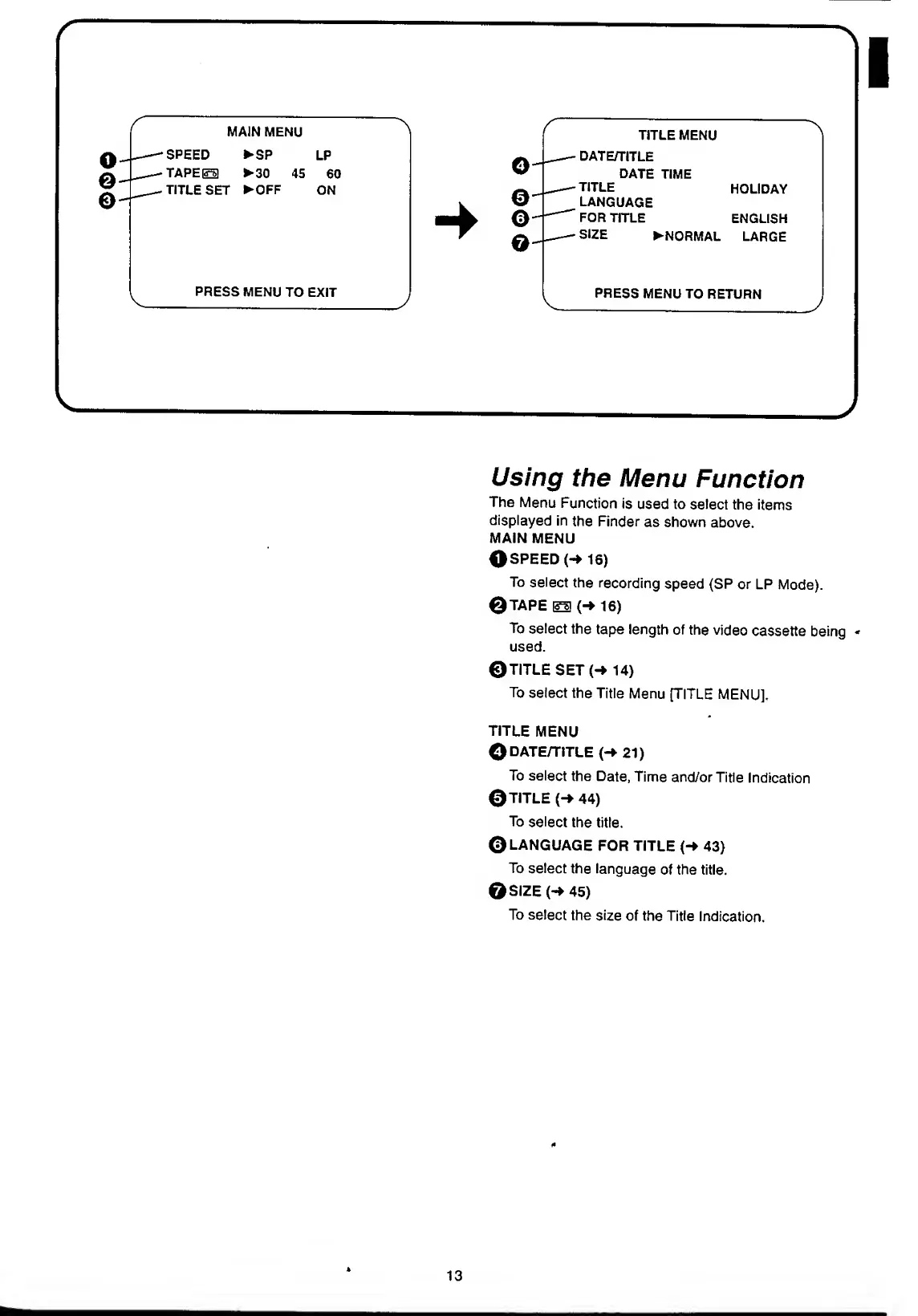
The
Menu
Function
is
used
to
select
the
items
displayed
in
the
Finder
as
shown
above.
MAIN
MENU
©SPEED
(-*
16)
To
select
the
recording
speed
(SP
or
LP
Mode).
©TAPE
ESI
(->
16)
To
select
the
tape
length
of
the
video
cassette
being
-
used.
©TITLE
SET
(-»
14)
To
select
the
Title
Menu
[TITLE
MENU].
TITLE
MENU
©DATE/TITLE
(-*
21)
To
select
the
Date,
Time
and/or
Title
Indication
©TITLE
(->
44)
To
select
the
title.
©LANGUAGE
FOR
TITLE
(->
43)
To
select
the
language
of
the
title.
©SIZE
(-»
45)
To
select
the
size
of
the
Title
Indication.
*
13

Table of Contents