EasyManua.ls Logo

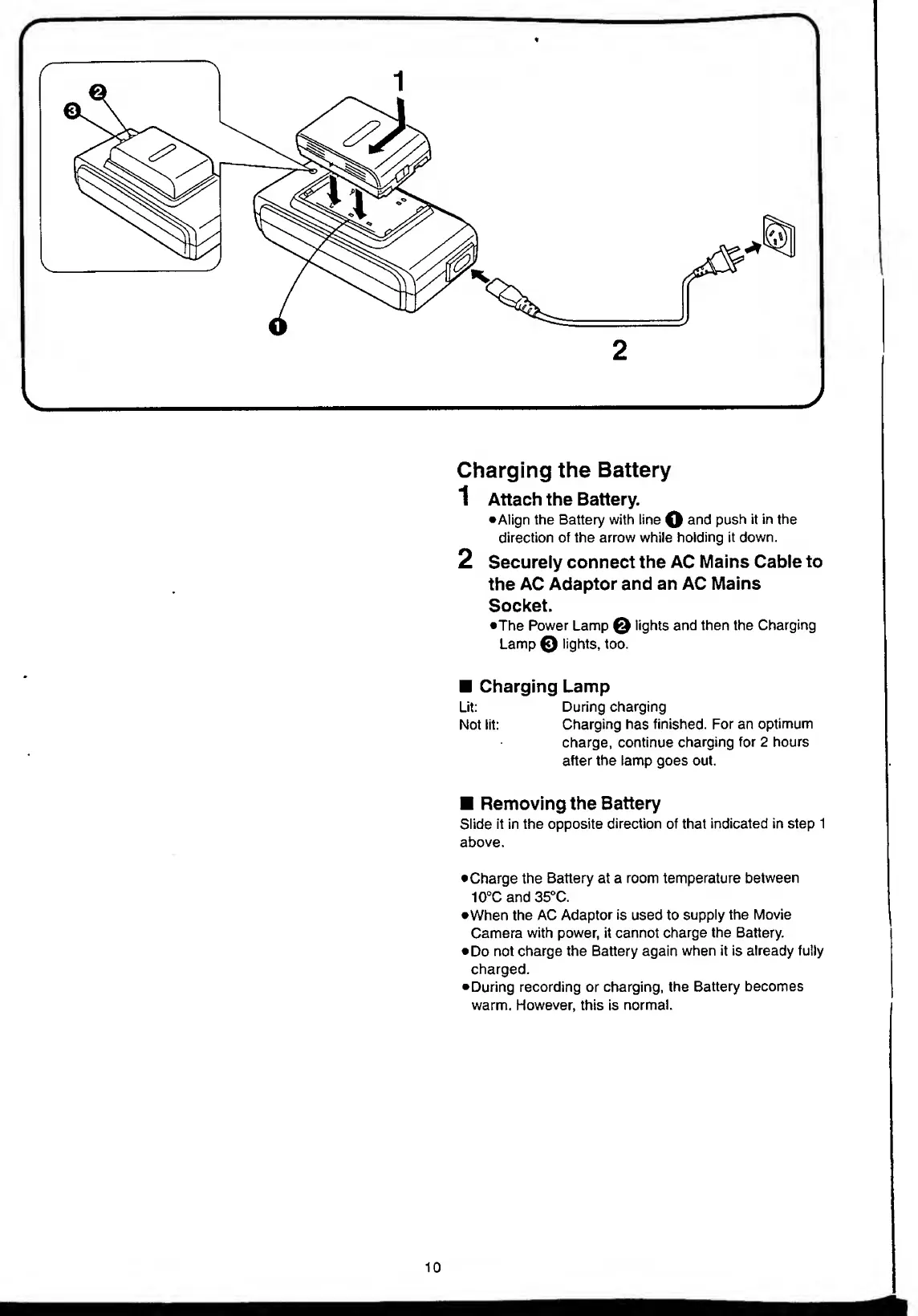
Panasonic NV-RX11A - Charging the Battery.10; Attach the Battery

Panasonic NV-RX11A
60 pages
Print Icon
To Next Page IconTo Next Page
To Previous Page IconTo Previous Page
Loading...
Charging
the
Battery
1
Attach
the
Battery.
•Align
the
Battery
with
line
O
anc
*
push
it
in
the
direction
of
the
arrow
while
holding
it
down.
2
Securely
connect
the
AC
Mains
Cable
to
the
AC
Adaptor
and
an
AC
Mains
Socket.
•The
Power
Lamp
lights
and
then
the
Charging
Lamp
©
lights,
too.
Charging
Lamp
Lit:
During
charging
Not
lit:
Charging
has
finished.
For
an
optimum
charge,
continue
charging
for
2
hours
after
the
lamp
goes
out.
Removing
the
Battery
Slide
it
in
the
opposite
direction
of
that
indicated
in
step
1
above.
Charge
the
Battery
at
a
room
temperature
between
10
°C
and
35°C.
•When
the
AC
Adaptor
is
used
to
supply
the
Movie
Camera
with
power,
it
cannot
charge
the
Battery.
Do
not
charge
the
Battery
again
when
it
is
already
fully
charged.
During
recording
or
charging,
the
Battery
becomes
warm.
However,
this
is
normal.

Table of Contents

Related product manuals