EasyManua.ls Logo

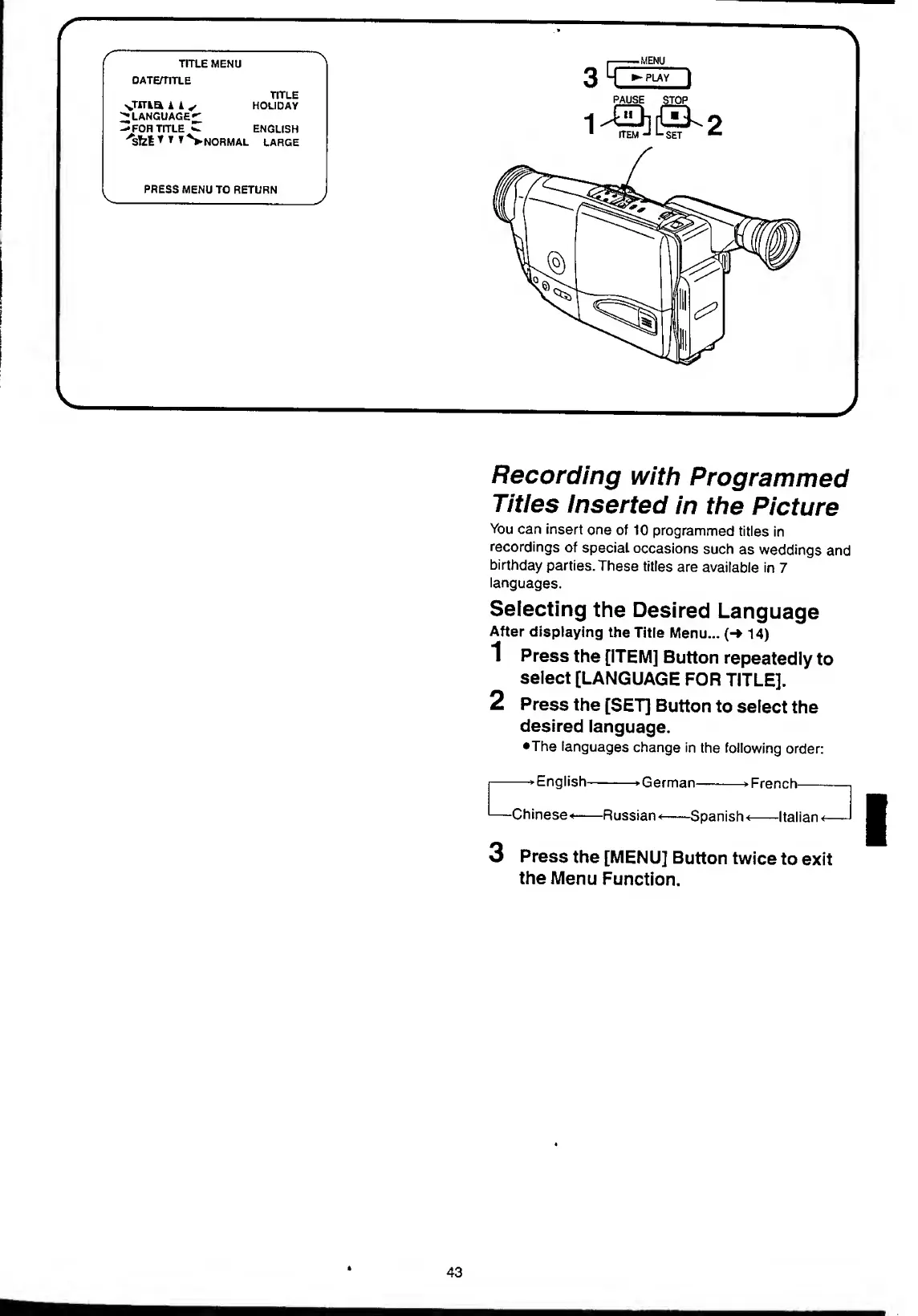
Panasonic NV-RX11A - Recording with Programmed Titles Inserted in the Picture; Selecting the Desired Language.43

Panasonic NV-RX11A
60 pages
Print Icon
To Next Page IconTo Next Page
To Previous Page IconTo Previous Page
Loading...
v
Ui,
o'Ti
r
-
r
TITLE
MENU
DATEHITLE
TITLE
HOLIDAY
TITLED
k
k
s
.ANGUAGE^
:
OR
TITLE
^
ENGLISH
Sfet
*
%
NORMAL
LARGE
PRESS
MENU
TO
RETURN
,
.
-
M
ENU
3
H
|
PAUSE
STOP
-|
ITPIJ
^
L.
«CT
J
Recording
with
Programmed
Titles
Inserted
in
the
Picture
You
can
insert
one
of
10
programmed
titles
in
recordings
of
special
occasions
such
as
weddings
and
birthday
parties.
These
titles
are
available
in
7
languages.
Selecting
the
Desired
Language
After
displaying
the
Title
Menu...
(-»
14)
1
Press
the
[ITEM]
Button
repeatedly
to
select
[LANGUAGE
FOR
TITLE].
2
Press
the
[SET]
Button
to
select
the
desired
language.
•The
languages
change
in
the
following
order:
—Hhi
English-
G
e
r
man-
French-
Chinese-*-Russian
<-Spanish-
-Italian'
3
P
ress
the
[MENU]
Button
twice
to
exit
the
Menu
Function.
43

Table of Contents