EasyManua.ls Logo

Panasonic NV-RX11A - Stopping Playback; Playing Back in the Finder.29; Press the [PLAY] Button

Panasonic NV-RX11A
60 pages
Print Icon
To Next Page IconTo Next Page
To Previous Page IconTo Previous Page
Loading...
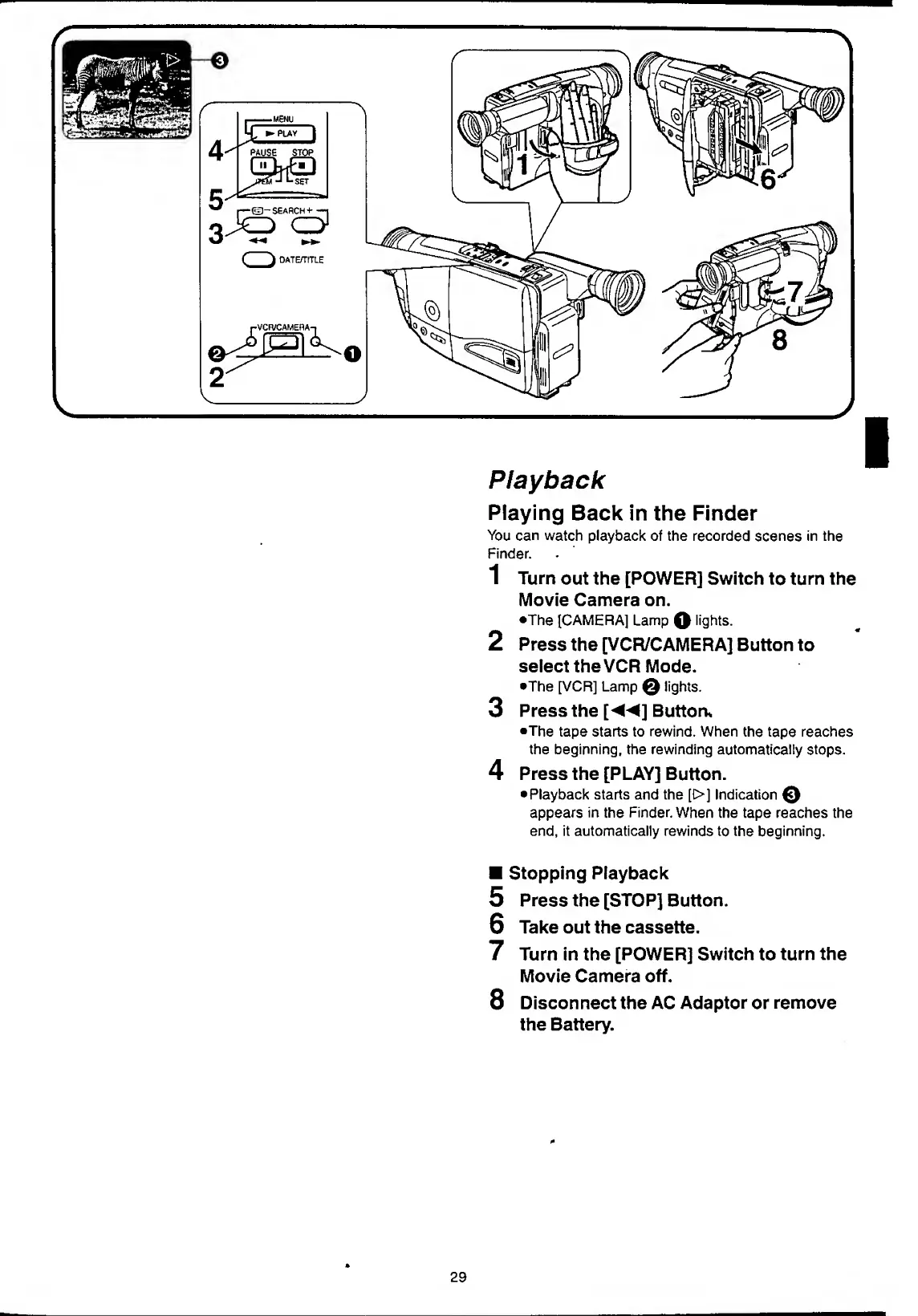
Playback
Playing
Back
in
the
Finder
You
can
watch
playback
of
the
recorded
scenes
in
the
Finder.
1
Turn
out
the
[POWER]
Switch
to
turn
the
Movie
Camera
on.
•The
[CAMERA]
Lamp
O
lights.
2
Press
the
[VCR/CAMERA]
Button
to
select
the
VCR
Mode.
•The
[VCR]
Lamp
©
lights.
3
Press
the
[
]
Button*
•The
tape
starts
to
rewind.
When
the
tape
reaches
the
beginning,
the
rewinding
automatically
stops.
4
Press
the
[PLAY]
Button.
Playback
starts
and
the
[t>]
Indication
0
appears
in
the
Finder.
When
the
tape
reaches
the
end,
it
automatically
rewinds
to
the
beginning.
Stopping
Playback
5
Press
the
[STOP]
Button.
6
Take
out
the
cassette.
7
Turn
in
the
[POWER]
Switch
to
turn
the
Movie
Camera
off.
8
Disconnect
the
AC
Adaptor
or
remove
the
Battery.
29

Table of Contents

Related product manuals