EasyManua.ls Logo

Panasonic NV-RX11A - Cue Playback.33; Review Playback.33; Still Playback.33

Panasonic NV-RX11A
60 pages
Print Icon
To Next Page IconTo Next Page
To Previous Page IconTo Previous Page
Loading...
r
,
PAUSE
STOP
MjDiitD
'l
ITEM
-*
L
SET
|—©-
SEARCH+•
—i
JO
Q?
/
^
I
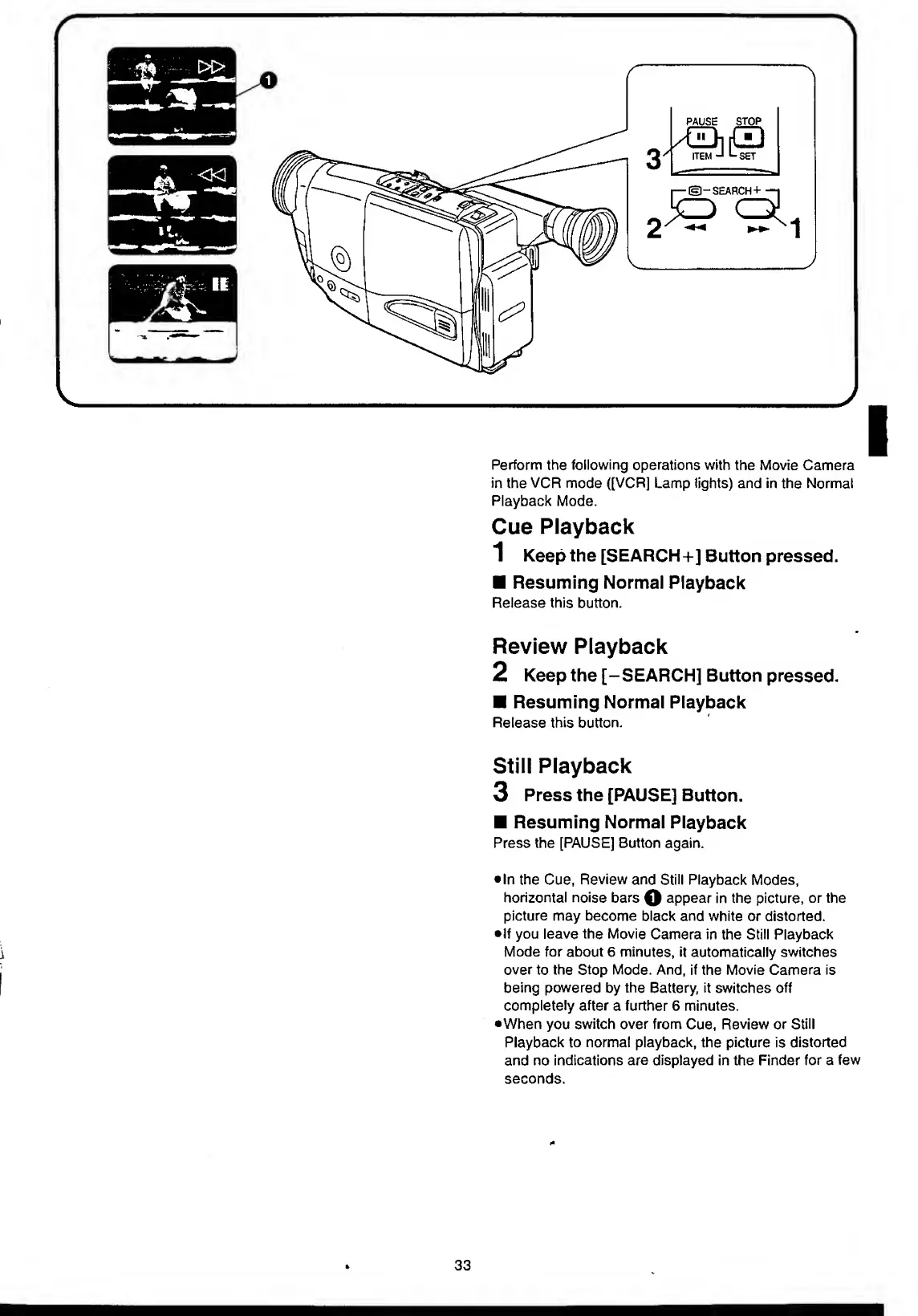
Perform
the
following
operations
with
the
Movie
Camera
in
the
VCR
mode
([VCR]
Lamp
lights)
and
in
the
Normal
Playback
Mode.
Cue
Playback
1
Keep
the
[SEARCH+]
Button
pressed.
Resuming
Normal
Playback
Release
this
button.
Review
Playback
2
Keep
the
[-SEARCH]
Button
pressed.
Resuming
Normal
Playback
Release
this
button.
Still
Playback
3
Press
the
[PAUSE]
Button.
Resuming
Normal
Playback
Press
the
[PAUSE]
Button
again.
In
the
Cue,
Review
and
Still
Playback
Modes,
horizontal
noise
bars
Q
appear
in
the
picture,
or
the
picture
may
become
black
and
white
or
distorted.
•If
you
leave
the
Movie
Camera
in
the
Still
Playback
Mode
for
about
6
minutes,
it
automatically
switches
over
to
the
Stop
Mode.
And,
if
the
Movie
Camera
is
being
powered
by
the
Battery,
it
switches
off
completely
after
a
further
6
minutes.
•When
you
switch
over
from
Cue,
Review
or
Still
Playback
to
normal
playback,
the
picture
is
distorted
and
no
indications
are
displayed
in
the
Finder
for
a
few
seconds.
33

Table of Contents

Related product manuals