EasyManua.ls Logo

Panasonic NV-RX11A - Recording Backlit Scenes (Backlight Mode).42

Panasonic NV-RX11A
60 pages
Print Icon
To Next Page IconTo Next Page
To Previous Page IconTo Previous Page
Loading...
Recording
Backlit
Scenes
(Backlight
Mode)
As
a
general
rule,
subjects
should
be
lit
from
the
front
by
sunlight
or
strong
artificial
light.
However,
if
recording
a
backlit
subject
cannot
be
avoided,
the
Backlight
Mode
lets
you
brighten
up
the
subject
a
little
to
prevent
very
dark
faces,
etc.
This
mode
is
also
effective
in
extremely
bright
situations,
for
example
on
a
beach
in
summer
or
on
a
ski
slope,
as
it
prevents
dark
faces
and
keeps
the
snow
white.
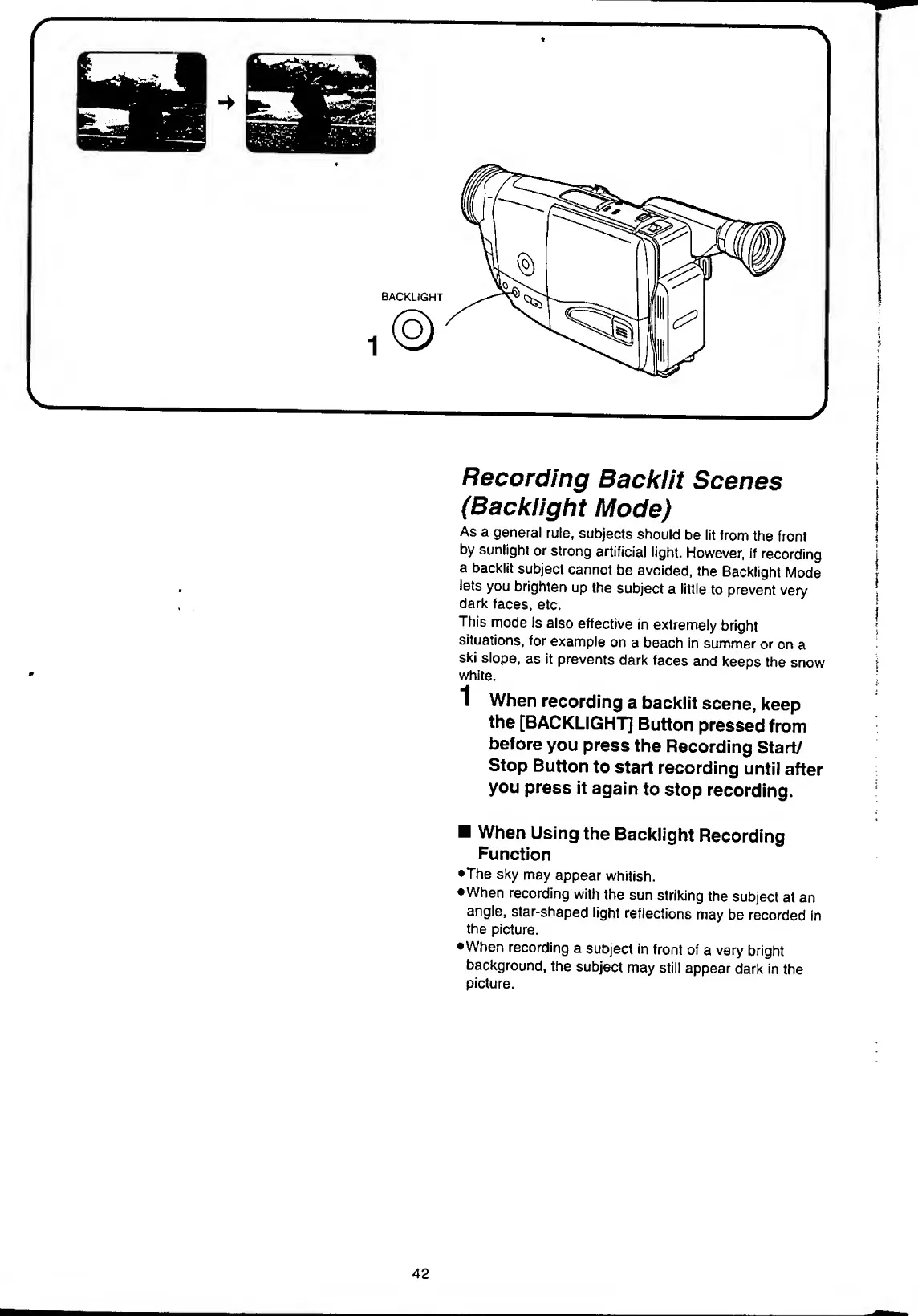
1
When
recording
a
backlit
scene,
keep
the
[BACKLIGHT]
Button
pressed
from
before
you
press
the
Recording
Start/
Stop
Button
to
start
recording
until
after
you
press
it
again
to
stop
recording.
When
Using
the
Backlight
Recording
Function
•The
sky
may
appear
whitish.
•When
recording
with
the
sun
striking
the
subject
at
an
angle,
star-shaped
light
reflections
may
be
recorded
in
the
picture.
When
recording
a
subject
in
front
of
a
very
bright
background,
the
subject
may
still
appear
dark
in
the
picture.
42

Table of Contents

Related product manuals