EasyManua.ls Logo

Panasonic NV-RX11A - Page 44

Panasonic NV-RX11A
60 pages
Print Icon
To Next Page IconTo Next Page
To Previous Page IconTo Previous Page
Loading...
1
You
can
choose
either
of
2
sizes
for
the
Title
Indication.
After
displaying
the
Title
Menu...
(-*
14)
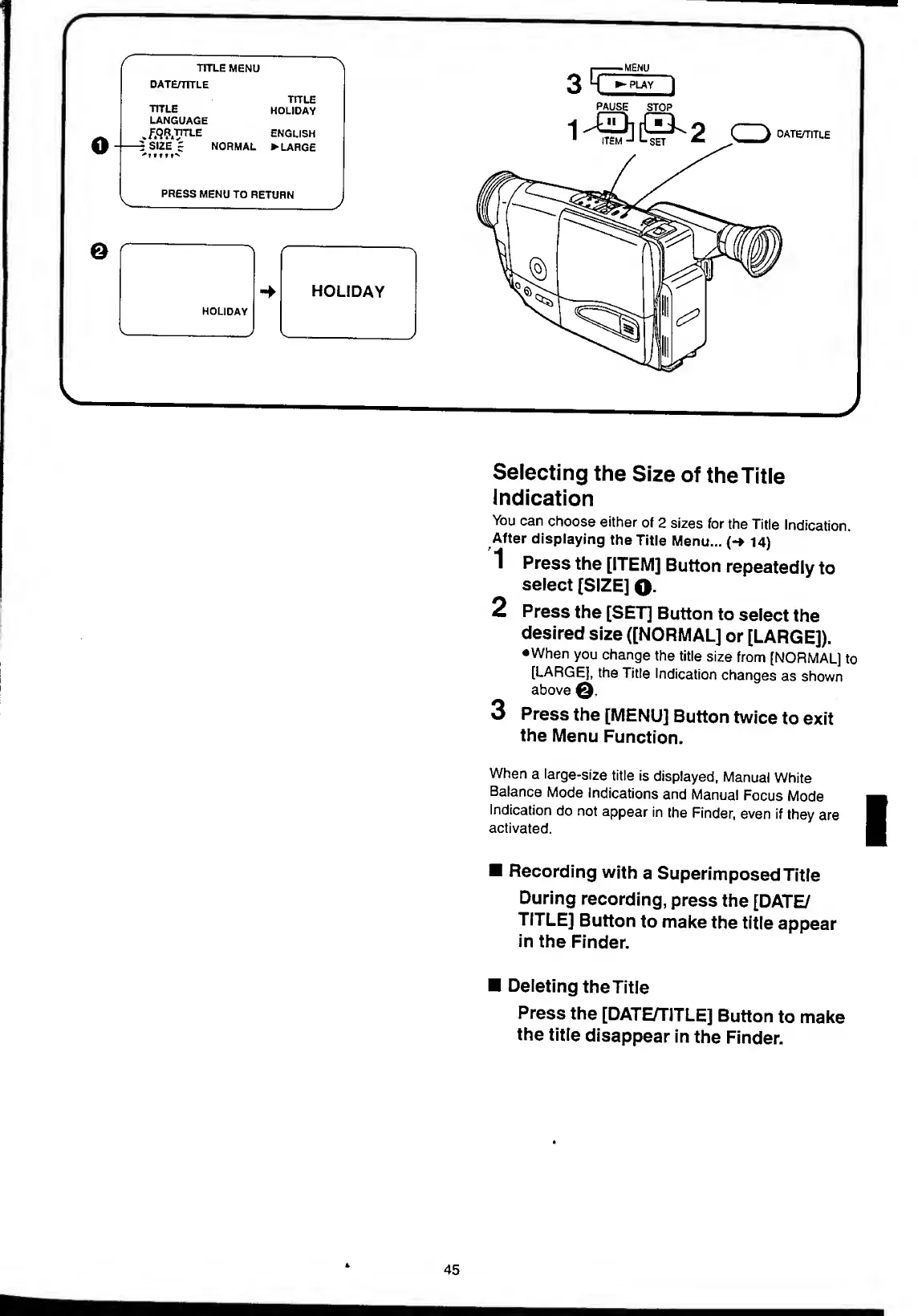
1
Press
the
[ITEM]
Button
repeatedly
to
select
[SIZE]
Q.
2
Press
the
[SET]
Button
to
select
the
desired
size
([NORMAL]
or
[LARGE]).
•When
you
change
the
title
size
from
[NORMAL]
to
[LARGE],
the
Title
Indication
changes
as
shown
above
3
Press
the
[MENU]
Button
twice
to
exit
the
Menu
Function.
When
a
large-size
title
is
displayed,
Manual
White
Balance
Mode
Indications
and
Manual
Focus
Mode
Indication
do
not
appear
in
the
Finder,
even
if
they
are
activated.
Recording
with
a
Superimposed
Title
During
recording,
press
the
[DATE/
TITLE]
Button
to
make
the
title
appear
in
the
Finder.
Deleting
the
Title
Press
the
[DATE/TITLE]
Button
to
make
the
title
disappear
in
the
Finder.
45

Table of Contents

Related product manuals