Viewfinder/LCD Monitor Indications
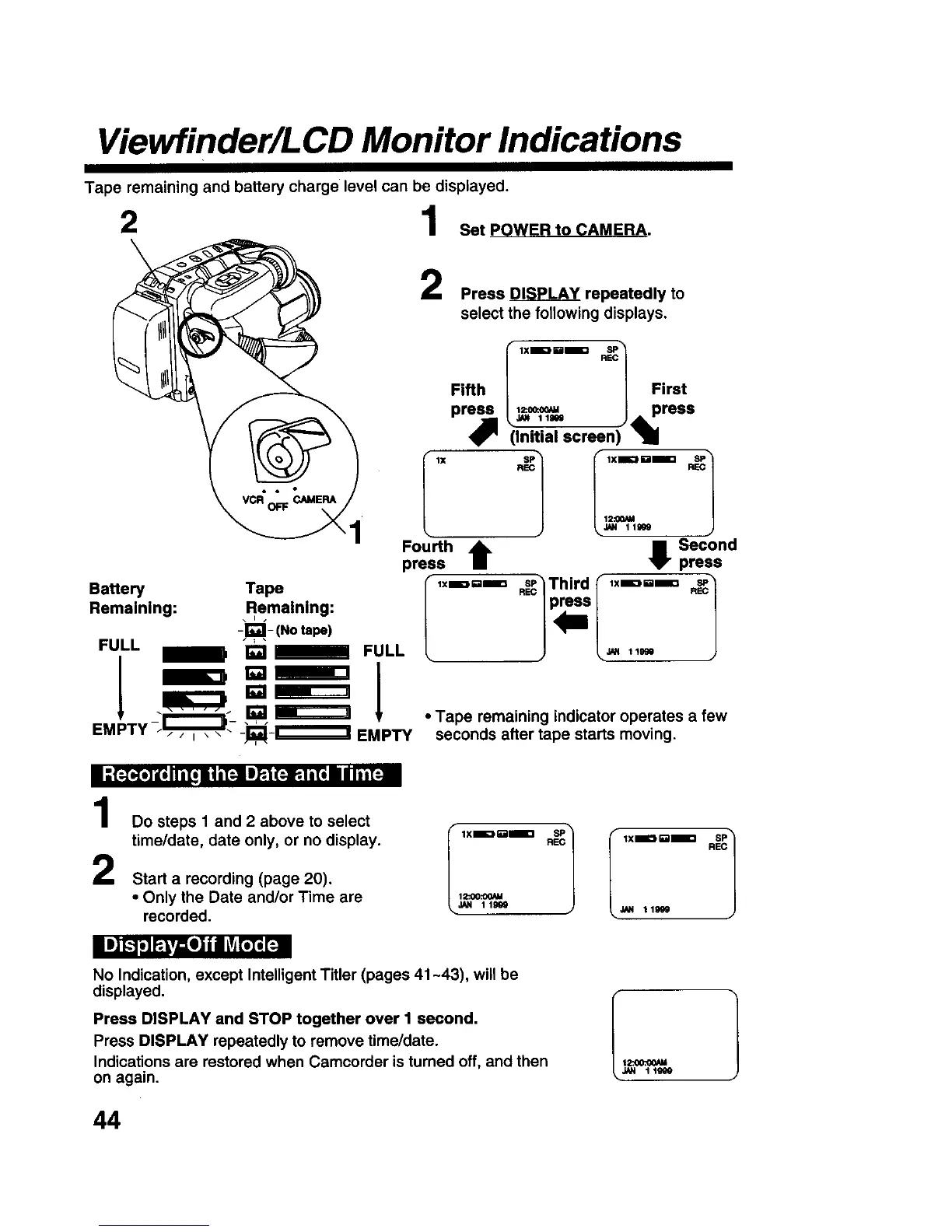
Tape remaining and battery charge level can be displayed.
= 1 Set ow.,oc...
Press DISPLAY repeatedly to
select the following displays.
I lX
lx.=.E .E1
Fifth First
=. ,,m J 411.,
Pr_l !_ / _ press
(Initial screen) 1
i-ol
R_
,IM 111_
Fou_h
press t
I Second
press
Battery Tape
Remaining: Remaining:
-_, - (No tape)
FULL 1 E _ FULL
I l_,_ 1-_
!
/ l_ sa_
EMPTY -- _ _iL'_'_ _ -- -I;_l-i'---"_! EMPTY
I lXmU_ . Third lXmUl= sP1
• Tape remaining indicator operates a few
seconds after tape starts moving.
II{:Ioleliilli[! l| I_ JI_-i(:i!_,i ili Jl / IiilNI
1
2
Do steps 1 and 2 above to select
time/date, date only, or no display.
Start a recording (page 20),
• Only the Date and/or Time are
recorded.
rlX- ll__lIx--*}1
I i] _ P.L,_I] i J LT_1_'; [:!
No Indication, except Intelligent Titler (pages 41 ~_), will be
displayed.
Press DISPLAY and STOP together over I second.
Press DISPLAY repeatedly to remove time/date.
Indications are restored when Camcorder is turned off, and then
on again.
1 12:oo:oo_
_N 1 1999
44











 To Next Page