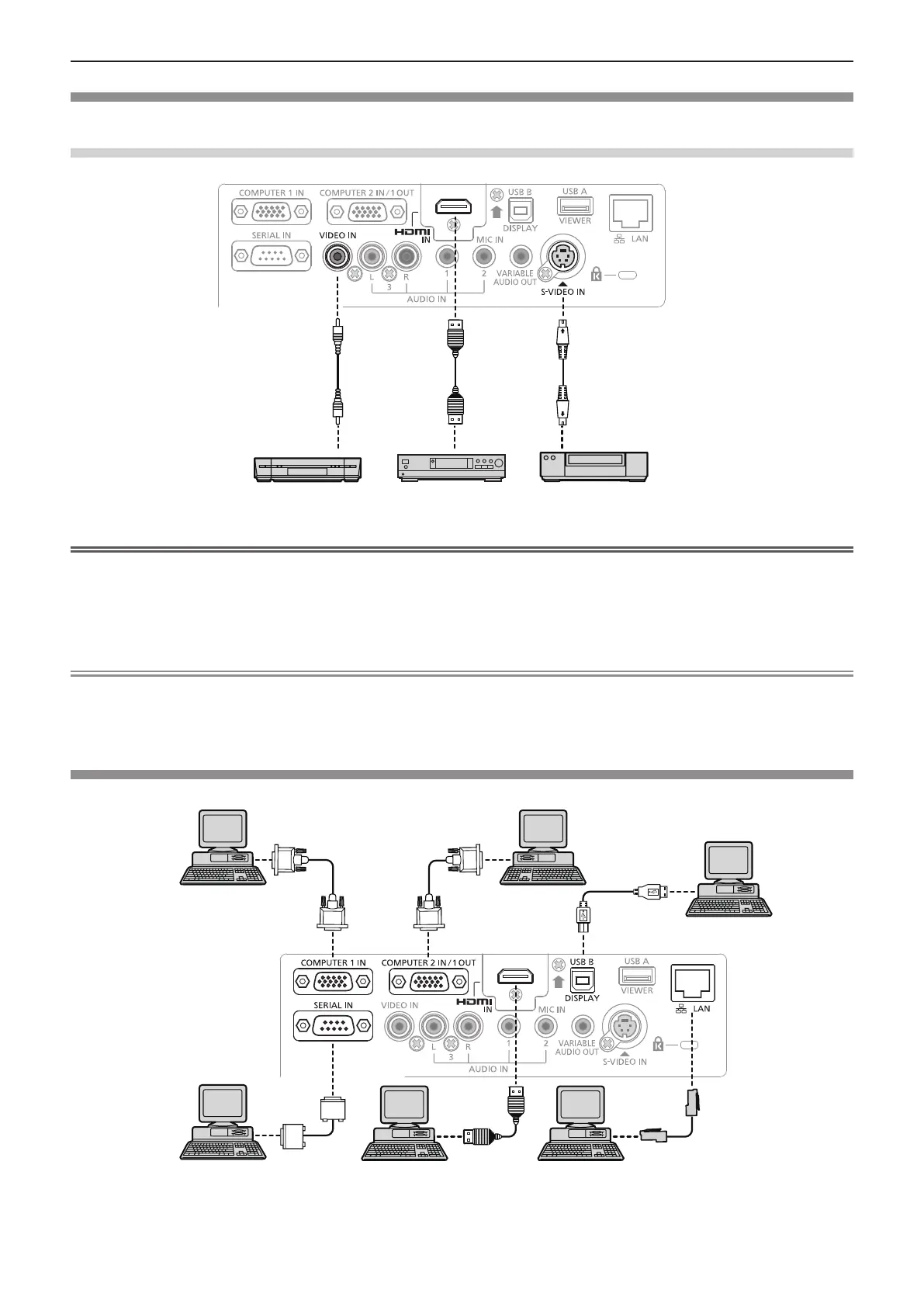
Connecting example : AV equipment
For <HDMI IN>/<VIDEO IN>/<S-VIDEO IN> terminals
DVD playerBlu-ray disk player
with HDMI terminal
Video deck (TBC built-in)
Attention
f Always use one of the following when connecting a VCR.
- A VCR with built-in time base corrector (TBC).
- A time base corrector (TBC) between the projector and the VCR.
f If nonstandard burst signals are connected, the image may be distorted. In such case, connect the time base corrector
(TBC) between the projector and the external devices.
Note
f For an HDMI cable, use an HDMI High Speed cable that conforms to HDMI standards. If a cable that does not conform to
HDMI standards is used, images may be interrupted or may not be displayed.
f This projector does not support the Viera link (HDMI).
Connecting example : Computers
Control computer
Computer
Computer
Control computer
Computer
Computer
38 - ENGLISH
Chapter 2 Getting Started - Connecting










 To Next Page