EasyManua.ls Logo

Panasonic PV-A206 - Page 15

Panasonic PV-A206
40 pages
Print Icon
To Next Page IconTo Next Page
To Previous Page IconTo Previous Page
Loading...
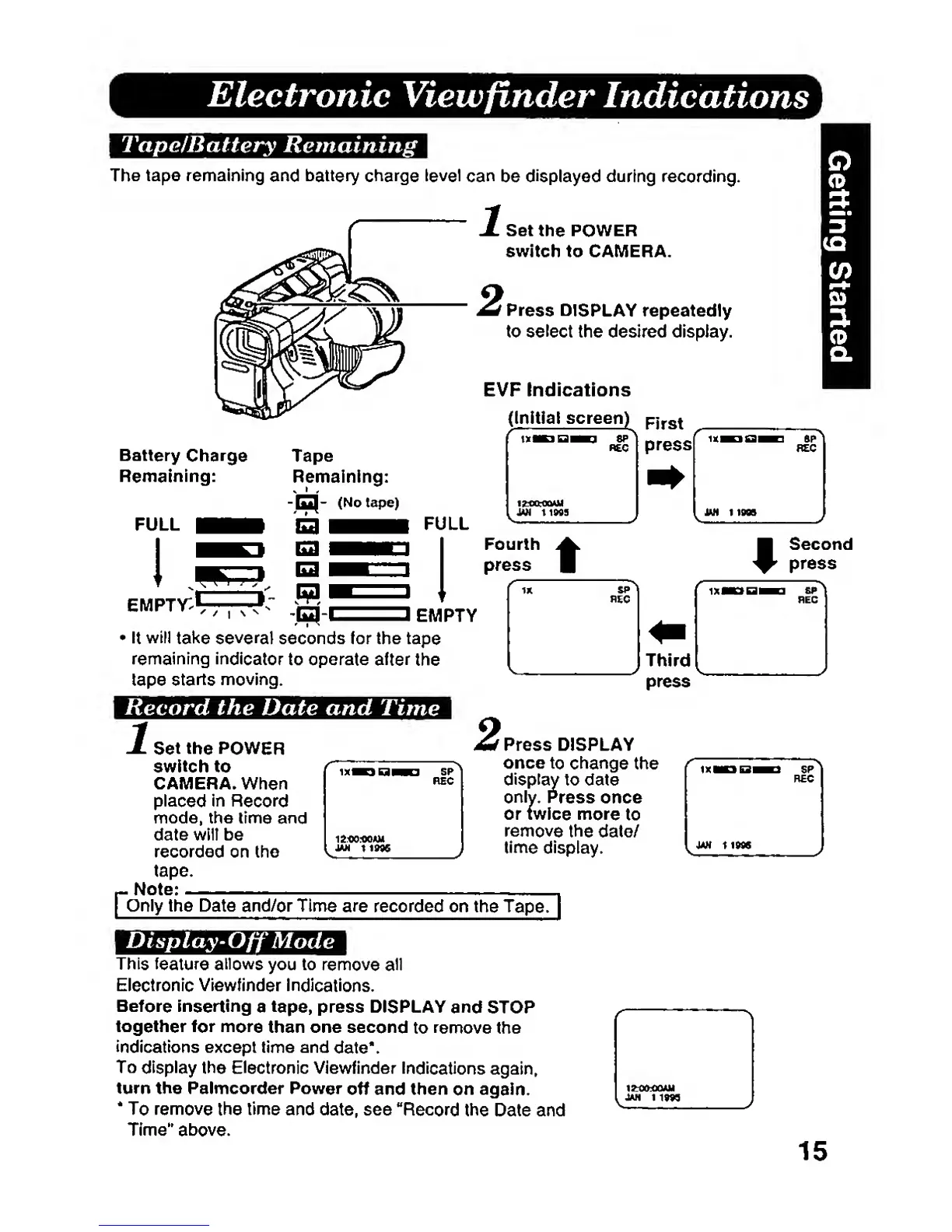
Electronic
Vieivfinder
Indications
Tape/Battery
Remaining
The tape
remaining
and battery charge level can
be
displayed
during
recording.
Set
the
POWER
switch to CAMERA.
Press
DISPLAY
repeatedly
to
select
the desired display.
Battery
Charge
Remaining:
FULL
eiwpty:^
EVP
Indications
(Initial screen)
f]f^\
EMPTY
>
It
will
take several
seconds for the
tape
remaining
indicator
to operate
after
the
tape
starts
moving.
Record the Date and
Time
1
Set the POWER
switch
to
CAMERA. When
placed
in
Record
mode,
the time
and
date
wilt be
recorded
on the
tape.
.
Note;
f
Press
DISPLAY
once
to change
the
only.
Press
once
display
to
date
\\y,
Pn
or twice
more
to
remove
the
dale/
time
display.
Poniy
the Date
and/or
Time
are
recorded on
the
TapeH
Display-Off
Mode
This
feature
allows
you to
remove all
Electronic Viewfinder
Indications.
Before inserting
a
tape,
press DISPLAY
and
STOP
together
for more
than one
second
to
remove
the
indications
except time and
date*.
To
display
the Electronic
Viewfinder
Indications
again,
turn the Palmcorder Power
off and then
on again.
*
To remove
the
time
and date, see
"Record
the
Date and
Time"
above.
15