Special
Features
High
Speed
Shutter
To
record
high speed motion (i.e. a tennis stroke) for
improved STILL
or
SLOW mode
playback, when watching
the tape
on
a
VHS VCR
(3
or 4 head VCR).
Auto Shutter
In the AUTO mode (no
Indication in the
EVP),
the
Patmcorder
will
automatically
adjust
the
shutter speed
from
1/60
to
1/250
according
to the
brightness of the subject.
The
speed
does not
appear In the EVP.
•
AUTO
mode is automatically
selected whenever
the
POWER
switch
is set
to
CAIVIERA.
Manual Selection
The
High Speed Shutter indicator
flashes
when the light level Is
inadequate.
More
light should be provided to
achieve
better
picture
quality and color.
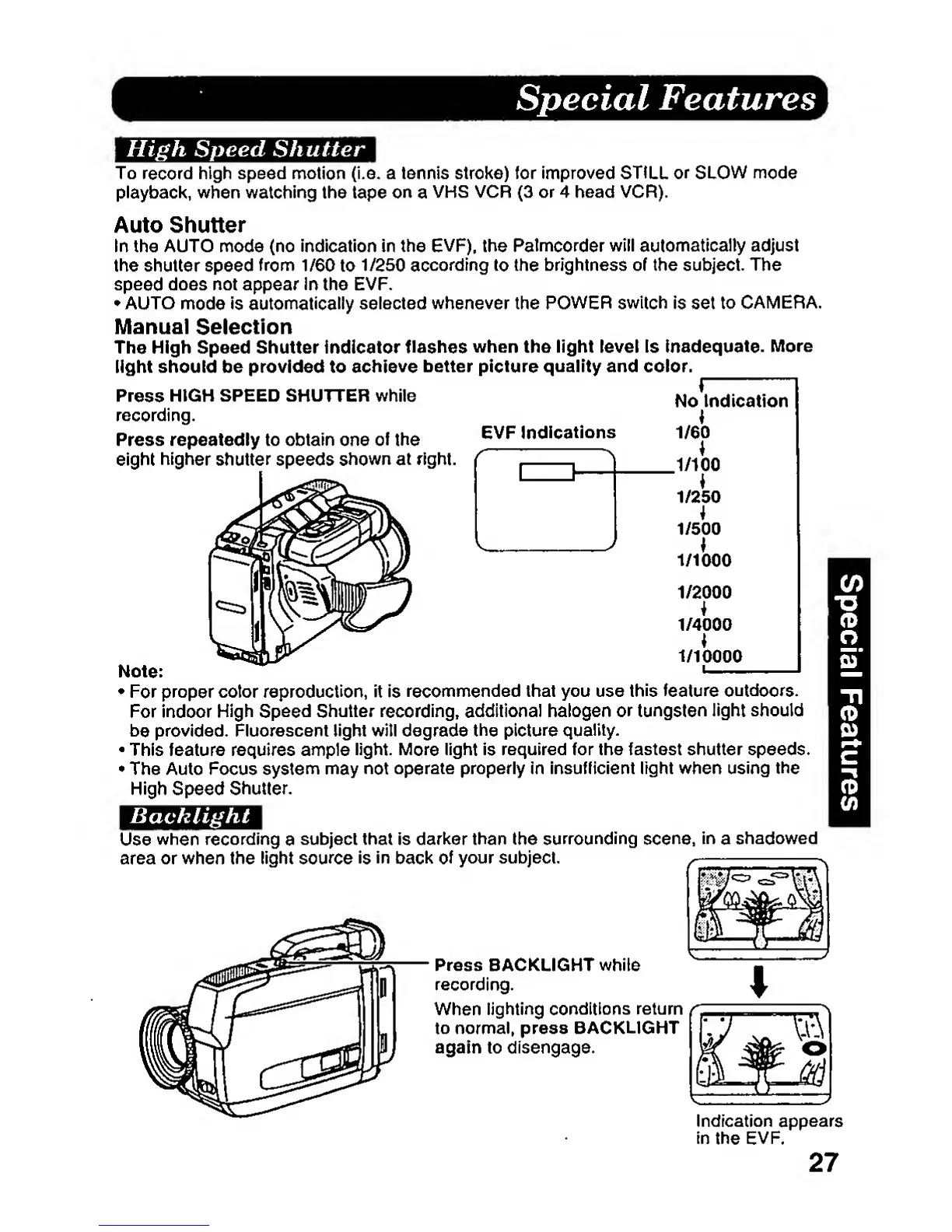
Press
HIGH SPEED SHUTTER while
^
recording.
Press repeatedly to obtain
one
of
the
eight
higher
shutter speeds
shown at
right.
EVP
Indications
1/2000
1/4000
1/10000
Note:
•
For
proper color reproduction,
it is
recommended
that you
use
this feature
outdoors.
For indoor
High Speed
Shutter
recording,
additional
halogen or
tungsten
light should
be
provided. Fluorescent light witl degrade
the picture
quality.
•
This feature requires ample
light.
More
light
is
required
for the fastest shutter speeds.
•
The Auto Focus system may
not
operate properly in insufficient light when using
the
High Speed
Shutter.
Backlight
Use
when
recording
a
subject that is darl^er than the
surrounding
scene,
in
a
shadowed
area or when the light
source
is
in
baci^
of
your subject.
Press
BACKLIGHT
while
recording.
When
lighting
conditions return
to normal, press BACKLIGHT
again to disengage.
Indication appears
in
the
EVP.
27







 To Next Page