Playback your Recordings
Playback or View on oTV^^^^^^^^^
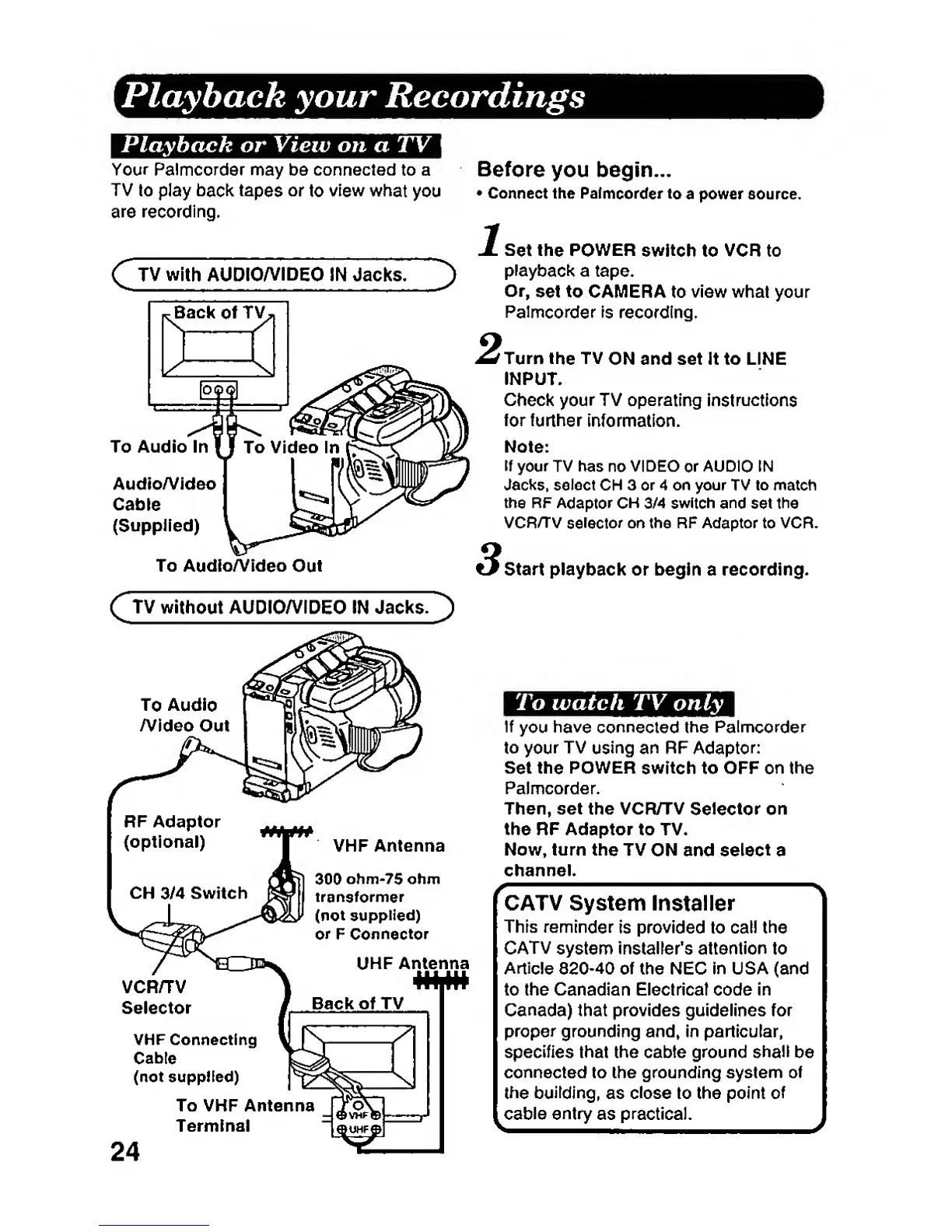
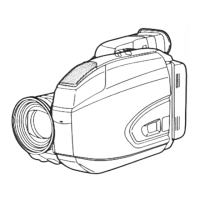
Your Palmcorder
may be connected to a
TV to play
back tapes
or
to
view
what
you
are recording.
C
TV
with AUDIO/VIDEO
IN Jacks.
To Audio
Audio/Video
Cable
(SuppHed)
To AudioA/ldeo
Out
Before
you begin...
•
Connect the
Pafmcorder to
a power eource.
Set the
POWER
switch
to
VCR
to
playback
a tape.
Or,
set
to CAIMERA to view what your
Palmcorder
is
recording.
Turn
the
TV
ON and set It to LINE
INPUT.
Check your TV operating
instructions
for
further
information.
Note:
If
your TV has
no
VIDEO
or
AUDIO (N
Jacks, select CH 3 or 4 on your TV to match
the
RF
Adaptor
CH
3/4
switch
and
set
the
VCR/TV
selector
on the RF Adaptor to VCR.
Start playback or begin a recording.
Q
TV
without AUDIO/VIDEO
IN Jacks.
]
)
To Audio
/Video
Out
To watch TV
only
If
you
have
connected
the
Palmcorder
to your
TV
using
an RF
Adaptor:
Set the
POWER
switch
to
OFF
on
the
Palmcorder.
Then, set the VCR/TV
Selector
on
the RF Adaptor to TV.
Now, turn
the
TV
ON and
select
a
channel.
VCR/TV
Selector
VHF Connecting
Cable
(not supplied)
To VHF Antenna
Terminal
CATV System
Installer
This
reminder
is provided to call
the
CATV
system Installer's attention to
Article
820-40
of the NEC In USA (and
to the Canadian Electrical code In
Canada)
that provides guidelines for
proper
grounding and, in particular,
specifies that the cabte ground
shall
be
connected to the grounding
system of
the building,
as
close
to
the point
of
cable
entry
as
practical.
24







 To Next Page