EasyManua.ls Logo

Panasonic PV-A206 - Replace the Battery

Panasonic PV-A206
40 pages
Print Icon
To Next Page IconTo Next Page
To Previous Page IconTo Previous Page
Loading...
Setting the
Clock
Replace the
Battery
The date
and time
operates
on a miniature
battery
preinstalled
in the
underside of your
Palmcorder.
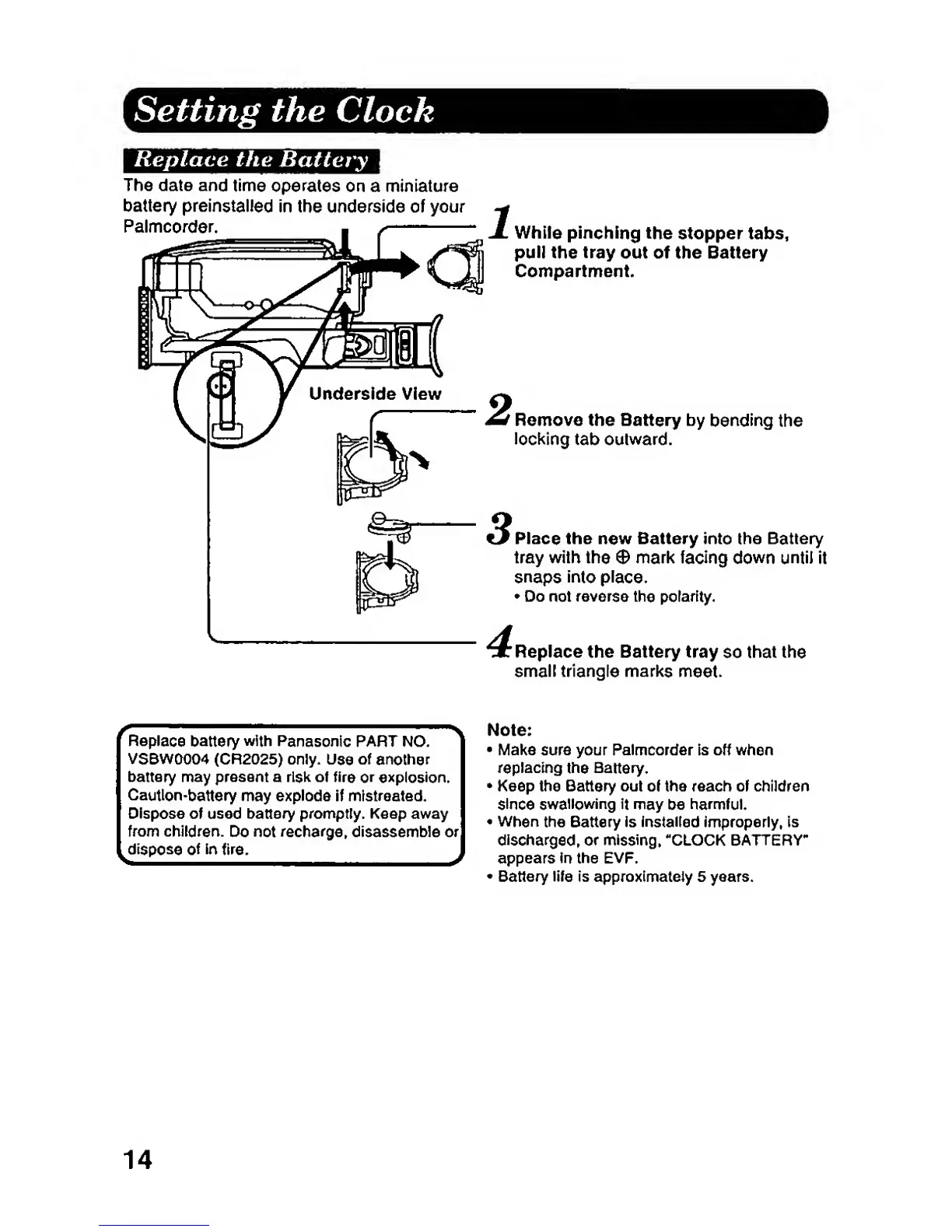
While
pinching
the
stopper tabs,
pull
the tray out
of the Battery
Compartment.
Remove
the Battery
by
bending
the
locl(ing
tab outward.
Place the
new
Battery
into the Battery
tray with
the
0
mark
facing
down
until
it
snaps
into
place.
•
Do not reverse
the polarity.
Replace the Battery tray
so
that the
small
triangle marks
meet.
Replace
battery
with
Panasonic
PART NO.
VSBW0004 (CR2025) only.
Use
of
another
battery may present a risk of fire
or
explosk)n.
Cautlon-battery
may
explode If mistreated.
Dispose
of used
battery
promptly. Keep away
from
children.
Do
not recharge,
disassemble
or
dispose of
in
fire.
Note:
•
Make
sure your
Palmcorder
is off when
replacing
the
Battery.
•
Keep the Battery out of the reach of
children
since
swallowing it
may be
harmful.
•
When
the Battery Is
installed
improperly, is
discharged,
or
missing. "CLOCK BATTERY-
appears in the EVP.
•
Battery life is approximately 5 years.
14