EasyManua.ls Logo

Panasonic PV-A206 - Intelligent Titler

Panasonic PV-A206
40 pages
Print Icon
To Next Page IconTo Next Page
To Previous Page IconTo Previous Page
Loading...
Special Features
Intelligent
Titler
On specific
holidays,
such
as
New
Year's
Day. the
Palmcorder
will automatically
display
the
appropriate
title
(except hIAPPY
EASTER and
PRESIDENT'S
DAY) from
the
pre-programmed
titles when
the
Palmcorder
Is
turned on in the
Camera
mode on that
day.
Automatic
Title
Display
Before you
begin...
Connect the Palmcorder
to
a power
source.
Insert
a cassette with
record
tab (see
page
10).
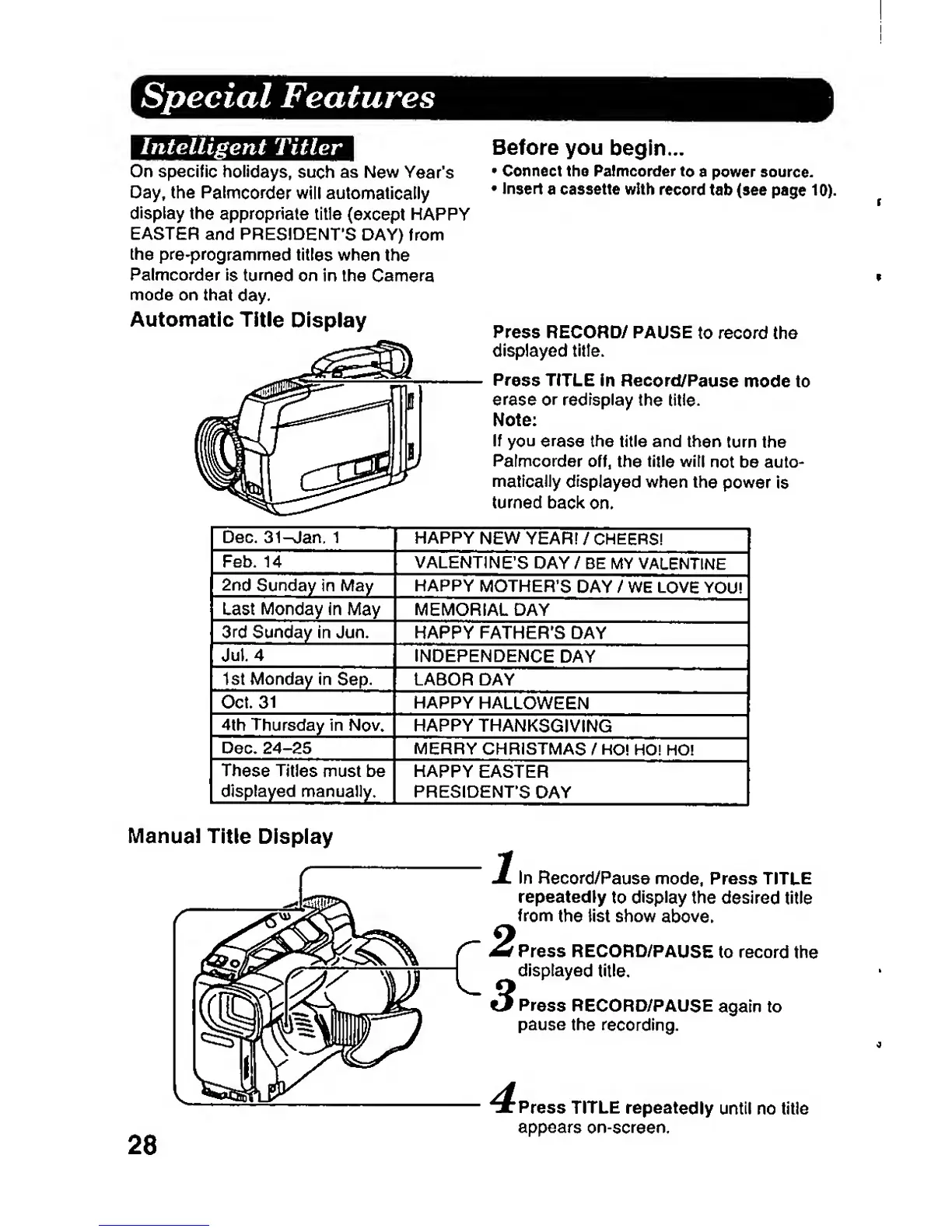
Press RECORD/ PAUSE
to record the
displayed titfe.
Press
TITLE in
Record/Pause
mode to
erase
or
redisplay
the title.
Note:
If
you
erase
the title and then
turn the
Palmcorder
off.
the title
will
not be auto-
matically
displayed
when
the
power
Is
turned
back
on.
Dec.
31^an,
1
HAPPY
NEW YEAR!
/
CHEERS!
Feb. 14
VALENTINES
DAY
/ BE MY
VALENTINE
2nd
Sunday in May HAPPY
MOTHER'S
DAY
/ WE
LOVE
YOU!
Last Monday in
May
MEMORIAL DAY
3rd
Sunday
In
Jun.
HAPPY FATHER'S DAY
Jul.
4
INDEPENDENCE
DAY
1st Monday
in
Sep. LABOR
DAY
Oct.
31
HAPPY
HALLOWEEN
4th
Thursday
in
Nov*
HAPPY
THANKSGIVING
Dec.
24-25
MERRY CHRISTMAS
/
HO!
HO! HO!
These
Titles
must
be
displayed
manually.
HAPPY
EASTER
PRESIDENTS
DAY
Manual Title
Display
28
In
Record/Pause
mode,
Press TITLE
repeatedly
to
display
the
desired
title
from
the list show
above.
Press
RECORD/PAUSE
to record
the
displayed
title.
Press
RECORD/PAUSE
again to
pause
the recording.
Press
TITLE
repeatedly
until no title
appears
on-screen.

Related product manuals