EasyManua.ls Logo

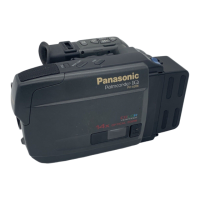
Panasonic PV-A206 - Precautions

Panasonic PV-A206
40 pages
Print Icon
To Next Page IconTo Next Page
To Previous Page IconTo Previous Page
Loading...
Important
Safeguards
15.
Power
Lines
^
An
outside
antenna
system
shoutd
not
be
tocated
in
the
vicinity
of overhead
power
lines
or
other
electric
light
or power
circuits,
or
where
it
can
fall
into
such
power lines or
circuits.
When
installing
an
outside
antenna system,
extreme
care should
be
taken
to
keep from
touchinQ
such power
lines or
circuits
as
contact
with
them
might
be fatal.
16.
Overloading
Do
not
overload
wail outlets
and
extension
cords as this
can result
in
a risk of fire
or
electric
shock.
17.
Objects and Liquids
Never
push
objects of any
kind Into
this
video unit through openings
as they
may
touch dangerous
voltage
points
or short
out
parts that
could
result
in
a fire or
electric
shock.
Never
spill liquid of
any
kind
onto
the
vkleo unit.
18.
Sen/icing
Do not attempt to
service
this video
unit
yourself
as opening or
removing
covers may
expose
you to
dangerous
voltage or other
hazards.
Refer all
servicing to qualilled
service
personnel.
19.
Damage
Requiring
Ser>^e
Unplug this
vkJeo
unit from
the
wall
outlet
and
refer
servicing
to
quaiified
service
personnel
under
the
(dUowing
conditions:
a.
When
the power-supply
oord
or plug is
damaged.
b.
if any
liquid
has been
spilled
onto, or objects
have fallen
into the
vkleo
uniL
c.
If
the video
unit
has
been exposed to rain
or
water.
d.
If
the
video
unit
does nol
operate
normally
by
following
the operating
instoictions.
Adjust only
those controls
that are
covered
by
the operating
Instructions,
as an
Improper
adjustment
of other
controls
may result in
damage and will
often
require
extensive
work
by a qualified
technician
to
restore the video
unit
to its normal
operation.
e. If
the video
unit
has been
dropped
or the
cabinet
has been
damaged.
f. When
the video
unit
exhibits
a
distinct
change in
performance
this
indicates a
need for
service.
20. Replacement
Parts
When
replacement
parts are
required, be
sure the service
technician
has
used
replacement
parts
specified
by the
manufacturer
or
have
the
same
characteristics as
the original
part.
Unauthorized substitutions
may
result
In fire,
electric shock
or
other
hazards.
21.
Safety
Checks
Upon
completion
of any
sen^ice
or
repairs
to
this
video unit,
ask
Itte
service technician
to perform safety
checks lo
determine
thai the
video
unit is in safe
operating
order.
Precautions
USE
&
LOCATION
TO
AVOID SHOCK HAZARD
... Your
Camcorder and power supply
should
nol be
exposed
to
rain or
moisture.
Do
not
connect
Ihe power
supply
or
operate
your Camcorder if
it
gets
wet.
Your
Camcorder
has been designed
for
outdoor
use. however
it is
nol
designed
to sustain direct
exposure
to water, rain,
sleet, snow,
sand,
dust, or
a
direct
splashing from
a
pool or even
a cup of coffee. This
action could
permanently
damage the
internal
parts
of
your Camcorder.
Oo
not
attempt to
disassemble
this unit. There are no
user
senriceable
parts Inside. Unplug
your Camcorder from
the power
supply before
cleaning.
DO NOT AtlVi YOUR
CAMCORDER
AT
THE SUN
OR OTHER
BRIGHT
OBJECTS
DO NOT LEAVE
THE
PALMCORDER
WITH THE EVP AIMED
DIRECTLY
AT THE SUN AS THIS
MAY
CAUSE
DAMAGE TO THE
INTERNAL
PARTS OF THE EVP
DO
NOT
EXPOSE YOUR
CAMCORDER
TO EXTENDED
HIGH TEMPERATURE ...
Such
as,
in
direct sunlight,
inside
a closed
car,
next
to a
heater,
etc... This action
could permanently
damage
the internal
parts
of your
Camcorder.
AVOID
SUDDEN
CHANGES IN
TEMPERATURE ... If
Ihe
unit is
suddenly
moved
from
a cold
place to a
warm
place,
moisture may form
on
the
tape and inside
the
uniL
DO NOT LEAVE
YOUR
CAMCORDER
OR THE POWER
SUPPLY
TURNED ON WHEN NOT
IN
USE.
STORAGE
OF YOUR CAMCORDER
...
Store and handle your Camcorder
in a
manner that
will nol
subject
It lo
unnecessary movement
(avoid
shaking
and
striking). Your
Camcorder
contains
a
sensitive pick-up
device which
could
be damaged by
improper
handling
or storage.
CARE
TO
CLEAN YOUR
CAMCORDER
... Do not use strong
or abrasive detergents
whon cleaning
your Camcorder
body.
TO PROTECT
THE LENS
...
Do nol
touch
the
surface
of the lens with your
hand.
Use a commercial
camcorder
lens solution
and lens
paper when cleaning
the
lens, improper
cleaning
can
scratch the lens
coating.
TO PROTECT THE
FINISH
OF YOUR CAMCORDER
...
Before
handling your Camcorder,
make
sure your
hands
and face are
free from any
chemtcai
products,
such as suntan totkm,
as
it may damage
the finish.

Related product manuals