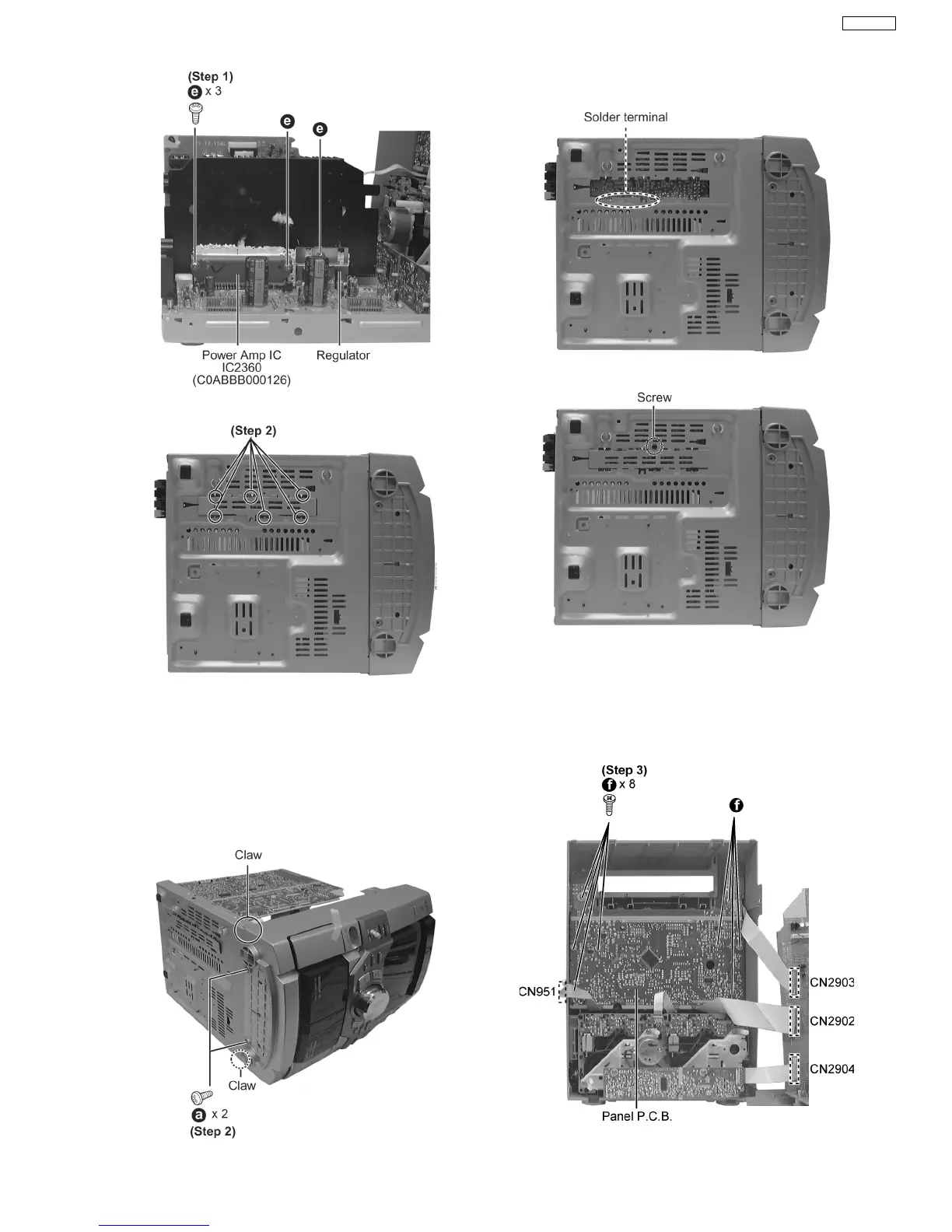
Step 1 Break the joint with a metal cutter as shown below.
·
Follow the (Step 1) - (Step 6) of Item 9.1.
·
Follow the (Step 1) - (Step 6) Disassembly for the CD Lid of
Item 9.1.1.
·
Follow the (Step 1) - (Step 6) Disassembly for the CD
Changer Unit of Item 9.1.2.
Step 1 Lay the unit as shown below.
Step 2 Unsolder the terminals of Power Amp IC, transistor and
replace the components.
Step 3 Fix back the cutted portion with a screw as shown.
Step 2 Remove 2 screws, release 2 claws, and then draw the
front panel ass’y forward.
Step 3 Remove the 8 screws.
9.4. Disassembly of Panel P.C.B. & Tact Switch P.C.B.
15
SA-VK31EE








 To Next Page