12.7. Power Amplifier Failure (F61)
12.4. CD Mechanism Test (F15, F26, F16, F17, F27, F28, F29, H15)
1. Press “CD”.
2. Press “OPEN/CLOSE (1)” and place a CD.
3. Press “OPEN/CLOSE (1)” to close the tray.
4. Press “OPEN/CLOSE (5)” and wait until the tray is open.
5. Press “OPEN/CLOSE (1)” and remove the CD.
6. Press “OPEN/CLOSE (1)” to close the tray.
7. Press “n/STOP” to indicate Error Code.
·
If several problem exist, error code will change each time when “n/STOP” is pressed. (e.g. F15 → F26 → F16 ....etc).
12.5. To clear all Error code
1. Press “STOP/TUNE MODE” button for 5 seconds.
2. FL indicator shows “CLEAR” for 1 second and change to “T”.
12.6. How to get out from Self-Diagnostic function
1. Press “Power” button OFF.
1. When power amplifier fail, F61 will indicate automatically.
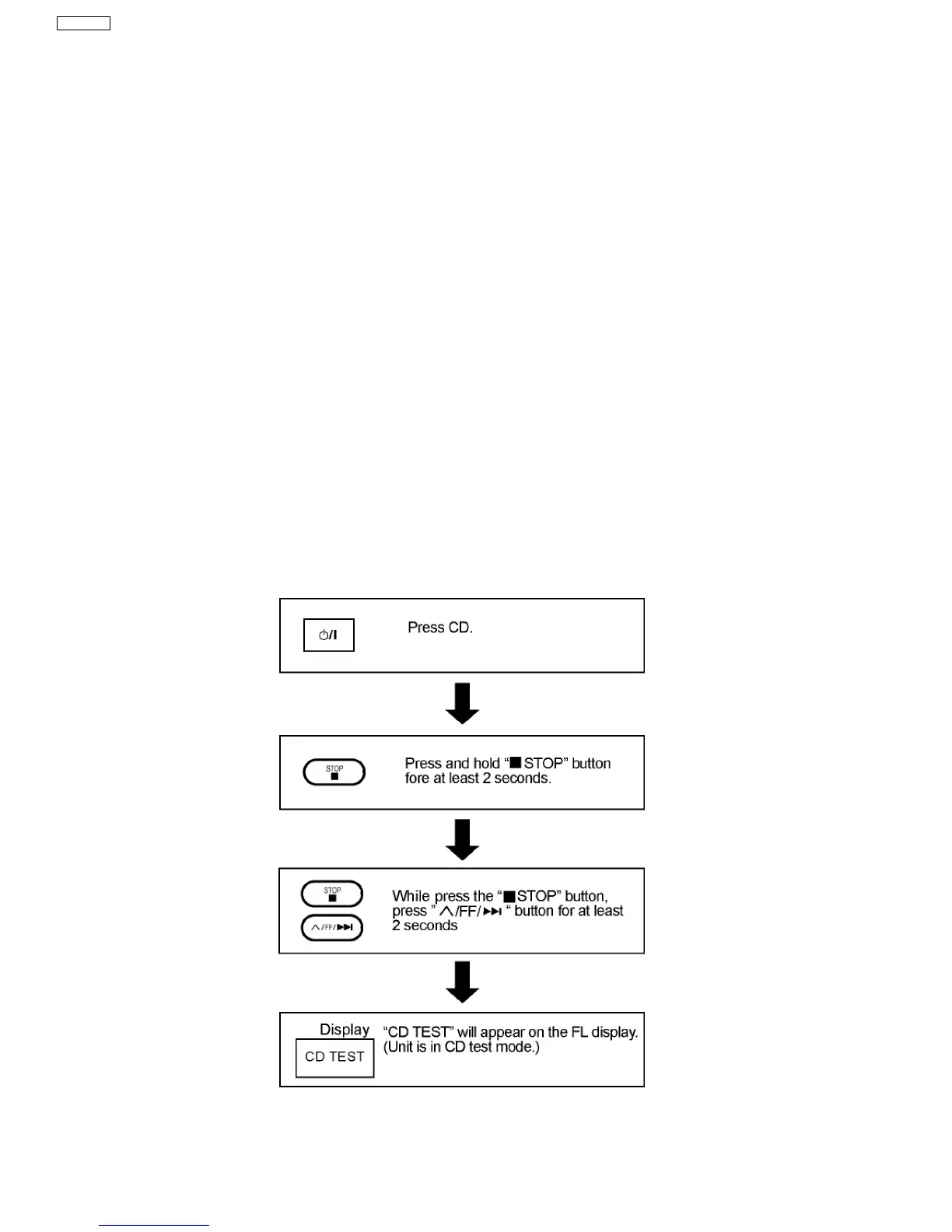
13 CD Test Mode Function
This CD test mode is provided to check CD unit without connecting to changer loading mechanism. This mode shall operate CD
PLAY with CD unit being connected only and CD Automatic Alignment result is shown on FL display.
13.1. How to set CD test mode
13.2. CD Automatically Adjustment result indication
Under CD test mode, pressing the numeric key ‘0’ on the remote controller will display the auto adjustment result. FLOCK, TLOCK
38
SA-VK31EE








 To Next Page