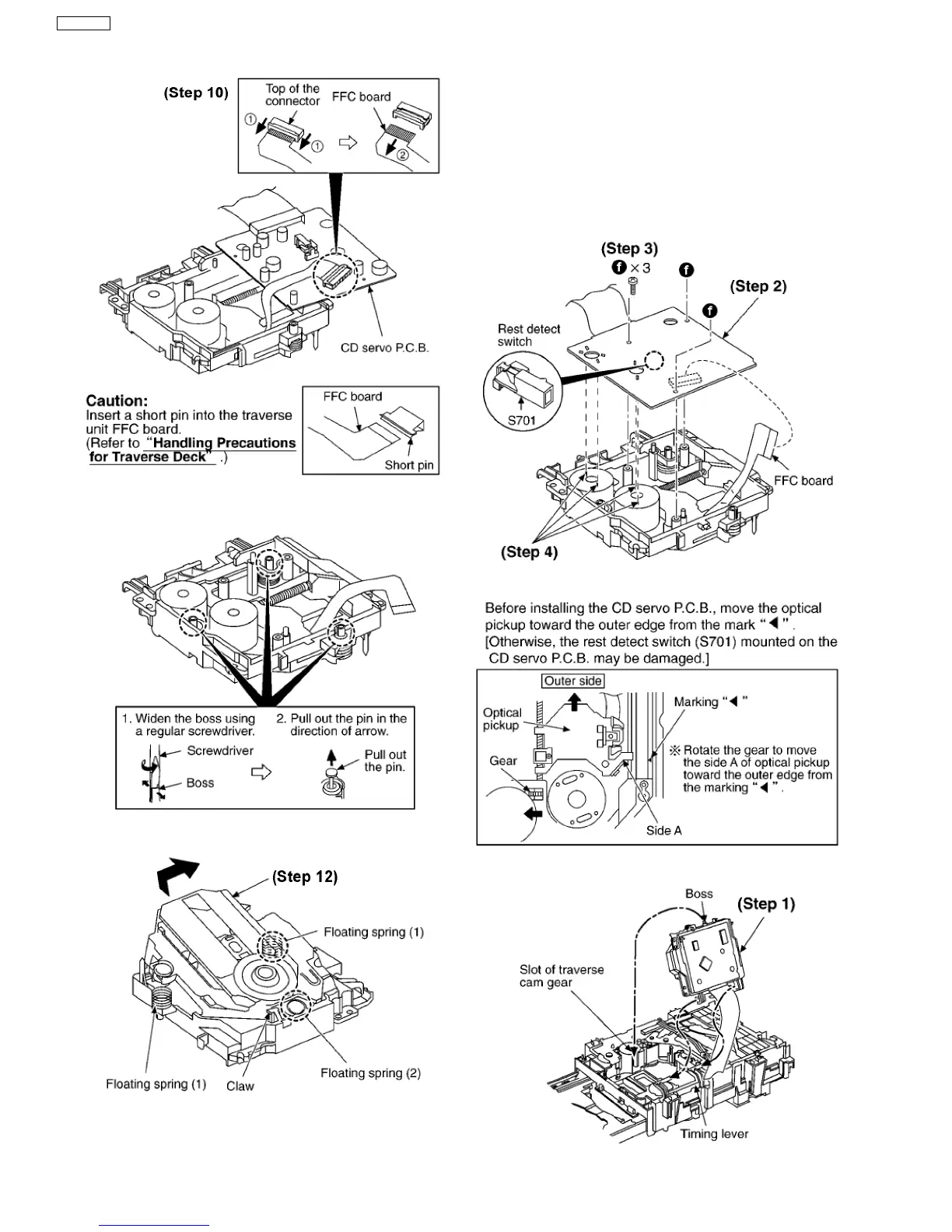
Step 10 Remove the FFC board from the connector, and then
remove the CD Servo P.C.B.
Step 11 Remove the pin.
Step 12 Release the claw, and then remove the traverse deck
ass’y.
Note:
Be careful not to lose the 3 floating spring because those will
also be removed on removal of the traverse deck ass’y.
·
Installation of the CD Servo P.C.B. after replacement
Step 1 Connect the FFC board.
Step 2 Install the CD servo P.C.B. in the traverse deck ass’y.
Step 3 Remove 3 screws.
Step 4 Solder.
·
Note for installation of the CD servo P.C.B.
·
Installation for traverse deck ass’y
18
SA-VK31EE








 To Next Page