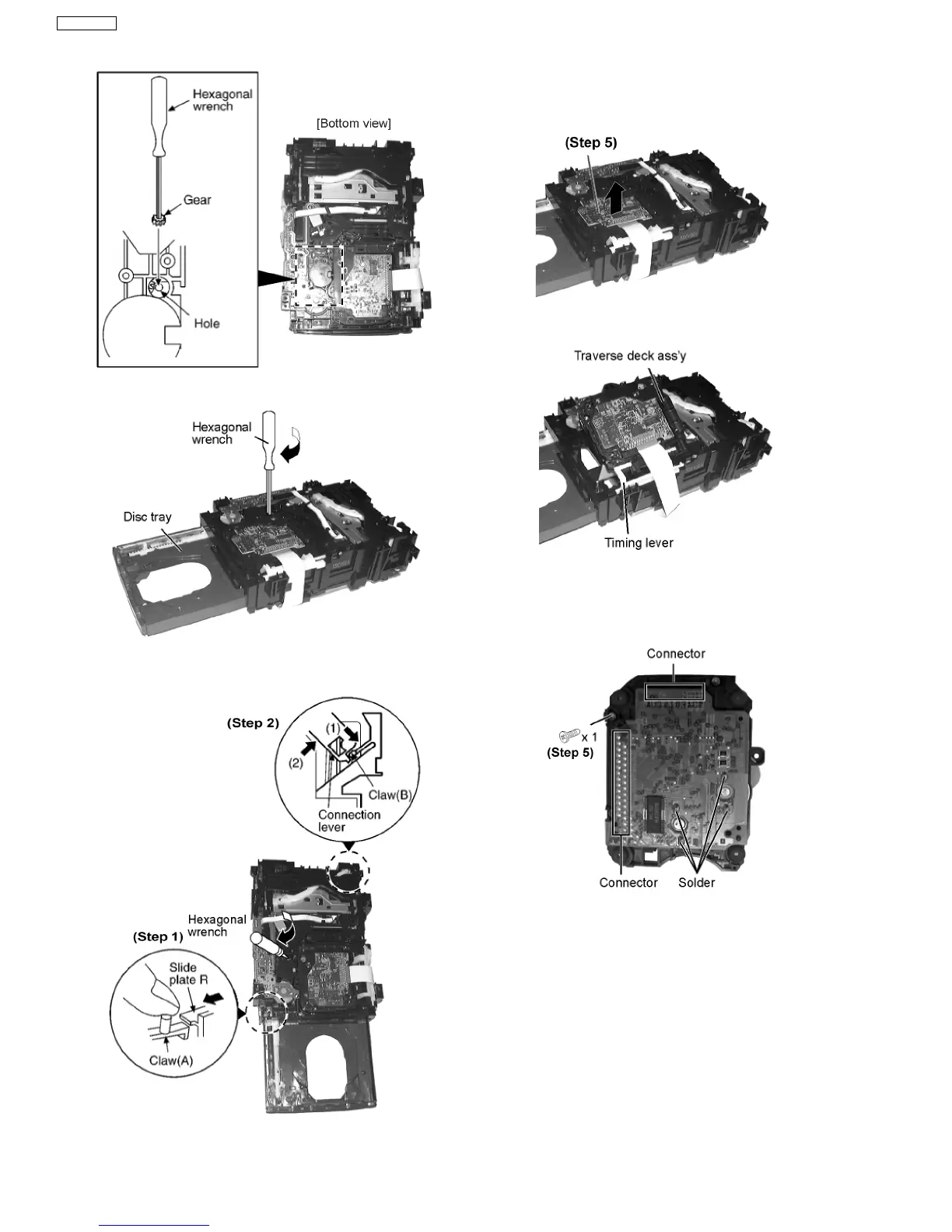
Step 1 Insert the gear with hexagonal wrench into the hole.
Step 2 Rotate the hexagonal wrench in the direction of arrow
(clockwise), and then open the disc tray fully.
Step 3 With pressing the claw (A), rotate the hexagonal wrench
clockwise. (The slide plate R moves for a little amount.)
Step 4 Pressing the claw (B) in the direction of arrow (1), the
connection lever moves in the direction of arrow (2).
Step 5 Lift up the traverse deck ass’y.
Step 6 Remove the traverse deck ass’y from the timing lever.
Caution:
When removing or inserting the traverse deck avoid touching
the OPU lens and pressing onto the turntable.
Step 7 Remove 3 screws.
Step 8 Unsolder the motor terminals (4 points).
Step 9 Remove the holder pins.
38
SA-VK61DEE








 To Next Page