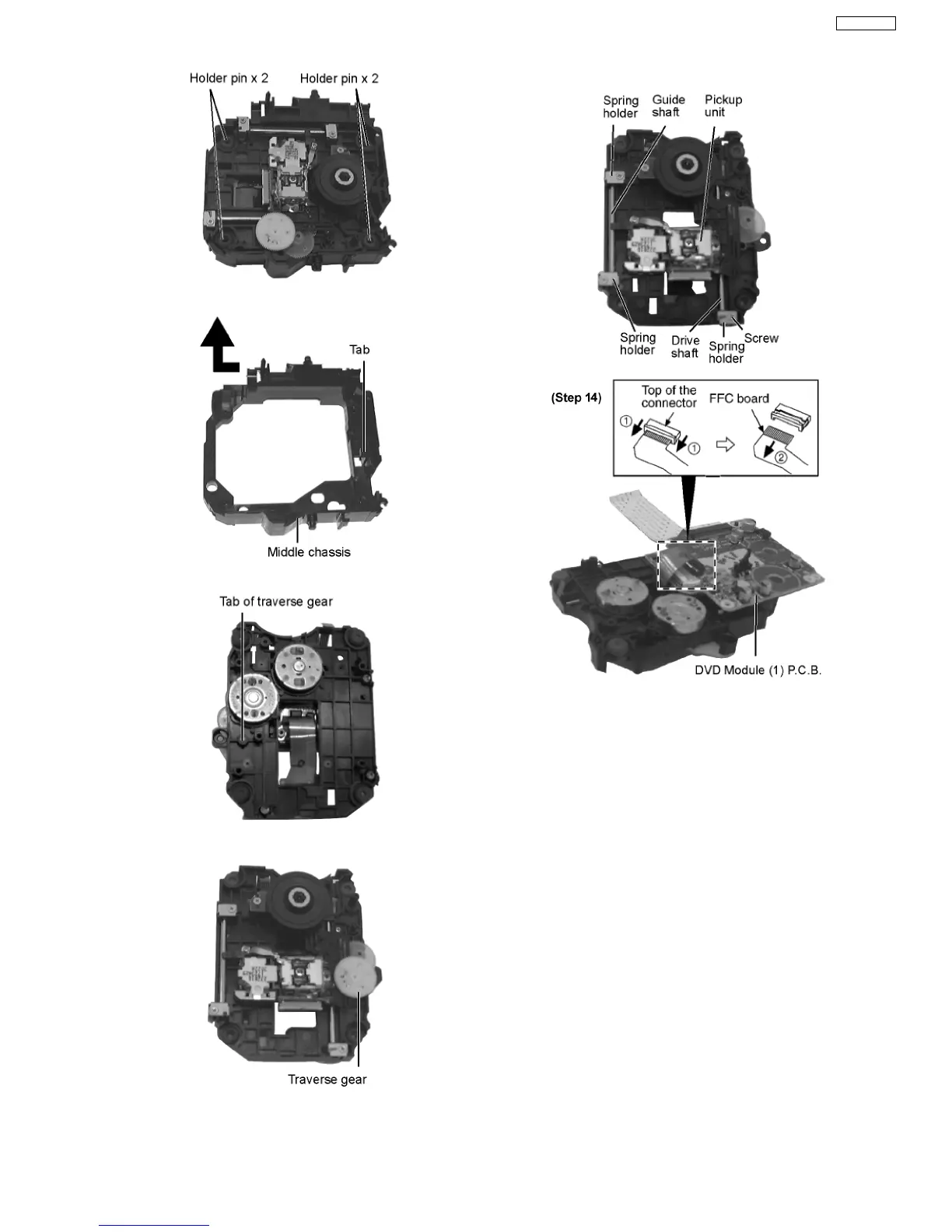
Step 10 Remove the tab.
Step 11 Disengage the tabs from the traverse gear.
Step 12 Remove the traverse gear.
Step 13 Unscrew the screws.
Step 14 Remove the spring holders and the springs.
Step 15 Pull out the drive shaft and guide shaft.
Step 16 Remove the FFC board from the connector, and then
remove the DVD Module (1) P.C.B.
·
Installation of the DVD Module (1) P.C.B. after
replacement
Step 1 Connect the FFC board.
Step 2 Install the DVD Module (1) P.C.B. in the traverse deck
ass’y.
Step 3 Remove 3 screws.
Step 4 Solder.
39
SA-VK61DEE








 To Next Page