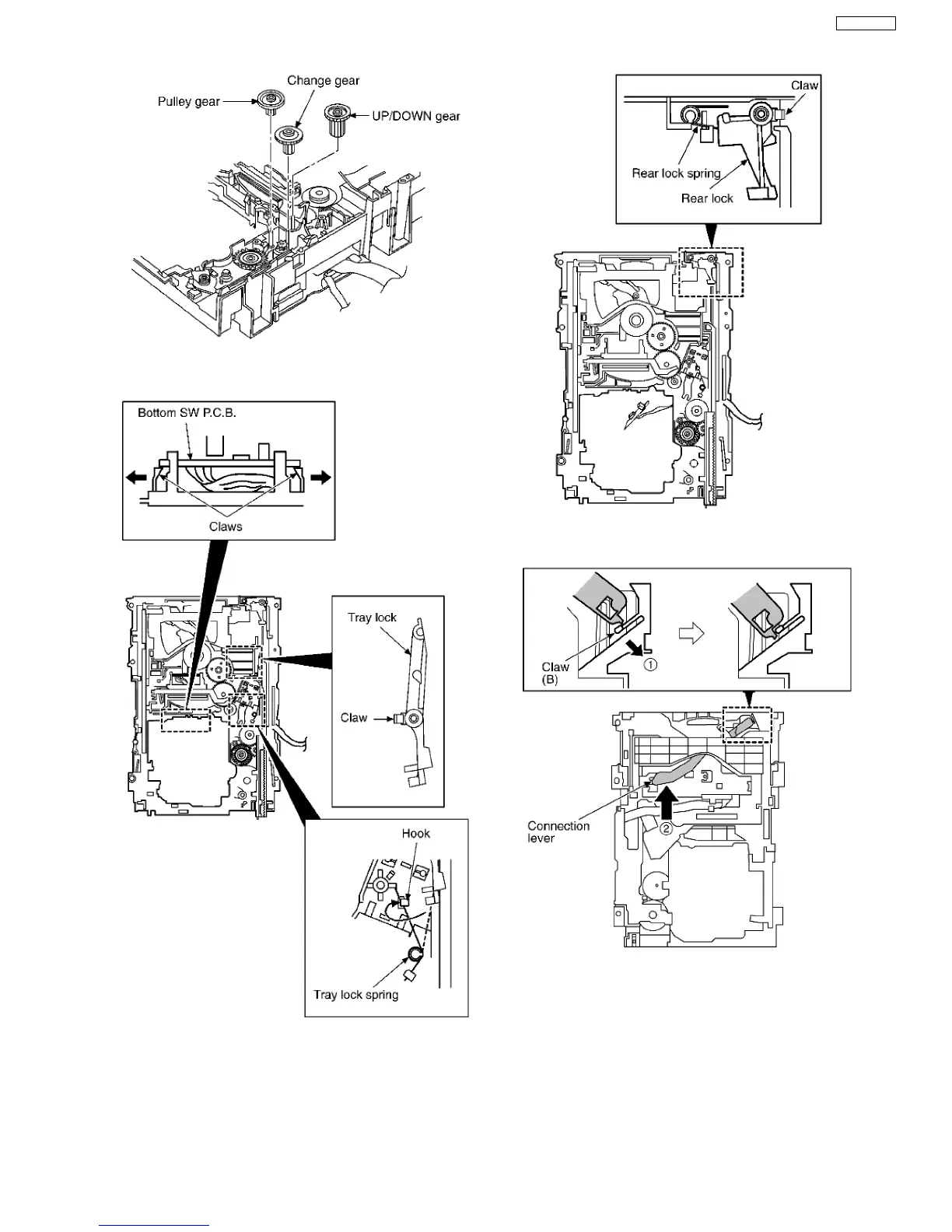
Step 5 Release the 2 claws, and then remove the bottom SW
P.C.B..
Step 6 Install the tray lock spring to hook temporary.
Step 7 Release the claw, and then remove the tray lock.
Step 8 Release the claw, and then remove the rear lock.
Step 9 Pressing the claw (B) in the direction of arrow (1), force
the connection lever in the direction of arrow (2).
Step 10 Move the slide plate 1 to the end of stock side.
43
SA-VK61DEE








 To Next Page