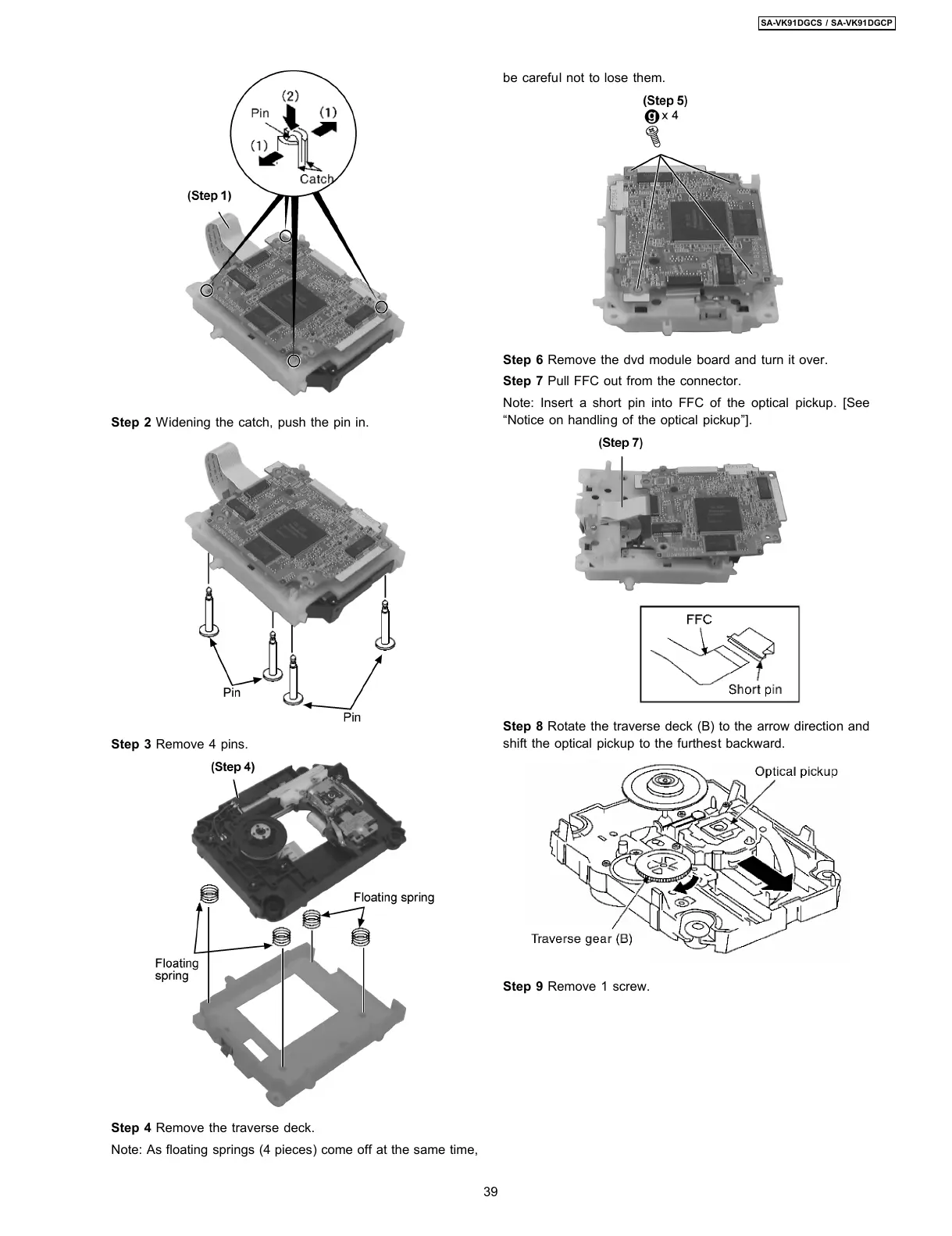
Step 2 Widening the catch, push the pin in.
Step 3 Remove 4 pins.
Step 4 Remove the traverse deck.
Note: As floating springs (4 pieces) come off at the same time,
be careful not to lose them.
Step 6 Remove the dvd module board and turn it over.
Step 7 Pull FFC out from the connector.
Note: Insert a short pin into FFC of the optical pickup. [See
“Notice on handling of the optical pickup”].
Step 8 Rotate the traverse deck (B) to the arrow direction and
shift the optical pickup to the furthest backward.
Step 9 Remove 1 screw.
39
SA-VK91DGCS / SA-VK91DGCP








 To Next Page