25
English
Chapter 3
Operation
Turn on the power supply of all connected devices
1
Turn on the power supply of all connected devices such as PC and DVD player.
2
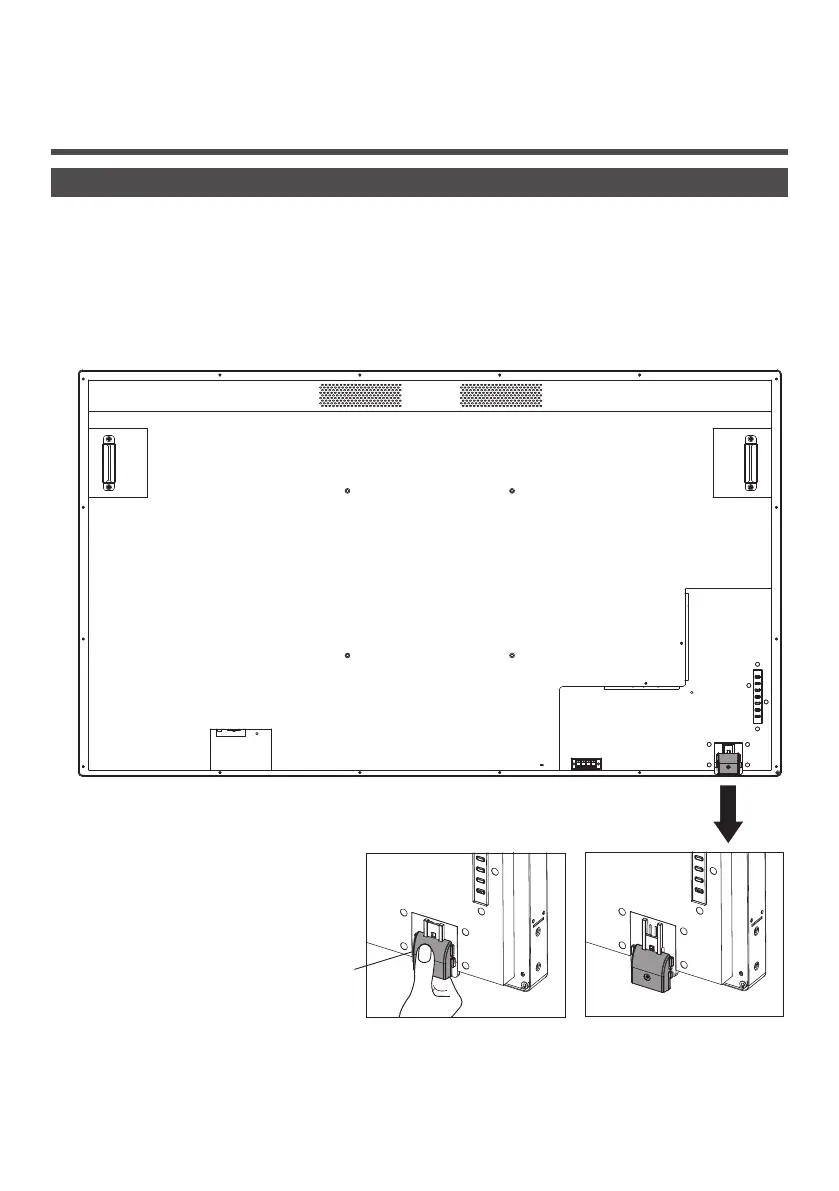
Set the remote control sensor.
Before using the remote control, decide the position of remote control sensor of LCD display.
Remote control sensor is the small black box located on the left side of the back of LCD display. Until the sensor
gets locked at the designated position, push the position of A with thumb etc. and slide it in the downward direction
(refer to bottom right of the illustration).
Follow these steps in the opposite order for returning the sensor to its original position.
A
When the remote control
sensor is stored
When the remote control
sensor is used





 To Next Page