39
English
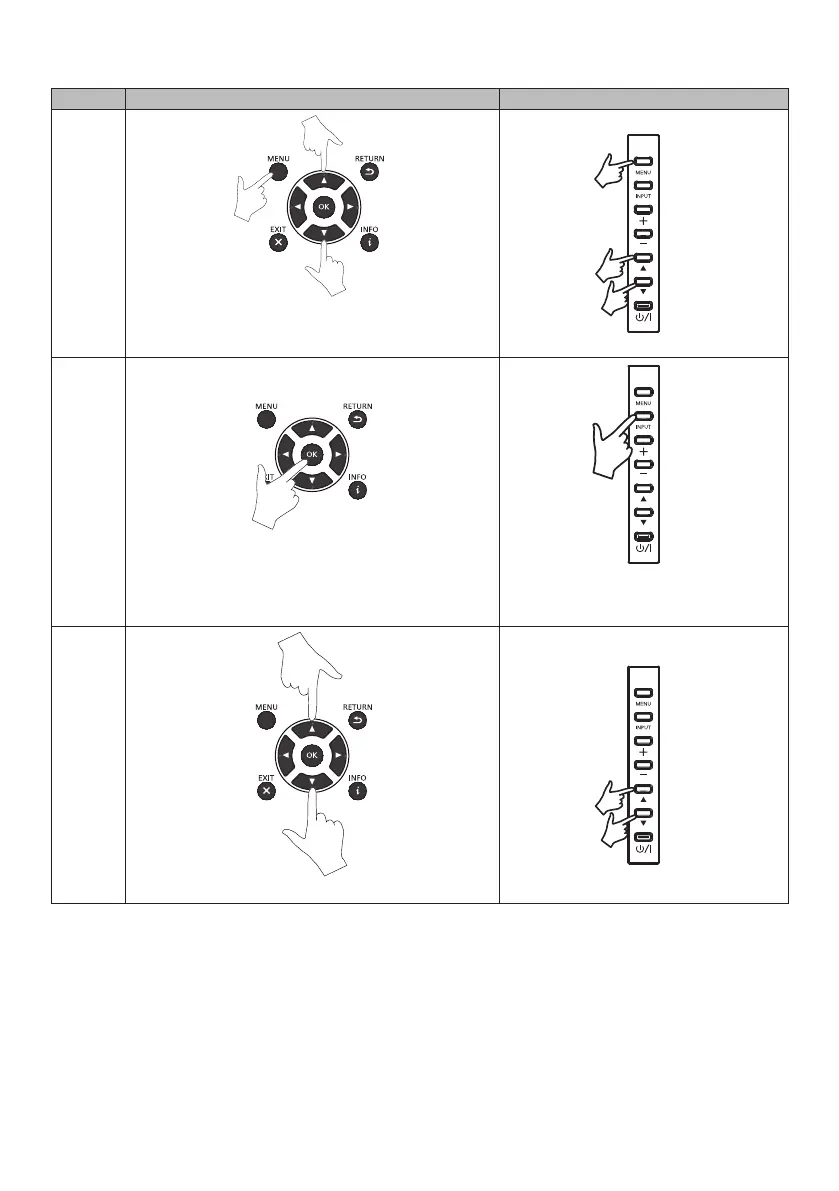
■ Basic operation of OSD screen
Check that the power indicator has light up in green colour and power supply of the device is on.
Step Remote control Buttons of the monitor
1
Press the [MENU] button to display the OSD screen. Use
theup(▲)/down(▼)buttonsandselectitemsfromthe
[Main Menu].
2
Pressing the [OK] button and confirming the selected
[Main Menu] will select the sub menu located at the top.
Pressing the [INPUT] button and confirming
the selected [Main Menu] will select the sub
menu located at the top.
3
Usetheup(▲)/down(▼)buttonstoselectasubmenu.






 To Next Page