34
English
■ Play music in the background
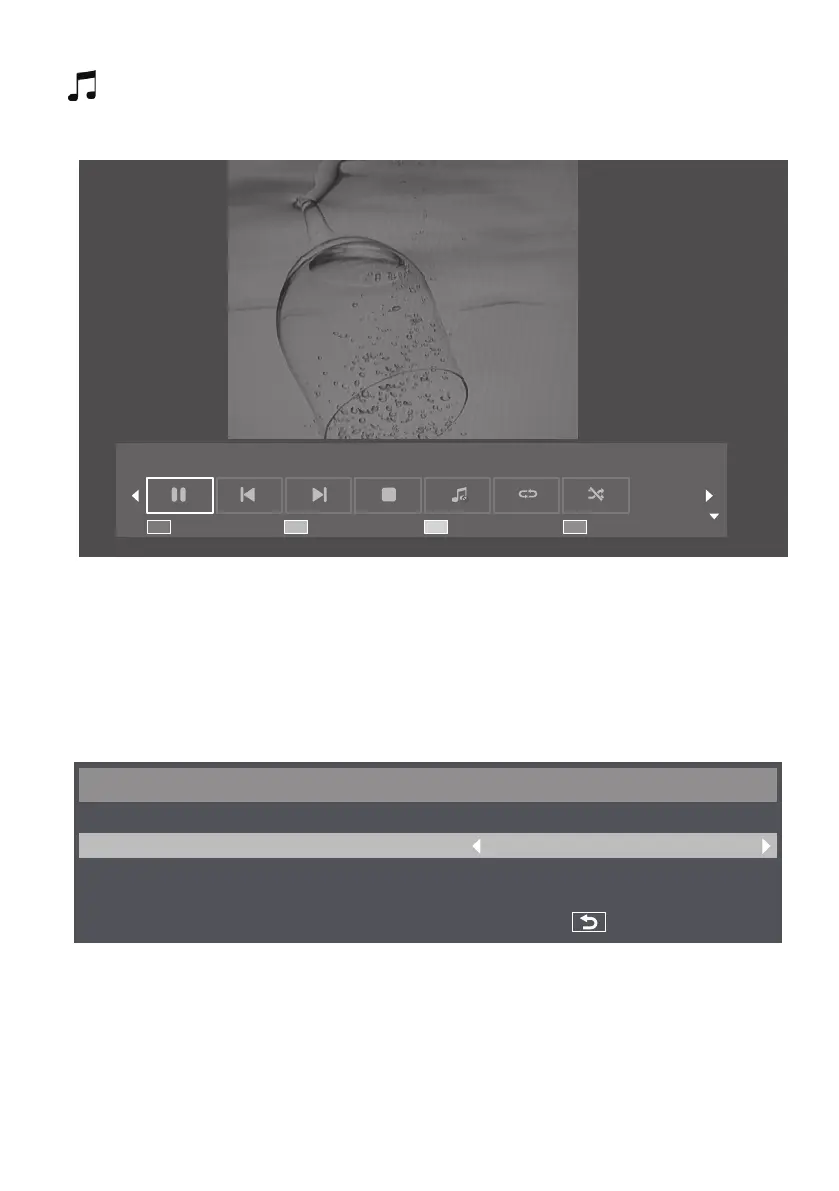
With this icon, you can play music in the background. When music is also included in the folder where
pictures are saved, you can play music in the background while pictures are displayed.
1
Displaytheplayguidewiththeup(▲)button.
Playlist Info. Option Close
2
Usetheleft(◄)andtheright(►)buttonsoftheremotecontrolandselecticonforplayingthemusicinthe
background. Press the [OK] button to confirm the selection.
3
When music is also included in the folder where pictures are saved, you can play music in the background while
pictures are displayed.
■ Slideshow settings
In the playback mode of pictures, by using slideshow, you can play all selectable pictures (or all pictures in the playlist).
Use the yellow button to display slideshow options.
Option
Slideshow Time :
Transition :
3 Sec
Off
Back
1
[Slideshow Time]: It sets the waiting time until each image of slideshow is displayed.
•
You can set between 3 seconds - 20 seconds in the unit of 1 second.
2
[Transition]: It sets the type of transition of slideshow images.
•
[Off]
•
[Scroll down]
•
[Scroll left]
•
[Box in]
•
[Scroll right]
•
[Box out]
•
[Scroll up]









 To Next Page