01
02
03
04
05
06
07
08
107
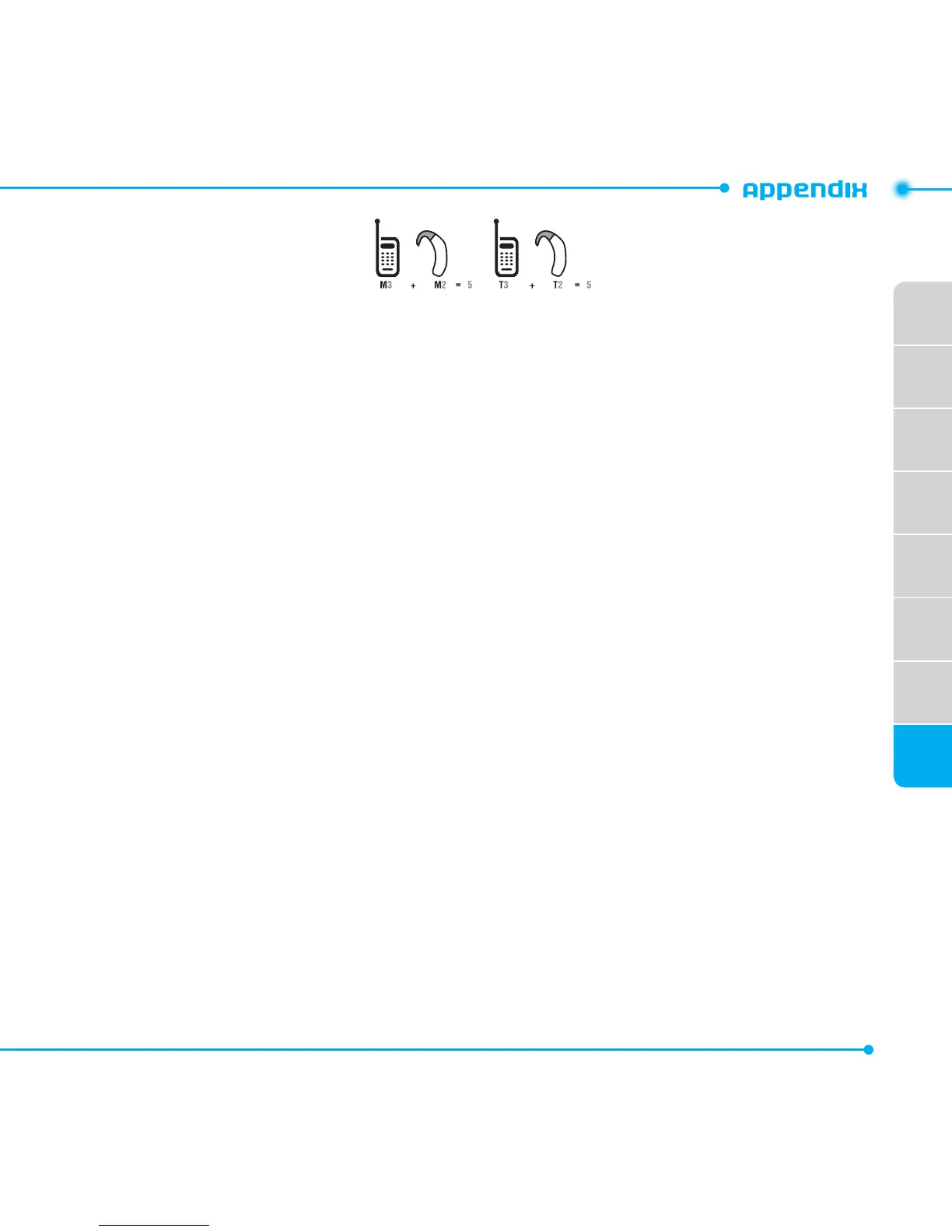
Intheaboveexample,ifahearingaidmeetstheM2levelratingandthewirelessphonemeetsthe
M3levelrating,thesumofthetwovaluesequalM5.ThisissynonymousforTratings.Thisshould
providethehearingaiduserwith“normalusage”whileusingtheirhearingaidwiththeparticular
wirelessphone.“Normalusage”inthiscontextisdenedasasignalqualitythatisacceptablefor
normal operation.
TheMmarkisintendedtobesynonymouswiththeUmark.TheTmarkisintendedtobe
synonymouswiththeUTmark.TheMandTmarksarerecommendedbytheAlliancefor
TelecommunicationsIndustriesSolutions(ATIS).TheUandUTmarksarereferencedinSection
20.19oftheFCCRules.TheHACratingandmeasurementprocedurearedescribedinthe
AmericanNationalStandardsInstitute(ANSI)C63.19standard.
To ensure that the Hearing Aid Compatibility rating for your phone is maintained, secondary
transmitterssuchasBluetoothandWLANcomponentsmustbedisabledduringacall.
See page 84 for instructions to disable these components.
This phone has been tested and rated for use with hearing aids for some of the wireless
technologies that it uses. However, there may be some newer wireless technologies used in this
phone that have not been tested yet for use with hearing aids. It is important to try the different
features of this phone thoroughly and in different locations, using your hearing aid or cochlear
implant, to determine if you hear any interfering noise. Consult your service provider about its
returnandexchangepoliciesandforinformationonhearingaidcompatibility.



 To Next Page