24
Using the Multitask menu
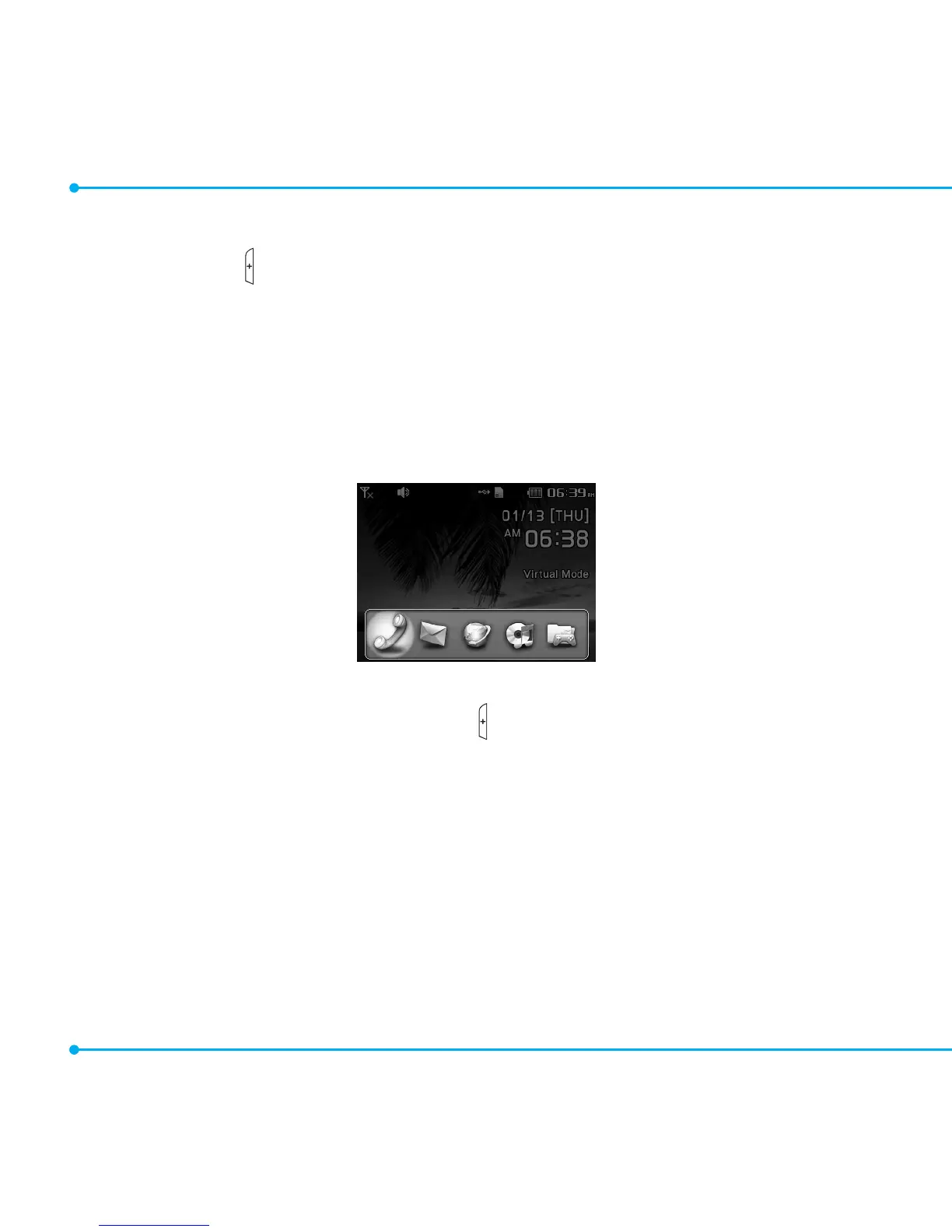
Press and hold the key to launch the Multitask menu that can be accessed from any active
window or page on the phone. There is no need to stop what you are doing, if you want to
activateanothercommonfeature.Theideaistoallowyoutotemporarilyexitfromyour
current location to access a group of common functions such as Call, Messaging, Mobile
Web,Musicplayer,andGames&Apps.Thiskeykeepsyoufromhavingtocompletelyexit
fromyourcurrenttaskorwindow,whetherthatbeatextmessage,awebpage,oranactive
call, to do something else.
Multitask functions
To use the multitask function, press and hold the key. You can choose from one of the following
functions:
• Call: Makes a voice call while using the handset for other tasks. If Music Player is active, it is
muted during the call.
• Messaging:Sendsatextormultimediamessagewhileusingthehandsetforothertasks.
• Web:Launchesthebrowserwhileusingthehandsetforothertasks.
• Music Player: LaunchestheMusicPlayerwhileusingthehandsetforothertasks.Ifanincoming
call is received or you make a call, the Music Player is muted.
• Applications:AccessesGamesandApplicationswhileusingthehandsetforothertasks.



 To Next Page