EasyManua.ls Logo

Pantech Link II - Phone Overview

Pantech Link II
232 pages
Print Icon
To Next Page IconTo Next Page
To Previous Page IconTo Previous Page
Loading...
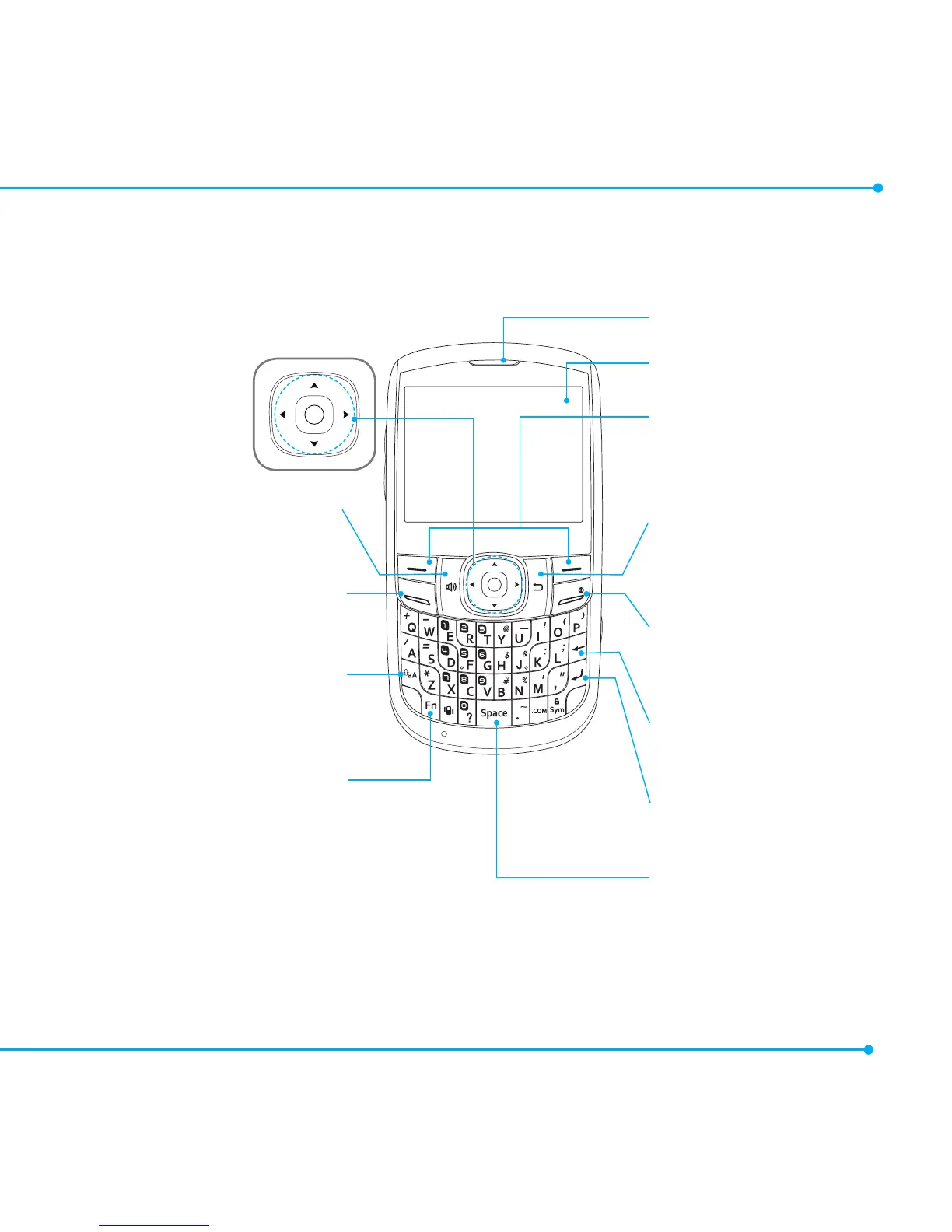
Receiver
Display
Left/Right soft key
Perform the functions
shown at the bottom
line of the display.
Clear key
Return to previous screen
or delete characters in
textmode.
Power on&off / Menu exit
key / End key
Turn phone on/off, end
calls,exitmenus.
Delete key
Press to delete a number
or letter.
Enter key
Press to move to the
nextrow.
Space key
Press to enter a space.
Navigation
Up:WriteNewSMS
Down:Contacts
Left:Mobile Email
Right:YPmobile
Center:OK/Web
Speaker phone key
Send key
CAPS/Shift key
To type a single uppercase
letter, press this key then
a letter.
Function key
To enter a number or
a symbol, press the
function key, and press the
corresponding key.
Phone overview
5

Table of Contents

Related product manuals