70
4.SelectthecategorybyusingL/R > Select.
Auto Full Screen
1. Select Menu > AT&T Music > Music Player.
2. Select Settings.
3.SelectAuto Full Screen.
4.SelectOn or Off.
Media player
You can play audio and video clips with the media player. The Media Player is only compatible with
andcanplaythefollowingformatssuchas.3gp,.mp4,.m4a,.3gpa,.wmv,.wma,.mp3,.aac,.amr,
.mid, .mmf, .pmd, .imy, .wav and .qcp.
note:Donotusethisfeatureillegally.Soundandvideoareprotectedbycopyright.Itisillegaltocopysuchsound
/ video tracksforthepurposeofsellingordistribution.Pantechdoesnotinanywaysupporttheunauthorizeduse
of content on your phone media player.
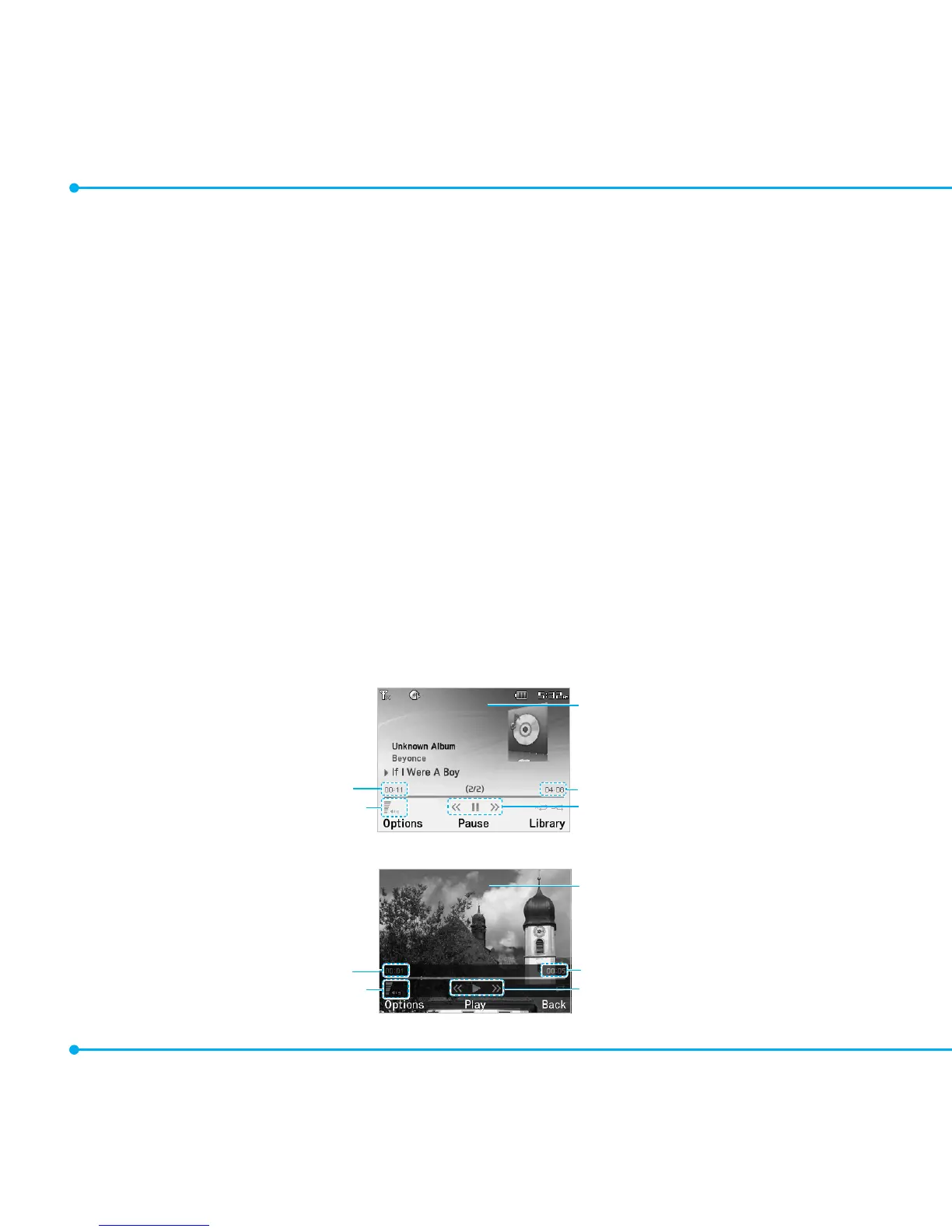
<Audio player>
Playing time
Volumecontrols
Duration
Player controls
Background skin
<Videoplayer>
Playing time
Volumecontrols
Duration
Player controls
Videoimage



 To Next Page