COMSPHERE 3600 Series Data Service Units
3-2 December 1996 3610-A2-GB46-60
Control Branch 3-16. . . . . . . . . . . . . . . . . . . . . . . . . . . . . . . . . . . . . . . . . . . . . . . . . . . . . . . . . . . . . . . . . . . . .
Transmitter Control 3-16. . . . . . . . . . . . . . . . . . . . . . . . . . . . . . . . . . . . . . . . . . . . . . . . . . . . . . . . . . . . . . .
LEDs 3-16. . . . . . . . . . . . . . . . . . . . . . . . . . . . . . . . . . . . . . . . . . . . . . . . . . . . . . . . . . . . . . . . . . . . . . . . . .
External Leads 3-16. . . . . . . . . . . . . . . . . . . . . . . . . . . . . . . . . . . . . . . . . . . . . . . . . . . . . . . . . . . . . . . . . . .
Displaying External Leads 3-17. . . . . . . . . . . . . . . . . . . . . . . . . . . . . . . . . . . . . . . . . . . . . . . . . . . . . . .
Reset 3-17. . . . . . . . . . . . . . . . . . . . . . . . . . . . . . . . . . . . . . . . . . . . . . . . . . . . . . . . . . . . . . . . . . . . . . . . . .
Remote Branch 3-17. . . . . . . . . . . . . . . . . . . . . . . . . . . . . . . . . . . . . . . . . . . . . . . . . . . . . . . . . . . . . . . . . . . . .
Front Panel Security 3-18. . . . . . . . . . . . . . . . . . . . . . . . . . . . . . . . . . . . . . . . . . . . . . . . . . . . . . . . . . . . . . . . .
Overview
You can manage a 3600 Series DSU from:
• The front panel
•
An async terminal
•
An NMS
This chapter describes how to manage the DSU using
the front panel. Refer to Appendix C for async terminal
operation.
The menus are organized as a branching hierarchy or
menu tree. Appendix A contains this menu tree.
Appendix B contains a Configuration W
orksheet with
Basic mode configuration option settings. Basic mode
represents a DSU with no additional hardware features
installed. Refer to these reference materials as you
proceed through the DSU’
s menus.
Refer to your COMSPHERE 6700 or 6800 Series
NMS documentation to control and configure the DSU
from the NMS.
Front Panels
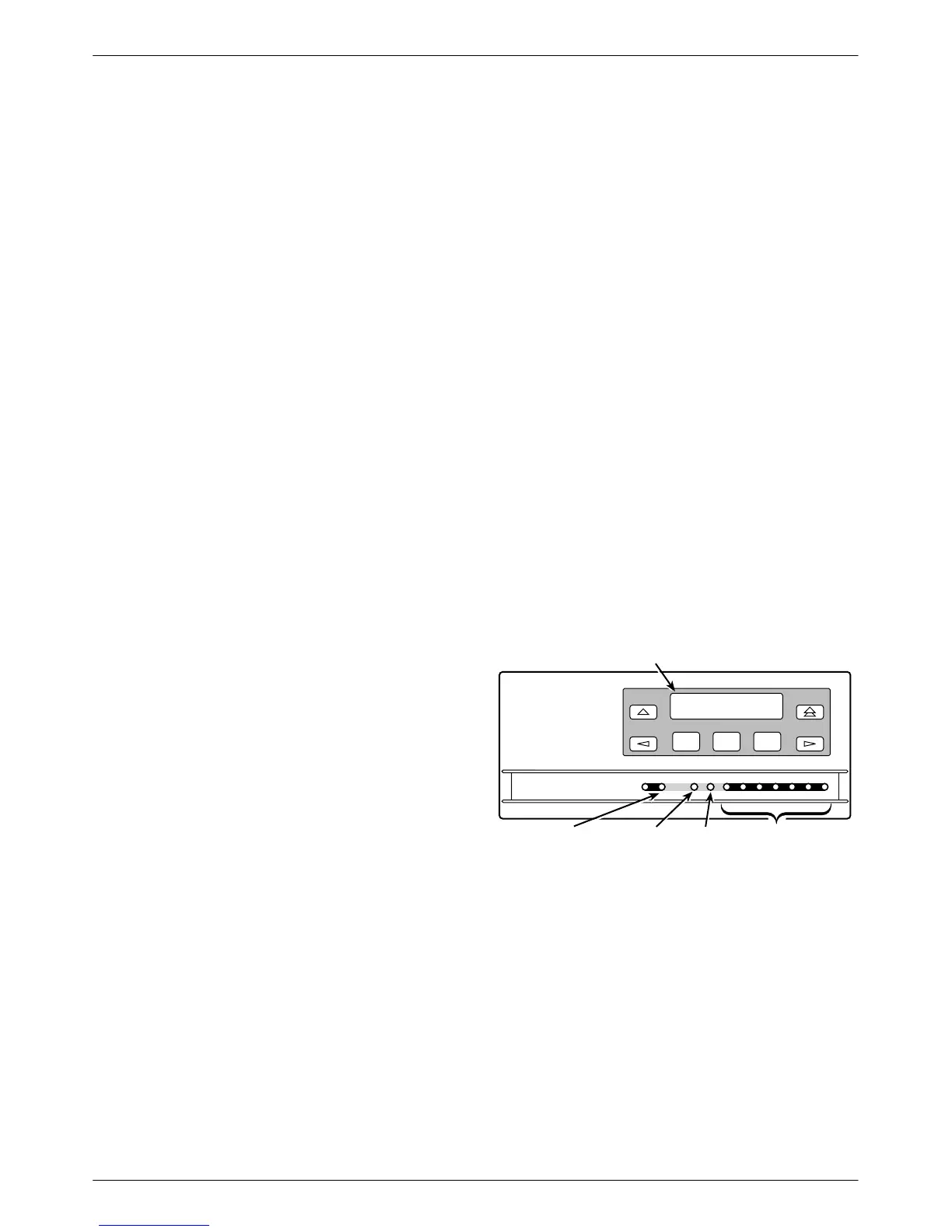
The front panel is the user interface to the DSU. There
are two types of front panels:
• The front panel on the Model 3610 (Figure 3-1)
• The shared diagnostic control panel (SDCP) used
with the Model 361
1 (Figure 3-2) in a
COMSPHERE 3000 Series Carrier
The front panel for both models provides a 2-line,
16-character LCD and keypad for accessing menus to:
•
Monitor health and status
• Initiate dial backup operations
•
Initiate diagnostic tests
• Set, change, and save configuration options
The front panel’
s LCD displays the result of any
command initiated from the front panel. Front panel basic
operation does not vary with the addition of DSU options
(DBM, TDM, MCMP
, or SNA Diagnostic Interface).
However
, menu or selection displays vary based on
features installed and enabled.
F1
F2
F3
OK
Alrm Test Dial TXD RXD
107
RTS CTS DTR LSDDSR
COMSPHERE 3610
105 106 108 109104103
DTE Status
Indicators
Dial
Backup
Test
Mode
Network/Device
Alarm
LCD
496-12347b-06
Figure 3-1. Model 3610 Front Panel



 To Next Page