COMSPHERE 3600 Series Data Service Units
3-6 December 1996 3610-A2-GB46-60
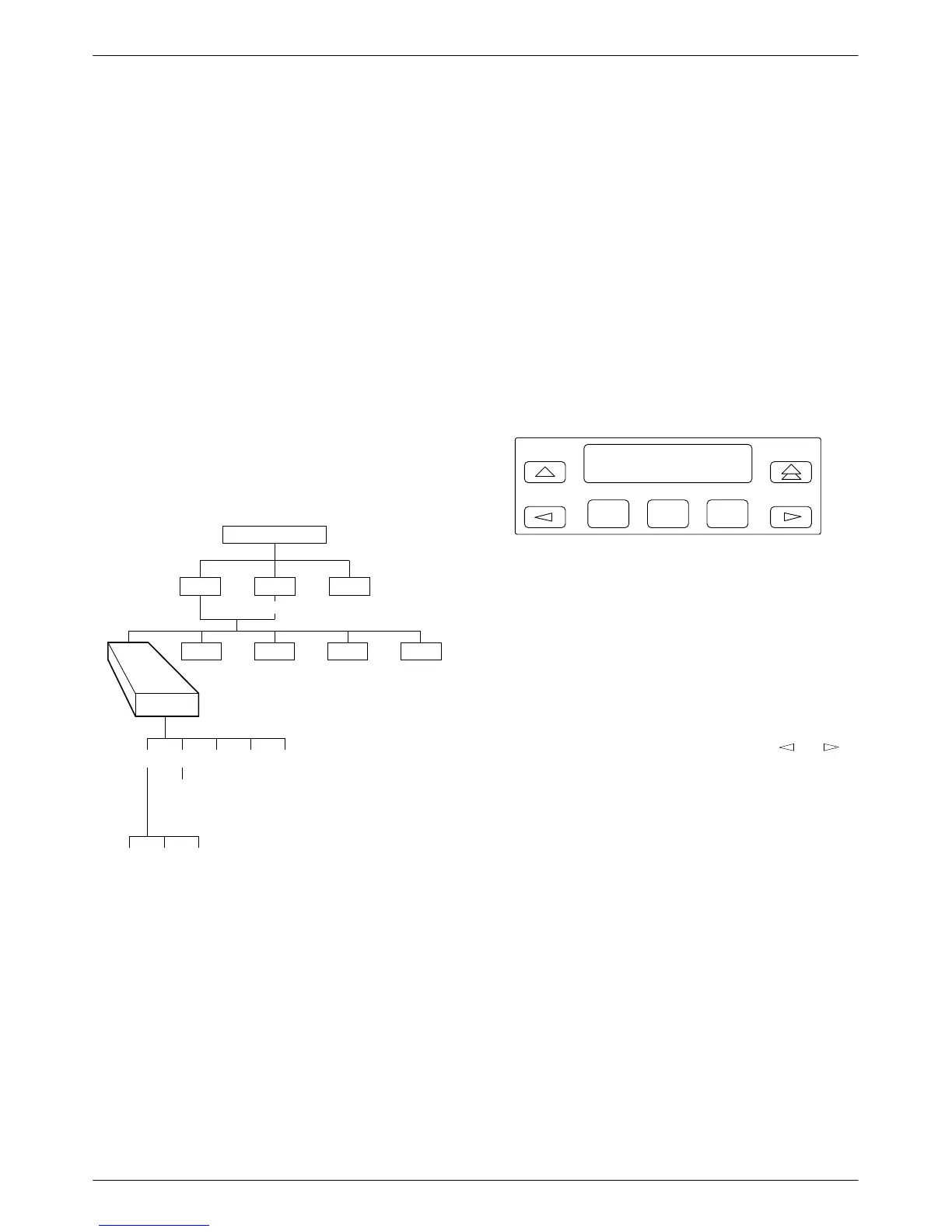
Status Branch
The Status (Stat) branch reports on the:
•
Health and status of the DSU and DBM
• DTE interface
• Circuit quality:
— For an analog DBM connection, Network
Signal Level and Quality
— For a DSU with App Module ID displaying
XLOOP, DDS Signal Quality
• Identity of the DSU (see Table 3-2)
• Terminal’s power – status of voltage on the DTE’s
RTS lead
Refer to Appendix E for DSU and MUX Health and
Status messages.
496-12970-02
TOP-LEVEL MENU
Local
Remot
Bckup
Test
Ctrl
Msgs
Address
Confg
Stat
H/S DTE CircQ ID TPwr
Port
Select
Devic Expan Subn
Health and Status
Health and Status (H/S
) displays the health and status
of the DSU, and if installed, DBM H/S. DSU and line
conditions are automatically scanned for normal limits.
There are three types of Health and Status reports:
• Devic (Device Health and Status)
• Expan (Expanded Health and Status)
• Subn (Subnetwork Health and Status)
All alarm and status conditions appear for the specified
DSU at the time H/S is selected. For a:
• Local DSU: alarm and status conditions are updated
every 2 seconds.
•
Remote DSU: display reflects the actual alarm and
status conditions at the time of access.
Device Health and Status
Device Health and Status (Devic) reports health and
status information for a selected DSU. After 15 minutes
without a key press, the Device Health and Status (H/S)
reappears on the front panel. See Appendix E for Health
and Status messages.
F1
H/S: 22:31:03→*
56 DDS
F2
F3
When the digital circuit is the active link,
• The first line on the LCD includes:
— A running timer (hhh:mm:ss) to reflect the
length of time the DSU has been operating.
This timer is displayed until the time exceeds
254:59:59, when the time is replaced with
MAX.
— Display of → to indicate that additional health
and status messages exist. Use the
or
key to scroll through the messages. The unit
automatically scrolls through additional
messages approximately every three seconds.
—
An asterisk (*) when an NMS is polling the
control DSU or a control DSU is polling a
tributary.
• The
second line displays:
— The DSU’
s aggregate data rate or test alarms.
— A DDS facility alarm if the DDS data rate is
not available. Refer to the Rate(Kbps)
configuration option (Table 4-1).



 To Next Page