Front Panel Operation
3-93610-A2-GB46-60 December 1996
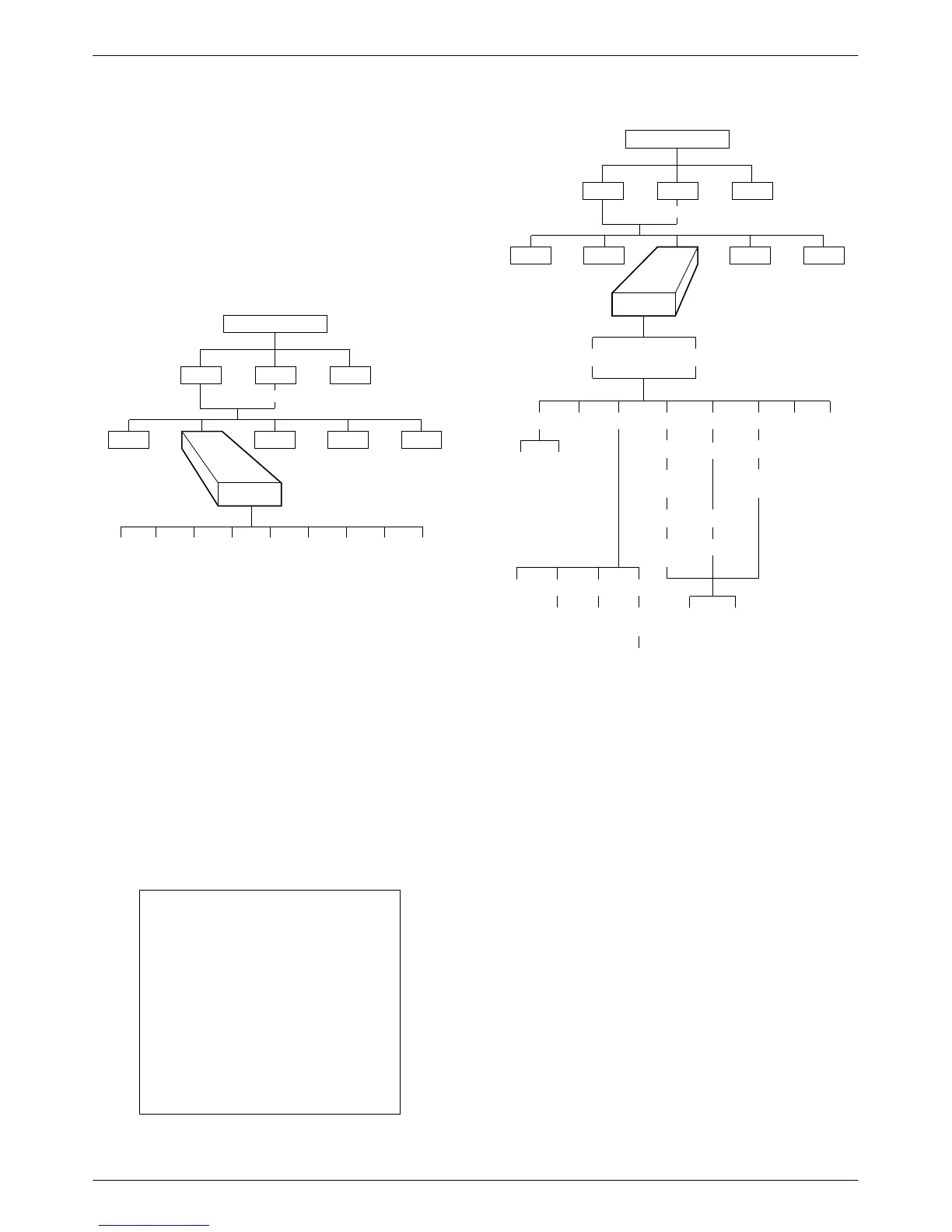
Backup Branch
The
Backup (
Bckup) branch appears when the
configuration option Network Interface (NetIntf
) is set to
AggSw or Forc or a DBM is installed. The DSU provides
an internal aggregate data stream for diagnostics, standby
mode, and framing on the alternate V.35 or EIA-232
interface of Port 1. The aggregate port can be connected
to an external dial backup unit (DBU).
496-12971-0
TOP-LEVEL MENU
Local
Remot
Test
Ctrl
Stat
Msgs
Address
Confg
Bckup
Abort Bkup Dial DrBU Disc →Dial →DDS AggSw →NetI
For additional use of the Backup branch, refer to the
TDM/MCMP/Digital Bridge Options Supplement,
Document No. 3610-A2-GB48, and the DBM Options
Supplement, Document No. 3610-A2-GB49.
Test Branch
The Test
branch provides extensive testing capabilities
for the DSU, the DDS circuit, the DBM, and the backup
circuit. When the tributary DSU receives a test request
from the control DSU, the DSU aborts any locally
initiated test in progress.
NOTE
Running a test can affect your
application data or may cause
your application session to be
dropped depending upon the
protocol, front-end processor,
and time-out parameters. No
data or acknowledgment
messages will be transmitted
while the test is in progress on
the active core.
496-12972-03
TOP-LEVEL MENU
Local
Remot
Bckup Ctrl
Stat
Msgs
Address
Confg
Test
DSU DBM
Abort Devic Lpbk Lamp
LL DTE DL RL
Start Start Start
Port
Select
Port
Select
Port
Select
Port
Select
Address
Address Address
Run
Tim
# Blocks
Displ Clr
EE DT
BERT
Port
Select
Subn Selective
DTon
Abort
Abort
allows you to stop a test that is running. The
DSU is not allowed to run any other test until the test in
progress is aborted or completes.
There are two selections for aborting a test:
• Subn (Subnetwork) displays only at the control
DSU. This selection terminates any test running at
the control DSU or at a tributary DSU or DBM
associated with the control.
• Selective
terminates whatever test is in progress at
the local DSU. Does not appear in Remote mode
with MUX Funct set to CBrdg or NetIntf set to
AggSw or Forc.
After selecting either Subn or Selective, the test
terminates and the front panel displays Command
Complete.



 To Next Page