COMSPHERE 3600 Series Data Service Units
2-8 December 1996 3610-A2-GB46-60
DDS Network Connection
NOTE
Before connecting the DSU to
the DDS network, ensure that
approved primary protectors
have been installed on the
circuit in accordance with
Article 800 of the National
Electric Code, NFPA 70, in the
United States and Section 60 of
the Canadian Electric Code,
Part 1, in Canada.
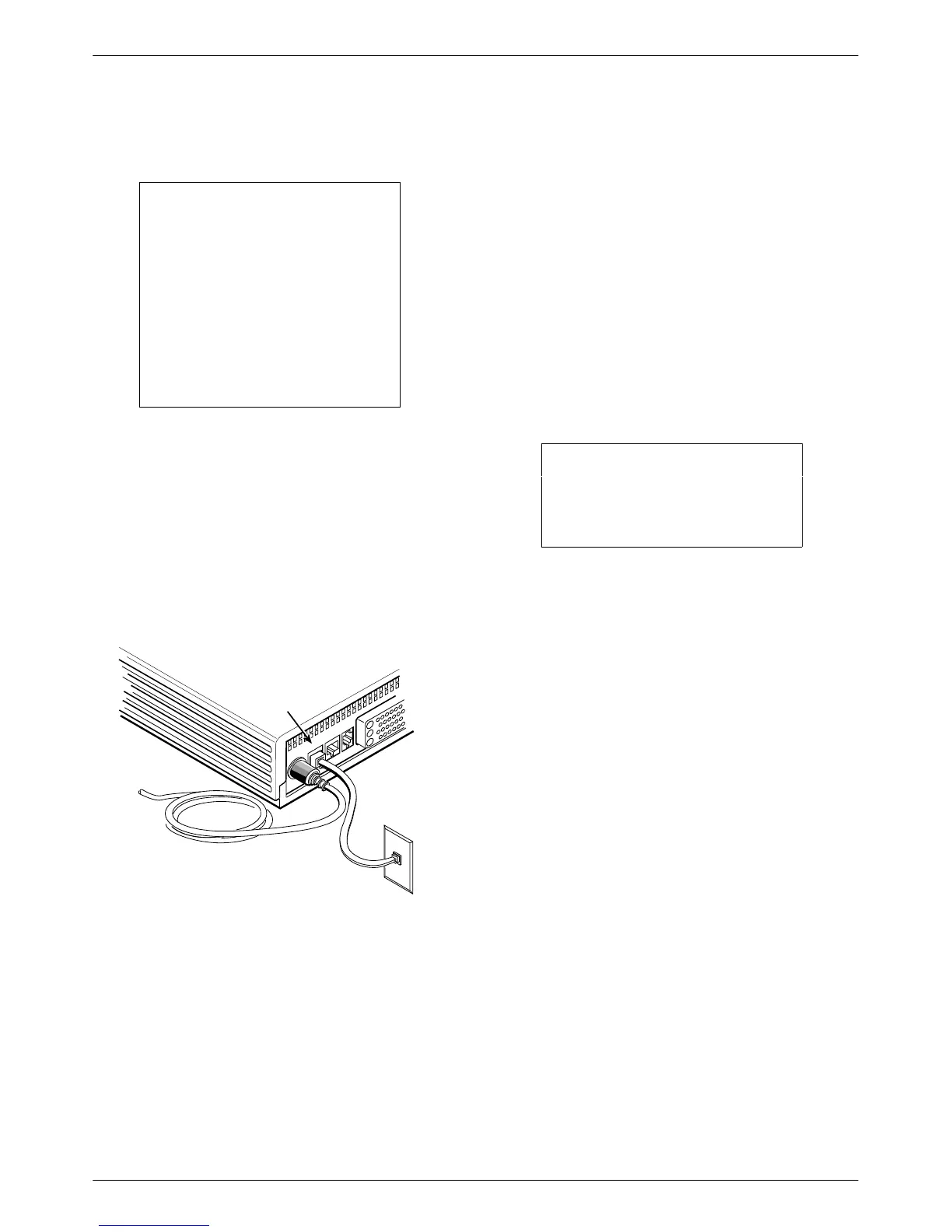
To connect the DSU to the DDS network:
. Procedure
1. Plug the DDS network interface RJ48S cable into
the DSU jack labeled
LINE.
2. For Canada, plug the 6-pin cable end (feature
number 3600-F1-006) into the wall jack.
495-14578-02
DDS Network
Connection
Line
POWER
LINE
BACKUP
CC/DC
V.35
RJ48S
Wall Jack
If a remote DSU is also connected to the network and
there are no other facility alarms, the:
• DSU’
s green
OK LED lights.
• Alrm indicator is no longer lit.
•
Health and Status screen no longer displays a
No Signal
message. The DDS data rate displays
Auto while detecting a rate. Change the Rate(Kbps)
to a set rate when the data rate has been detected.
If connecting the DSU to a LADS network, set the data
rate. There are distance limitations that govern the use of
DSUs on the network. See Appendix F for LADS
connection distances.
Network
V
erification Testing
Perform verification testing after any installation. Refer
to the Link Configuration option, Table 4-3.
. Procedure
1. For a multipoint link configuration, request a
device Identity report to ensure that the DSU is
addressed properly (ID from the Status branch).
NOTE
The Model 3610 is delivered
with a network address set to
254.
2. For
a
point-to-point link or multipoint link
configuration, verify the port speed [Prt(Kbps)
from DSU Options].
3. From the control, perform a Digital T
est on the
DDS circuit to ensure that the network is
functioning (DT from the Test branch).



 To Next Page