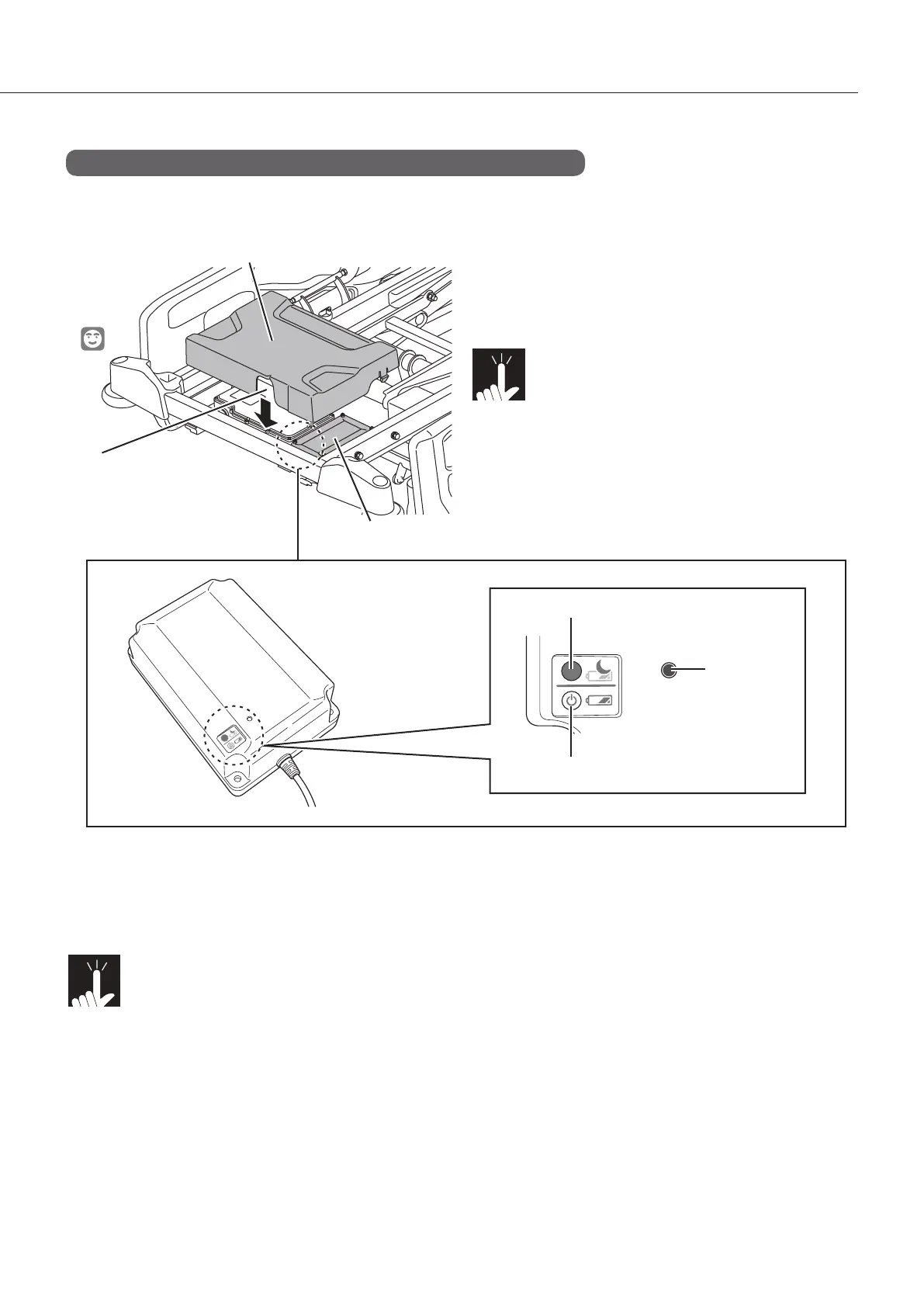
Head end
42
Power ON button (hold down for 4 seconds) : Enables battery-powered operation. When using the bed for
the first time or using it after storage, press the power ON
button. When the power turns on, the power lamp flashes.
Power OFF button (hold down for 1 second) : Disables battery-powered operation. When storing the bed,
press the power OFF button to turn off the power.
Note!
nBydefault,thepoweriso.Insertingthepowerplugintotheoutletautomaticallyturnsthe
power supply on.
n When the power is turned on, the power remains on even if the power plug is inserted into
or disconnected from the outlet. To stop battery-powered operation, press the power OFF
button.
nIfthebatteryhasbeenover-discharged,thepowersupplyautomaticallyturnso.
The battery is located under the main frame at the
head end of the bed.
Note!
When replacing the battery, remove the
cover. When attaching the cover, pay at-
tention to its orientation.
* The illustration shows the bed with the head
section raised and the headboard and cover
removed.
Battery (excluding PA-H 611*, PA-H 612*, PA-H 613*, PA-H 614*)
* For the PA-H 611*, PA-H 612*, PA-H 613*, PA-H 614*, a battery is available as a suitable product.
<Part names>
When attaching the cover,
the cut-out section should
be at the head end.
Cover
Power OFF button
Power lamp
Power ON button * Located at the bottom
(back side).
Battery



 To Next Page