PSS 2 B2
GB
│
IE
│
7 ■
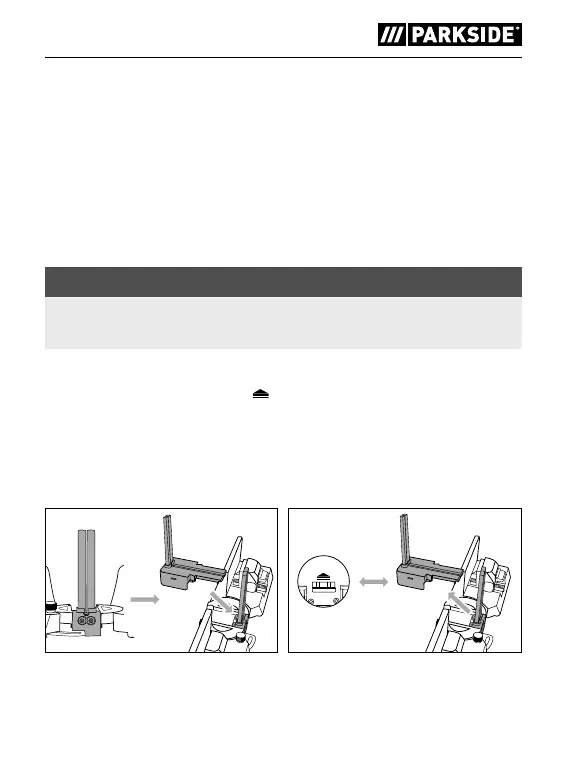
Inserting cutting guide elements
♦ Insert cutting guide element A 9 from above into the recess
provided (see fig. 6). Cutting guide element A 9 is not initially
firmly in place.
♦ Insert cutting guide element B 0 from above into the recess
provided until it clicks into place (see fig. 6).
Removing the cutting guide elements
NOTE
► To measure an external angle, you need to remove cutting
guide elements A 9 and B 0.
♦ Hold the product with the top side up and press the locking lever q
in the direction of the arrow
to remove cutting guide element B 0
(see fig. 7).
♦ Remove cutting guide element A 9 (see fig. 7).
♦ Caution! If you hold the product upside down during the operation,
cutting guide element A 9 will fall out automatically.
Fig. 6 Fig. 7
IB_380558_PSS2B2_LB8.indb 7 05.04.2022 12:24:37



 To Next Page
 Loading...