16
td
: trigger acknowledge delay t
id
t
read
: readout time t
exp
: exposure time
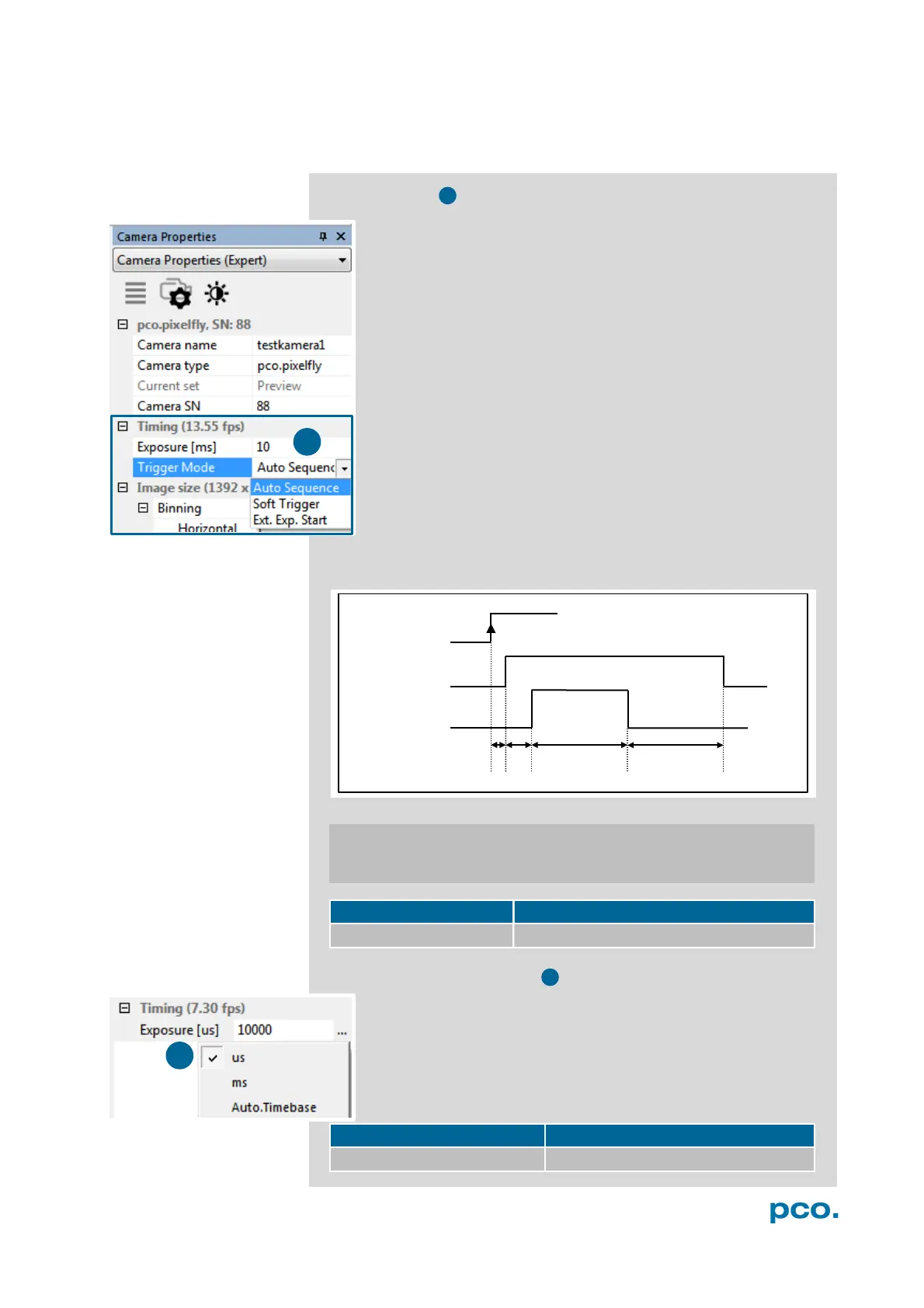
6.3.1 TIMING
Trigger Modes
Auto Sequence The camera will optimize the image recording
to achieve the best possible frame rate.
In the Auto Sequence exposure control mode, the camera
determines the fastest possible frame rate depending on the
adjusted exposure time and the required readout time.
After a start command is given, the sequential recording is
started until a stop command is given.
Software Trigger Single images can be recorded with this
Camware command. A single image can be acquired by
pressing the Single Trigger button. This button appears after
pressing the Start Record button (see 6.5). Other signals cannot
influence this operating mode.
External Exposure Start The image acquisition is triggered by
an external signal. It is also possible to force a software trigger
for a test image with the Single Trigger button.
In the External Exp. Start exposure control mode, single image
recording is started by the rising/falling edge of the voltage signal at
the BNC input (see appendix A1.3, A2).
pixel clock intrinsic + trigger acknowledge delay
12 MHz / 24 MHz 5.6 µs
Exposure Time and time-base
It is possible to change time-base from automatic to µs or ms. If
your input is out of the range of the camera, it will be
automatically changed to the next possible setting. The current
frame rate (fps) is always displayed. The exposure time (delay
time is not available for pco.pixelfly usb) can be adjusted in
steps of 1 μs. The jitter of the actual exposure start edge: < 13
ns.
camera type exposure time
pco.pixelfly usb 1 µs … 60 s
id
exp
read


 To Next Page