33
6.9.2 FILE MENU
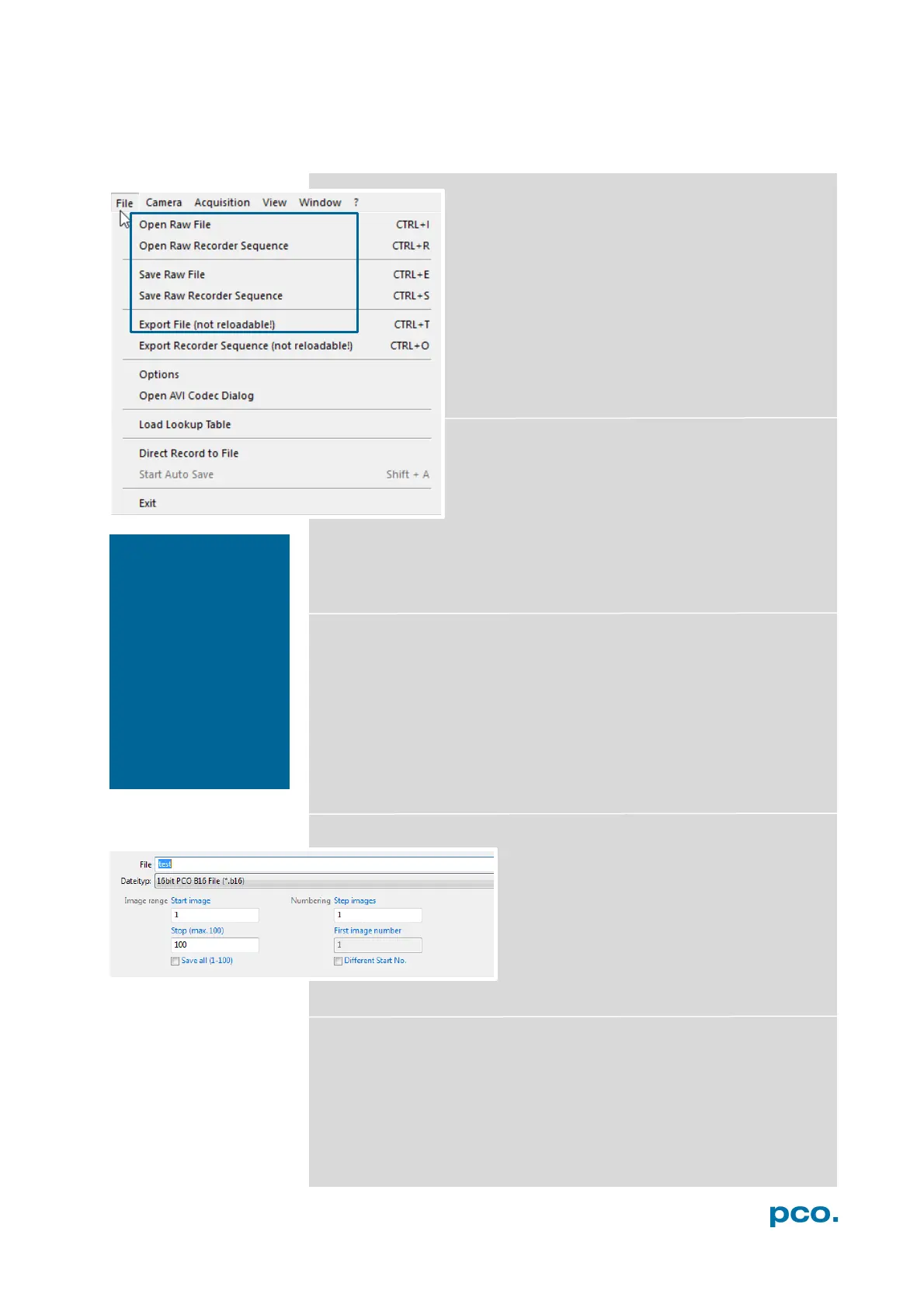
Open RAW File (single image only)
This command should be used to import a single
image into the currently active image window. Only
files with the extension and format of *.b16 (=PCO
proprietary binary image format) and *.tif (16 bit
TIFF image format) can be imported. If the recorder
is enabled, each imported image will be transferred
to the buffer shown in the picture number. The
image itself will be fitted to the current image size.
If the recorder is disabled, the current image sizes
will be set to the parameters of the imported
image.
Open RAW Recorder Sequence (image sequence
from one camera)
This command is used to import a sequence of
images. If more than one camera is connected and
an image window is currently open, the sequence
will be loaded to the active window. If no image
window is open, the images will be loaded to camera #1. This
command opens the Open file dialog box. Only files with the
extension and the format of *.b16, *.pcoraw, *.tif and multi tif can be
imported.
Save RAW File (single image only)
This command should be used to save the image, which is displayed
in the active window. The command opens the Save file dialog box.
The image file can be saved in 16bit *.b16 and *.tif format. If more
than one camera is connected, it is possible to save all current
images by selecting Export all images in the Save file dialog box.
With this feature it is possible to save one image of each active
camera within one process step (it is not necessary to repeat the
save process for each camera). The Save command will not be
available, if no image window is open. For Auto File Save see 6.8.1
Save RAW Recorder Sequence (image sequence from one camera)
This command should be used to save or
export image sequences. If more than one
camera is connected and an image window
is currently open, the record of the active
window will be saved. The command opens
the Save recorder file dialog box. It is
possible to select the number of saved
images, to step images and to choose the
first image number. For Auto File Save see 6.8.1
Export File (not reloadable!)
Use this command to export the image of the active image window.
This command will open the Export Image dialog box. Files with the
extensions fts, tif, bmp, asc, jpg, and jp2 can be exported. This item
will not be visible, if no image window is open. For Auto File Save
see 6.8.1
B
e aware of the
different storage
abilities of the
formats, for example
*.bmp -
format only allows for
8bit values to be
stored and therefore
the image content of a
16 bit image is
reduced, if stored as
bitmap.


 To Next Page