35
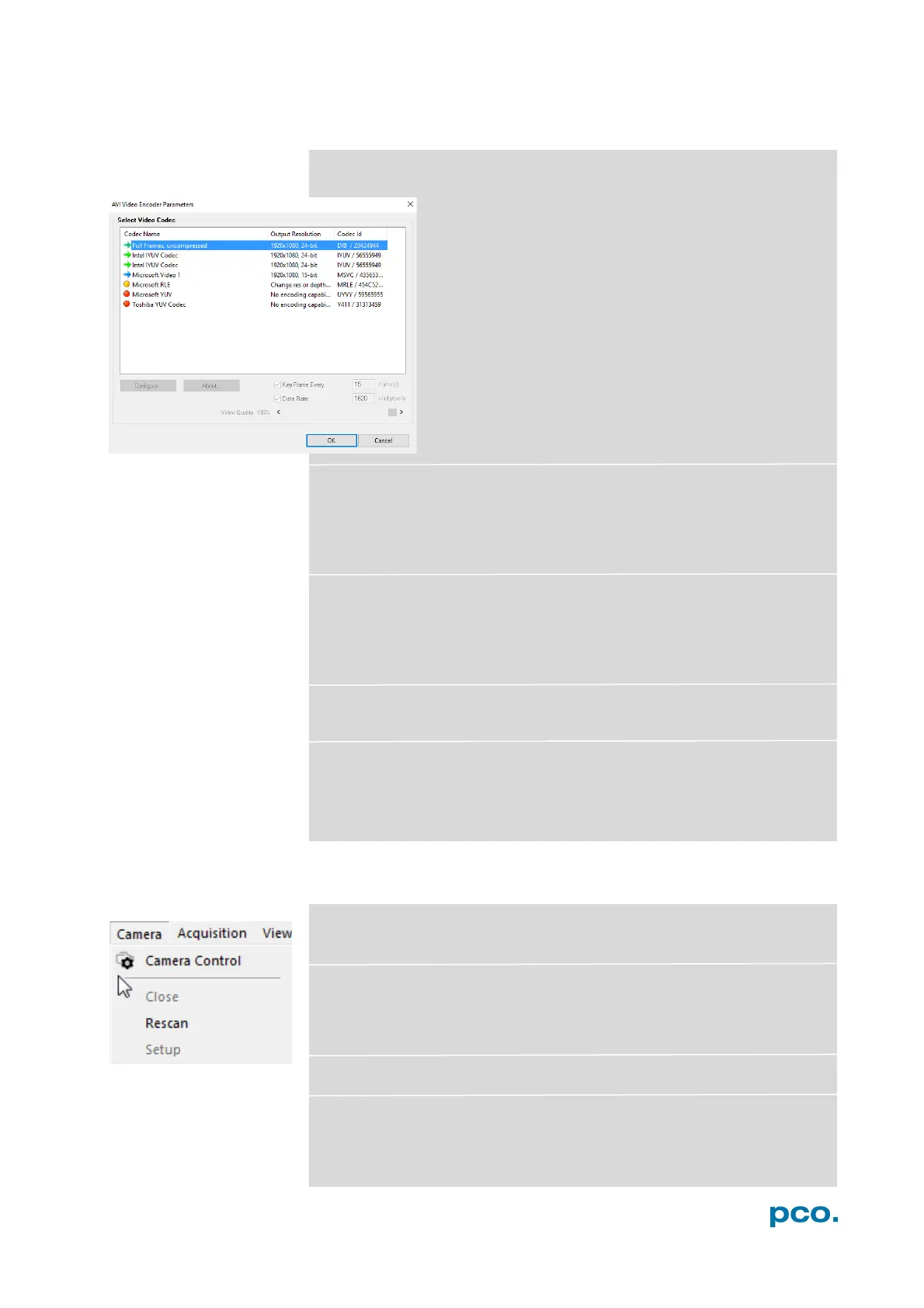
Open AVI Codec Dialog
If you use Auto File Save, this setting takes an effect
on your stored video sequences.
You only need to set this option, if you use Auto File
Save see 6.8.1
Please select the (compression) codec that you want to
use for your stored sequences. All installed codecs are
listed here.
Load lookup Table (for monochrome cameras)
With the Pseudo LUT (Lookup-Table) feature you can load any LUT
with one of four different formats and you can view the result in the
color view window. Use one of the attached predefined LUTs or
define your own.
Direct Record to File
With this command you can preset a certain number of images to be
stored. If the camera captures images faster than the computer can
save to disk, then you will lose images. The displaying of the images
doesn't interfere with the record process.
Start Auto Save
Only available if Auto Save is activated (see 6.8.1)
Exit
This command exits the program and closes all channel dialog
windows. Window positions, settings and sizes are stored in the
windows registry and will be loaded again at next start-up.
6.9.3 CAMERA MENU
Camera Control
Use this command to open the camera control window (see 6.2).
Close
Disconnects camera and switches Camware to Demo Mode. In case
of multiple cameras, all cameras must be closed in order for
Camware to switch to Demo Mode.
Rescan Disconnects and reconnects all cameras.
Setup (not available for pco.pixelfly usb)


 To Next Page