9
4.2 CAMWARE
The Camware Windows application software enables you to control
every camera parameter or setting. Images can be displayed on a
monitor and may be downloaded and stored. The USB storage
device contains the installation files for the software for latest
Windows operating systems in 32 & 64 bit.
After a successful installation, you will find the program file Digital
Camera Toolbox in your program directory and a Camware32/64
button on your desktop. Other helpful tools are also installed in the
same directory.
To uninstall the Camware program, please use the Software feature
under Windows’ System Control.
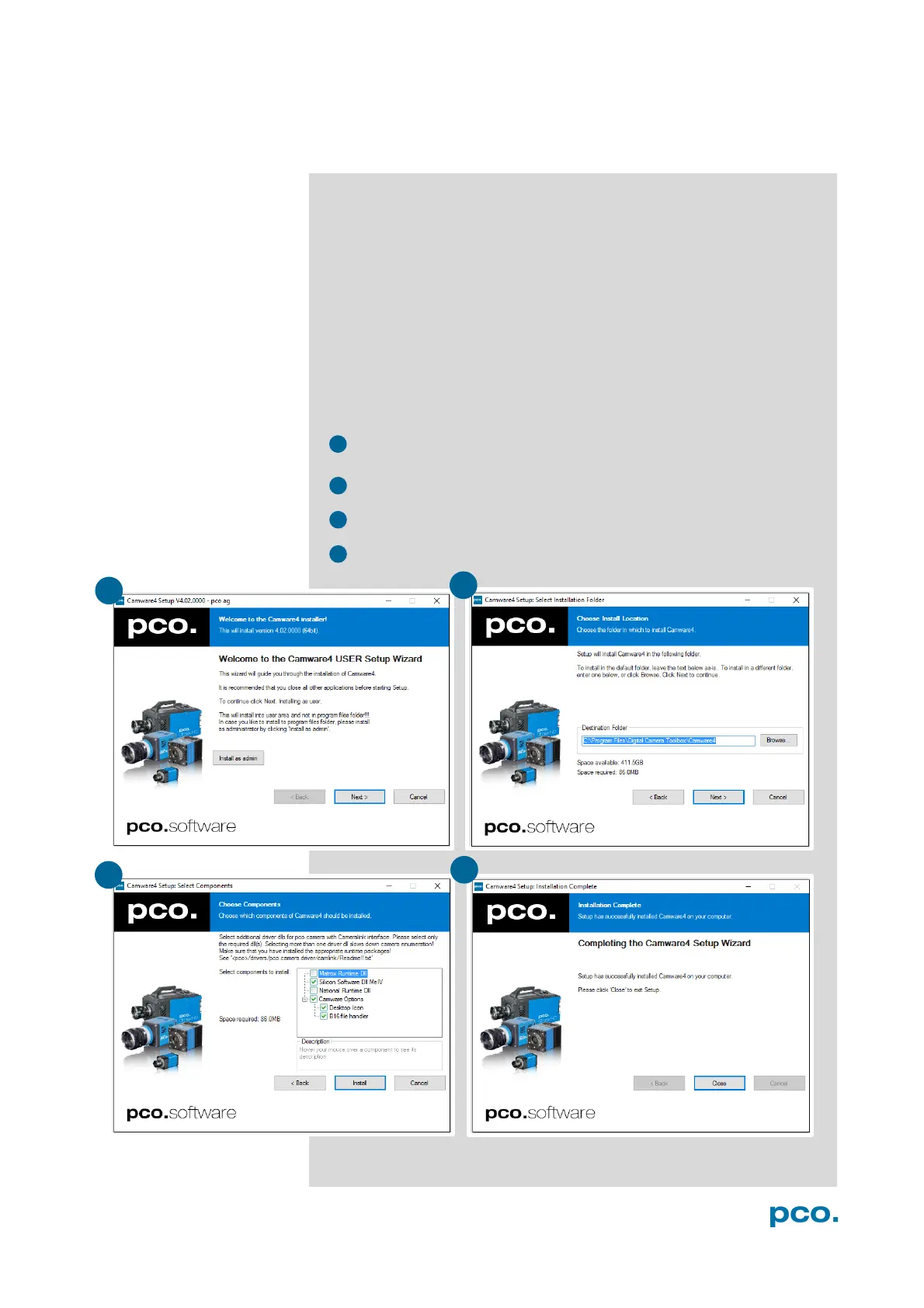
Please follow the installation wizard
- Install Camware as Admin to install to program folder, instead it
will be installed only to user folder.
- Then choose install directory.
- Choose components: Select additional drivers.
- After the next two screens installation is complete.


 To Next Page